NOTE: A USB Type-C to DisplayPort adapter (sold separately) is required to connect a DisplayPort device.
4 HDMI port
Connect to a TV or another HDMI-in enabled device. Provides video and audio output.
5 USB 3.0 ports (2)
Connect peripherals such as external storage devices and printers. Provides data transfer speeds up to 5 Gbps.
6 Headset port
Connect headphones or a headset (headphone and microphone combo).
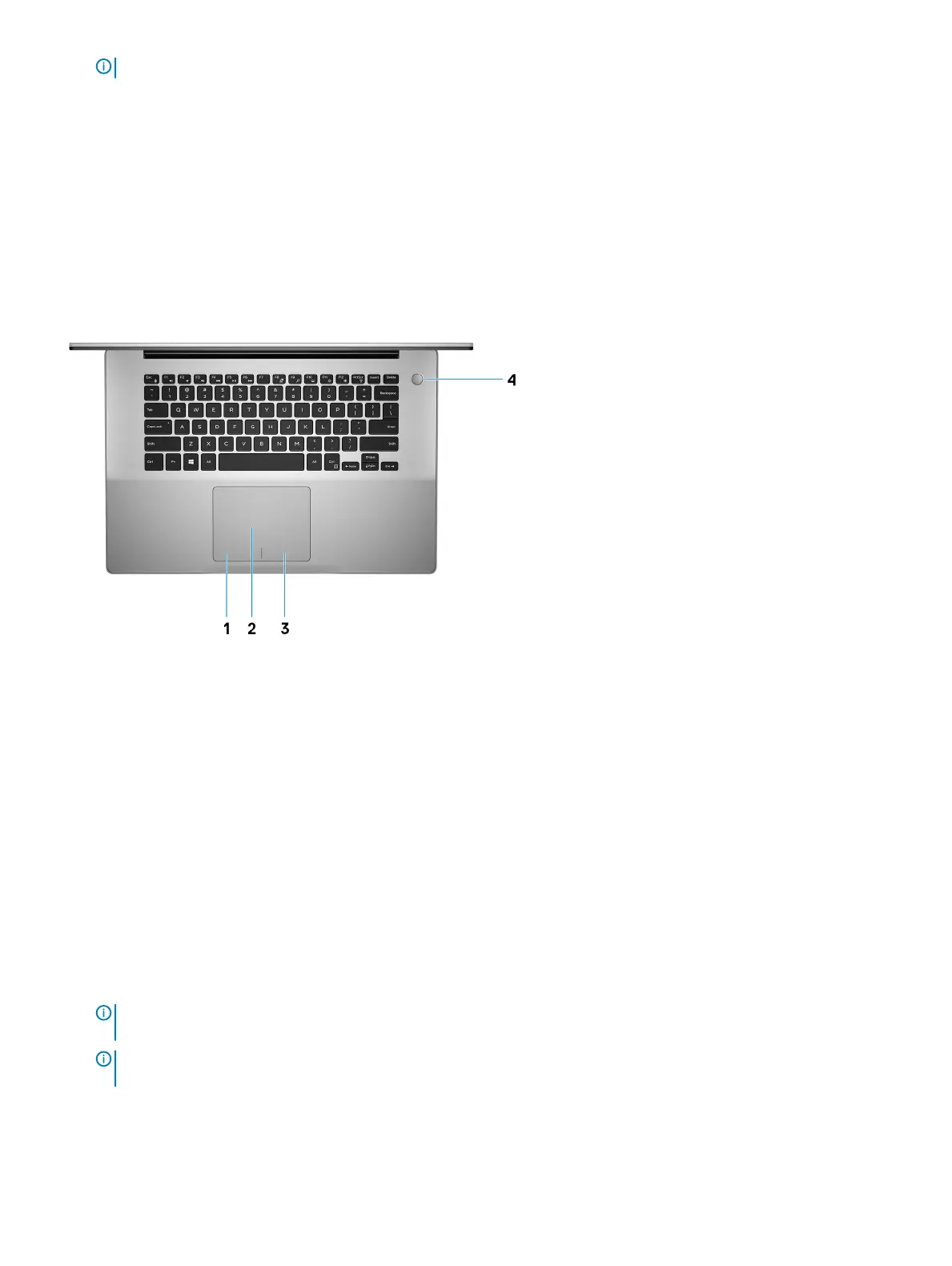
Base
1 Left-click area
Press to left-click.
2 Touchpad
Move your nger on the touchpad to move the mouse pointer. Tap to left-click and two nger tap to right-click.
3 Right-click area
Press to right-click.
4 Power button with optional ngerprint reader
Press to turn on the computer if it is turned o, in sleep state, or in hibernate state.
When the computer is turned on, press the power button to put the computer into sleep state; press and hold the power button for
10 seconds to force shut-down the computer.
If the power button has a ngerprint reader, place your nger on the power button to log in.
NOTE
: Before using the ngerprint reader, congure it in Windows to recognize your ngerprint as a passcode and enable
access. For more information, see www.dell.com/support/windows.
NOTE: You can customize power-button behavior in Windows. For more information, see
Me and My Dell
at www.dell.com/
support/manuals.
8 Views of Inspiron 5580



 To Next Page