Need help?
Do you have a question about the Dell PowerConnect RPS720 and is the answer not in the manual?
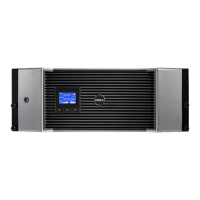
Details the features of the Dell PowerConnect RPS720 redundant power bank.
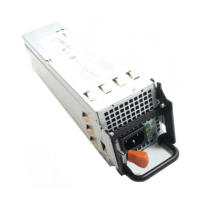
Details the features of the Dell PowerConnect MPS600 modular power supply.
Details the features of the Dell PowerConnect MPS1000 modular power supply.
Lists all items to verify in the package upon delivery for RPS720, MPS600, MPS1000, or MPS 1U Shelf.
Instructions for placing the RPS720 on a level surface with adequate ventilation space.
Steps for mounting the RPS720 unit into a standard 19-inch rack using provided brackets.
Procedures for placing MPS600 or MPS1000 on a level surface with ventilation clearance.
Steps for mounting MPS600 or MPS1000 into a standard 19-inch rack.
Instructions for placing the MPS 1U Shelf on a level surface for housing power supplies.
Steps for mounting the MPS 1U Shelf into a standard 19-inch rack.
Connect and power on the RPS720 unit to the switch and AC power outlet.
Connect and power on the MPS600 or MPS1000 unit to the switch and AC power outlet.
Connect and power on MPS units installed within the 1U shelf.
Physical dimensions (height, width, depth) of the RPS720 unit.
Technical details for the 180 W AC-DC power supply and DC fan specifications.
Physical dimensions and 600W power supply specifications for the MPS600.
Physical dimensions and 1000W power supply specifications for the MPS1000.
Physical dimensions and environmental considerations for the MPS 1U Shelf.
 General
| Device Type | Redundant Power Supply |
|---|---|
| Power Output | 720W |
| Redundancy | Yes |
| Input Voltage | 100-240V AC |
| Input Frequency | 50/60Hz |
| Output Voltage | 12V DC |
| Compatibility | Dell PowerConnect Switches |
| Efficiency | 80% |

 To Next Page