Installing System Components 77
3
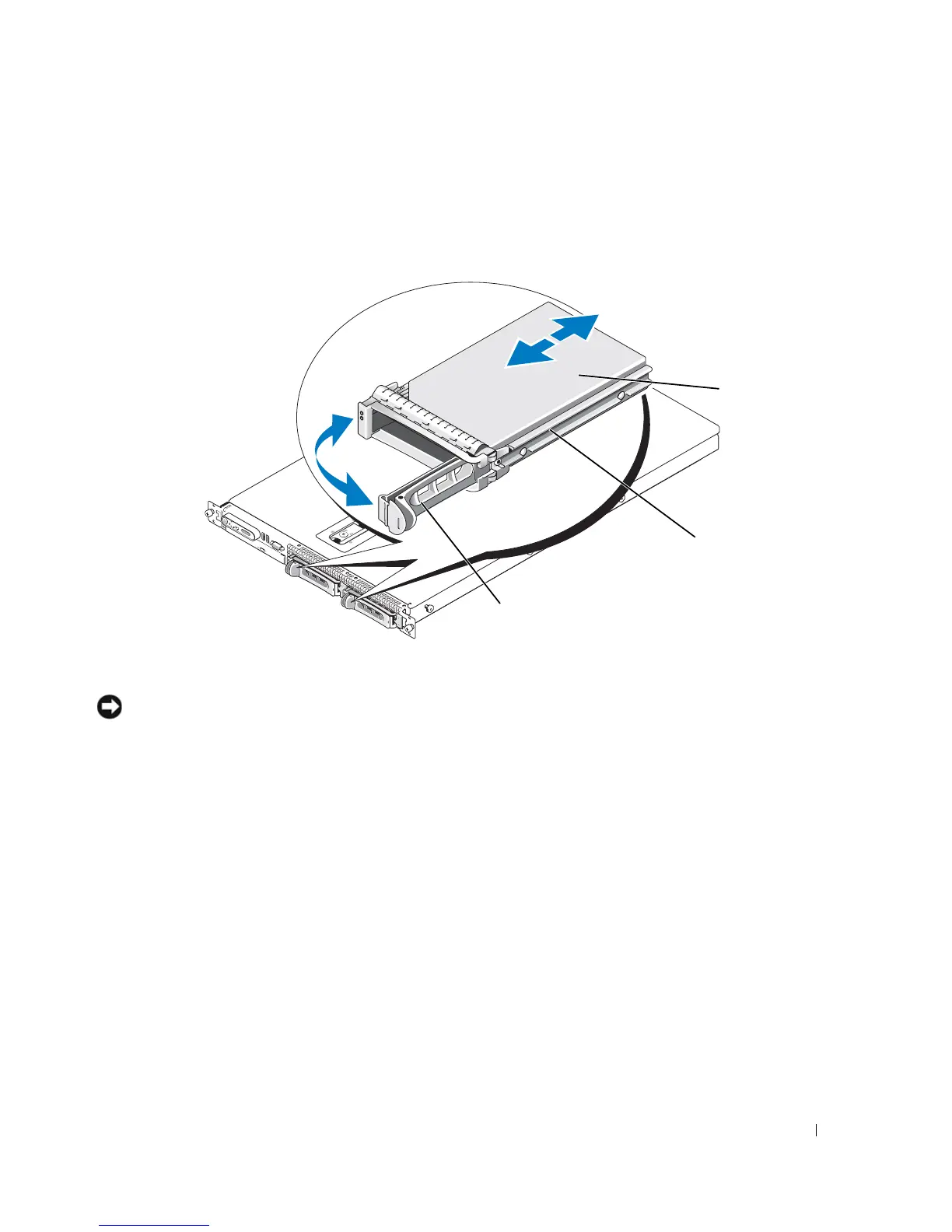
Install the hot-plug hard drive.
a
Open the hard-drive carrier handle. See Figure 3-18.
Figure 3-18. Installing a Hot-Plug Hard-Drive
NOTICE: Do not insert a hard-drive carrier and attempt to lock its handle next to a partially installed carrier.
Doing so can damage the partially installed carrier's shield spring and make it unusable. Ensure that the adjacent
drive carrier is fully installed.
b
Insert the hard-drive carrier into the drive bay until the carrier contacts the backplane. See
Figure 3-18.
c
Close the hard-drive carrier handle to lock it in place.
4
Replace the front bezel if it was removed in step 1. See "Removing and Replacing the Front Bezel" on
page 45.
1 drive carrier release handle 2 drive carrier 3 hard drive
3
2
1













 To Next Page