84 Installing System Components
6
Remove the backplane board:
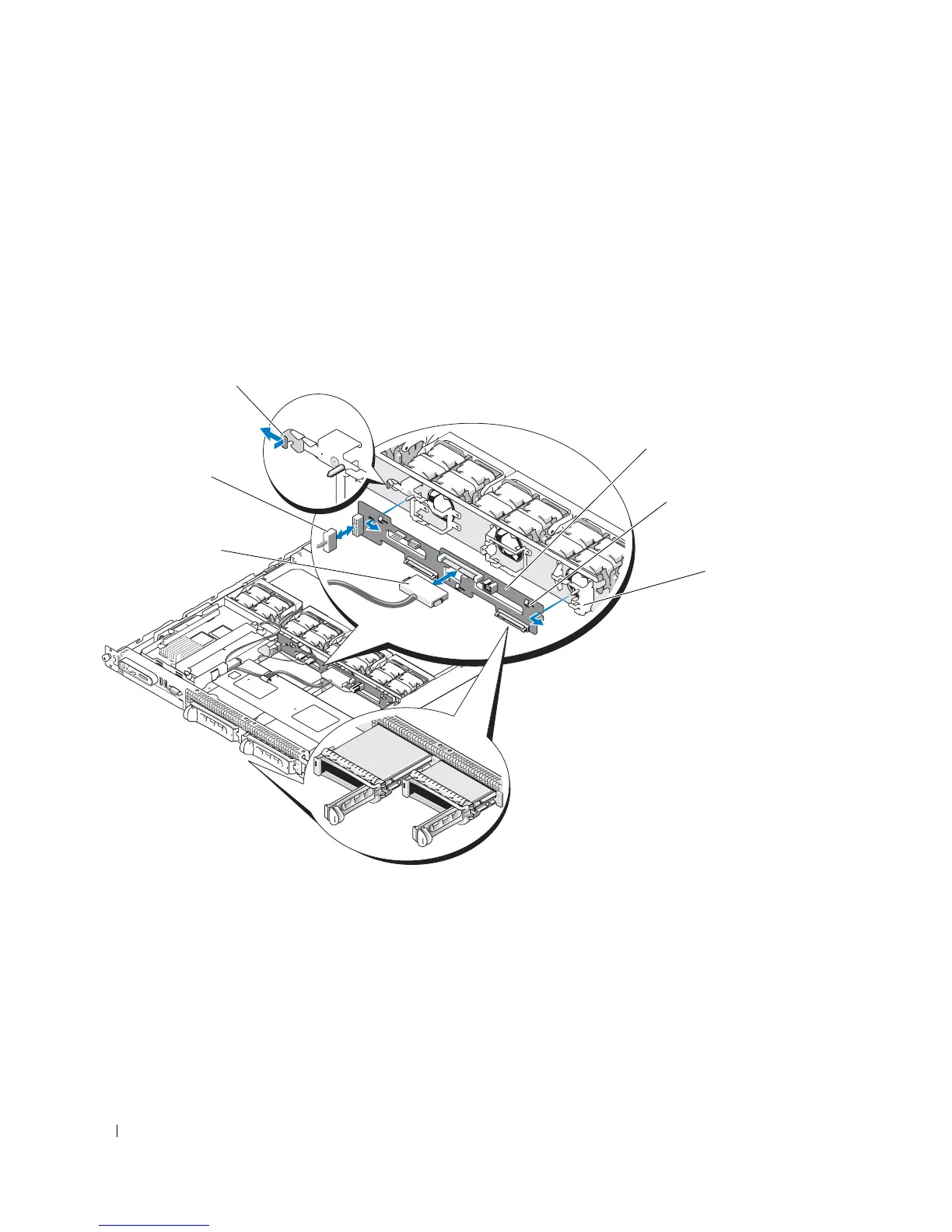
– If you are removing a 3.5-inch hard drive (two-drive) backplane, press the release latch at the left end
of the board, slide the board to its right, and lift the backplane off of the securing tabs. See
Figure 3-23.
– If you are removing a 2.5-inch hard drive (four-drive) backplane, press the release latch at each end of
the backplane and lift the backplane off of the securing tabs. See Figure 6-4.
Figure 3-23. 2.5-Inch Hard Drive Backplane Board Removal and Installation
1 backplane board release latch 2 backplane board 3 securing slots
4 securing tabs 5 SAS interface cable 6 power cable
1
6
5
2
4
3













 To Next Page