Removing and Installing the Battery and Battery Cable on PERC Controllers 5
3
Remove the TBBU assembly from the PERC
x
/E Adapter by pressing down
on the tabs at each edge of the memory module connector and lifting the
TBBU off the adapter.
4
Disconnect the battery cable from the memory module.
NOTE: Do not exert excessive pressure on the connector on the memory
module while removing the memory module.
5
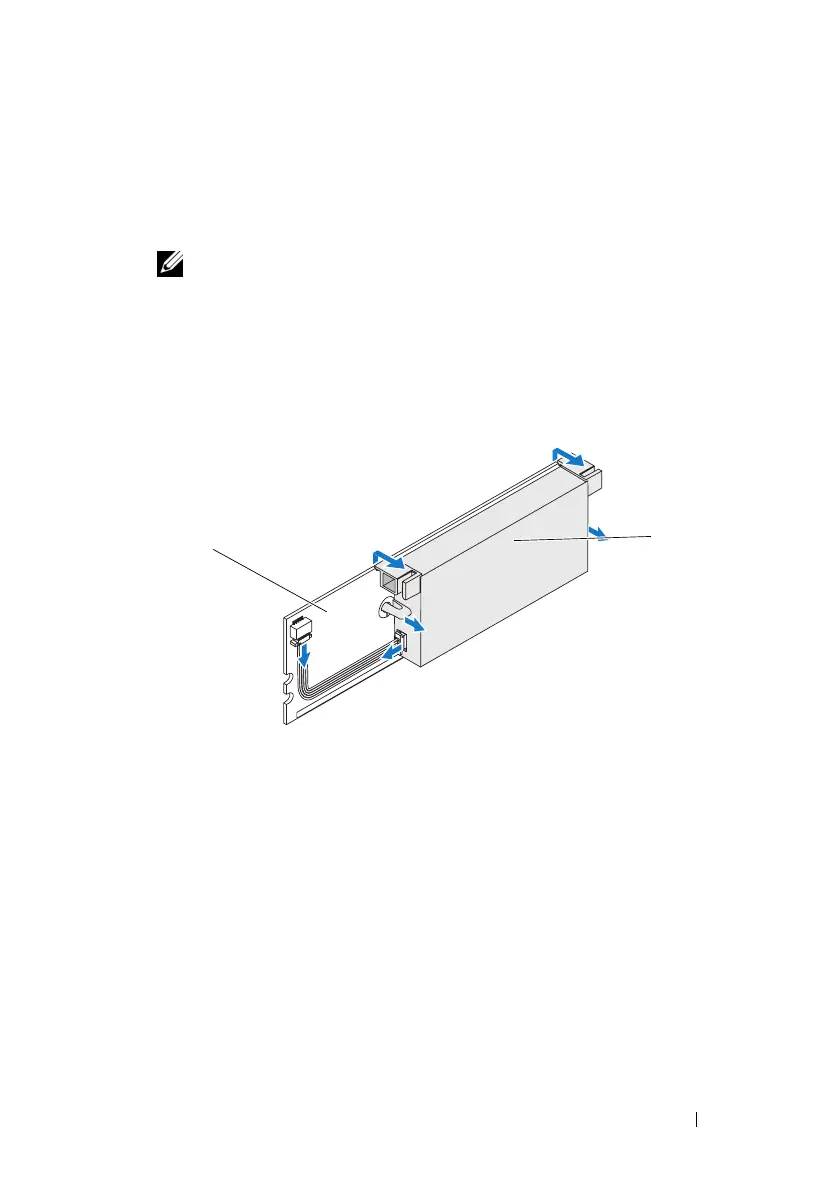
Detach the battery from the memory module by pressing out on the
battery clips inserted through the memory module and rotating the
battery off the memory module. See Figure 2.
Figure 2. Removing the BBU
1 memory module 2 battery
2
1





 To Next Page