2. HDD eject latch
3. SIM slot
4. battery release latch
5. dock I/O port
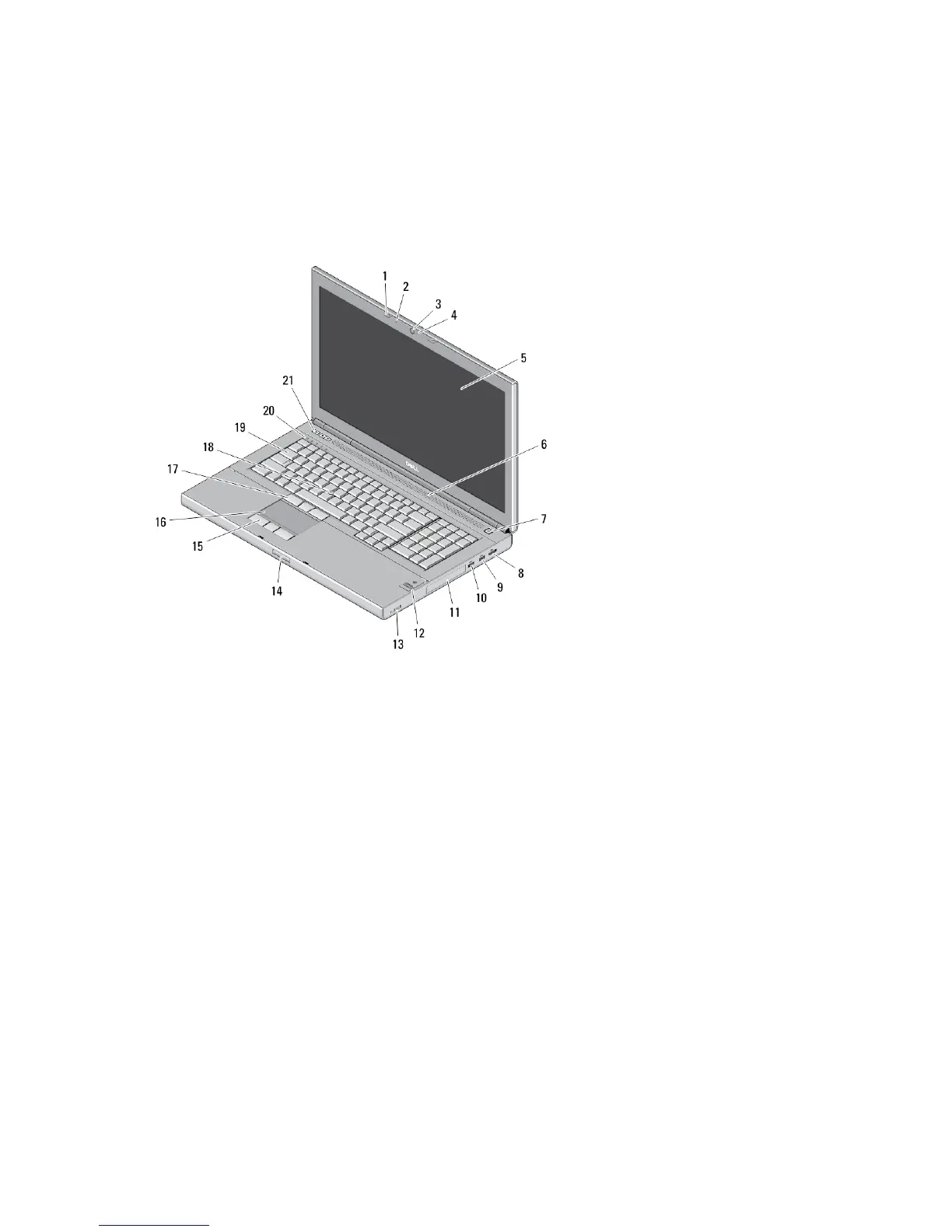
M6700 — Front and Back View
Figure 4. Front View
1. display latches (2)
2. microphones (2) (optional)
3. camera (optional)
4. camera LED (optional)
5. display
6. speakers (2)
7. power button
8. DisplayPort connector
9. USB 3.0 connector
10. USB 3.0 PowerShare connector
11. hard drive
12. fingerprint reader (optional)
13. wireless switch
14. display-latch release button
15. touchpad buttons (3)
16. touchpad
17. track-stick buttons (3)
18. track stick
19. keyboard
20. device status lights
21. volume control buttons (3)
3















 To Next Page