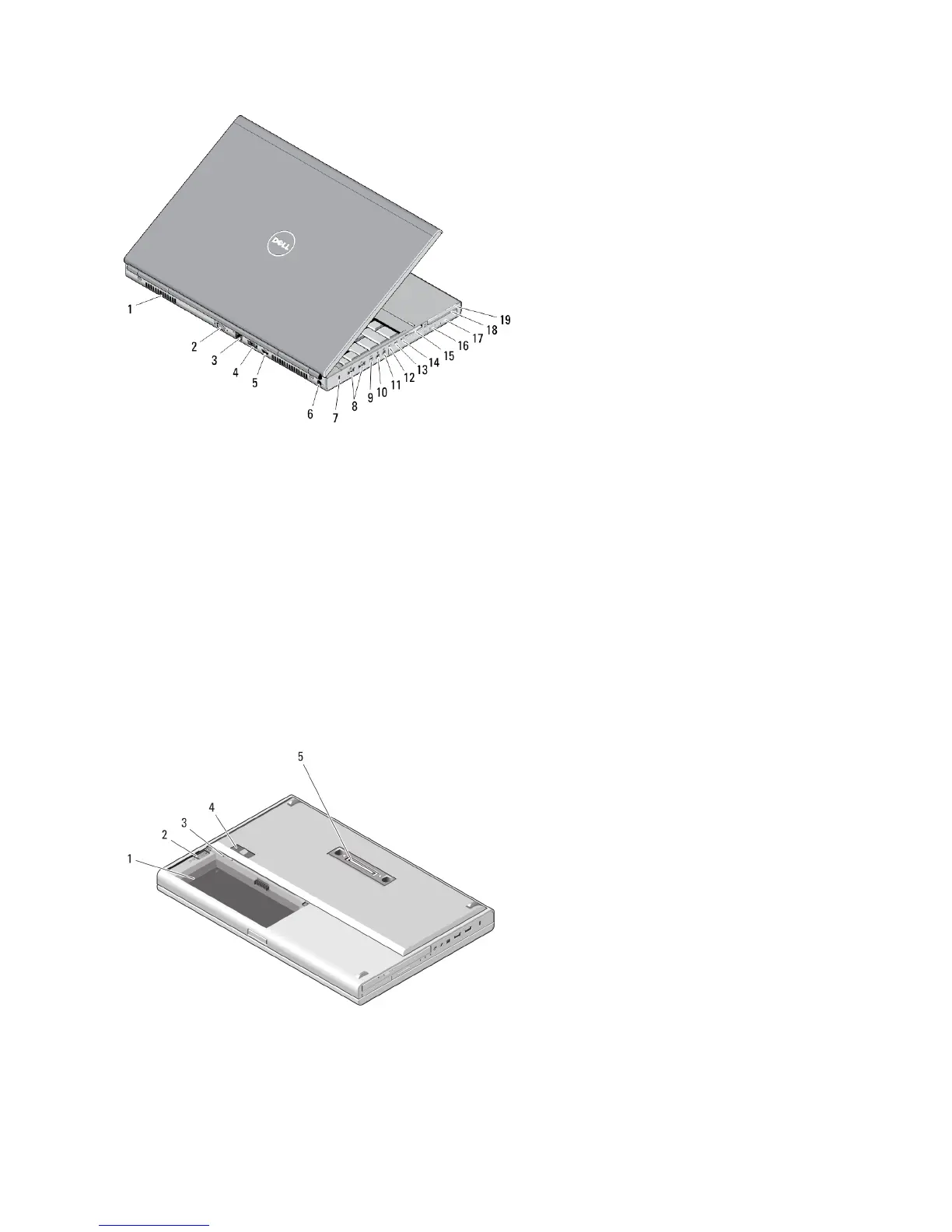
Figure 2. Back View
1. cooling vents (2)
2. VGA connector
3. network connector
4. eSATA/USB 2.0 connector
5. HDMI connector
6. power connector
7. security cable slot
8. USB 2.0 connectors (2)
9. IEEE 1394 port (4-pin)
10. microphone connector
11. headphone connector
12. hard-drive status light
13. battery status light
14. power light
15. 10-in-1 card reader slot
16. optical-drive eject button
17. optical drive
18. smart card reader slot
19. ExpressCard slot
M4700 — Base View
Figure 3. Base View
1. battery bay
2















 To Next Page