32 | Operating the Monitor
Response
Ti
me
Allows you to set the Response Time to Normal or Fast.
ULMB
ULMB (Ultra Low Motion Blur) helps have less of a motion blur effect
while you are watching fast-moving images. When the graphics card
supports G-SYNC, make sure that the Enable G-SYNC function is not
selected in the NVIDIA Control Panel, ULMB will be automatically
enabled.
NOTE: This function is available when the refresh rate is 85 Hz, 100 Hz
or 120 Hz.
NOTE: When ULMB is enabled, the message of ULMB Mode is
displayed on the lower-left corner of the OSD. When G-SYNC is
enabled in the NVIDIA Control Panel, the message of G-SYNC Mode is
displayed instead. If your system doesn’t support G-SYNC, then the
message of Normal Mode is displayed.
ULMB Pulse
Width
Allows you to adjust the panel's backlight a bit, so as to reduce motion
blur. Use
or to adjust the level from 10 to 100. Smaller values
decrease motion blur and brightness.
Overclock
Allows you to operate the monitor at a higher refresh rate than
specified by the panel specification.
NOTE: This function is only available when using DP (DisplayPort)
input.
NOTE: Overclocking may cause screen flickering. To reduce such
effects, try to setting a lower refresh rate in the Overclock Refresh
Rate menu.
Overclock
Refresh Rate
The function increases your displays refresh rate.
Use
or to adjust the frequency in 5 Hz increments, from 150
to 165 Hz.
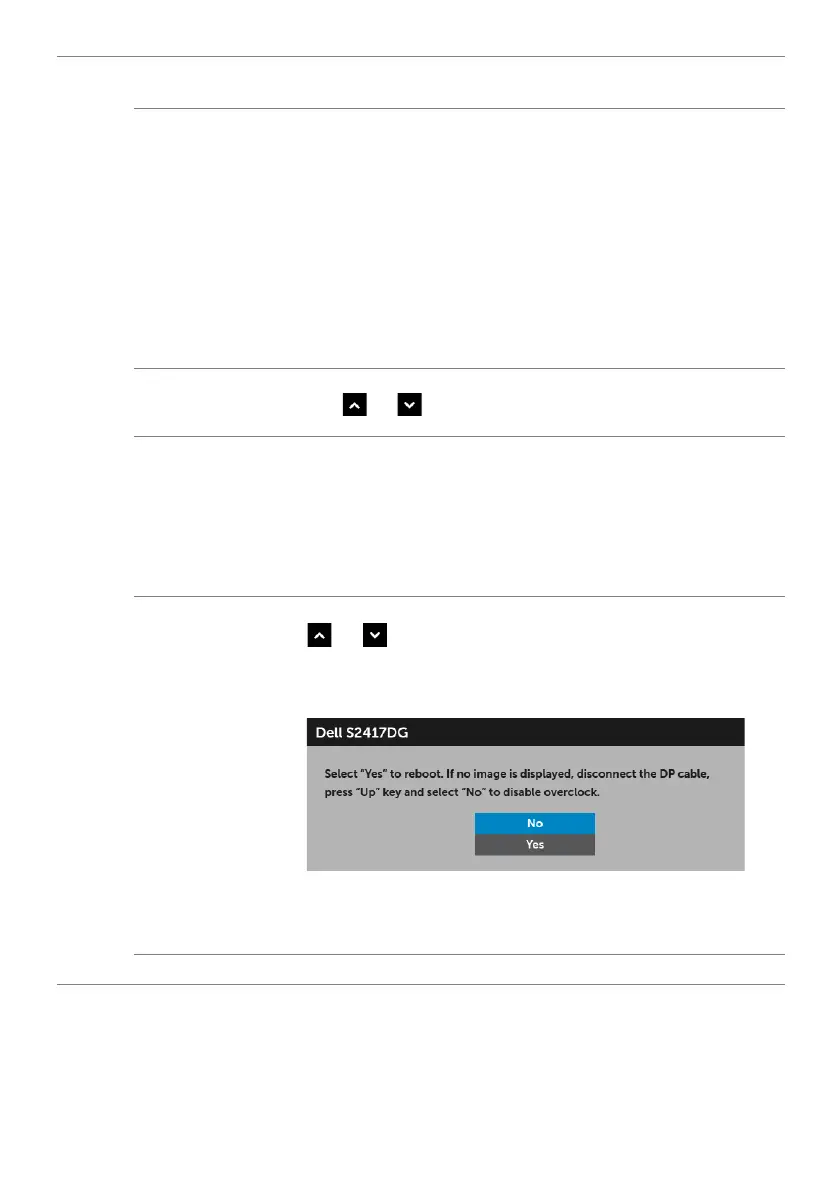
After you specify the refresh rate, the following message appears to
g
uide you through the process:
NOTE: This function is only available when Overclock is enabled.
NOTE: Overclocking may cause screen flickering. To reduce such
effects, try to setting a lower refresh rate.
Reset Display
Select this option to restore default display settings.


 To Next Page