Need help?
Do you have a question about the Dell S2419HM and is the answer not in the manual?
Lists the components included with the monitor.
Details the monitor's technical specifications and capabilities.
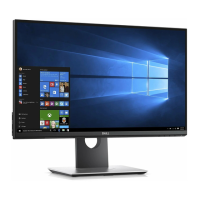
Identifies the physical parts and buttons on the monitor.
Provides detailed technical specifications of the monitor.
Explains the monitor's Plug-and-Play compatibility.
Discusses LCD quality and the policy regarding dead pixels.
Describes how to adjust the monitor's tilt for viewing comfort.
Step-by-step guide for connecting the monitor to a computer.
Instructions on how to manage monitor cables neatly.
Instructions on how to power on the monitor.
Detailed description of the monitor's front panel control buttons.
Explains the buttons used for navigating the OSD menu.
Guide to accessing and using the On-Screen Display (OSD) menu.
Steps to perform a self-test to check monitor functionality.
Using the built-in tool to diagnose screen abnormalities.
Table of common issues and their possible solutions.
Solutions for issues specific to the monitor's features.
Important safety guidelines for using the monitor.
Details on FCC notices and other regulatory compliance.
Information on how to get technical support from Dell.
Guide to setting the recommended display resolution (1920x1080).
Instructions for cleaning and maintaining the monitor.
 General
| Screen Size | 23.8 inches |
|---|---|
| Resolution | 1920 x 1080 (Full HD) |
| Panel Type | IPS |
| Refresh Rate | 60 Hz |
| Brightness | 250 cd/m² |
| Contrast Ratio | 1000:1 |
| Aspect Ratio | 16:9 |
| Built-in Speakers | Yes |
| Color Support | 16.7 million colors |
| Response Time | 5 ms |
| Ports | HDMI |
| Viewing Angle | 178° (horizontal), 178° (vertical) |


 To Next Page