28 | Setting up the monitor
NOTE: If you do not see the rotation option or it is not working correctly,
go to https://www.dell.com/support and download the latest driver for
your graphics card.
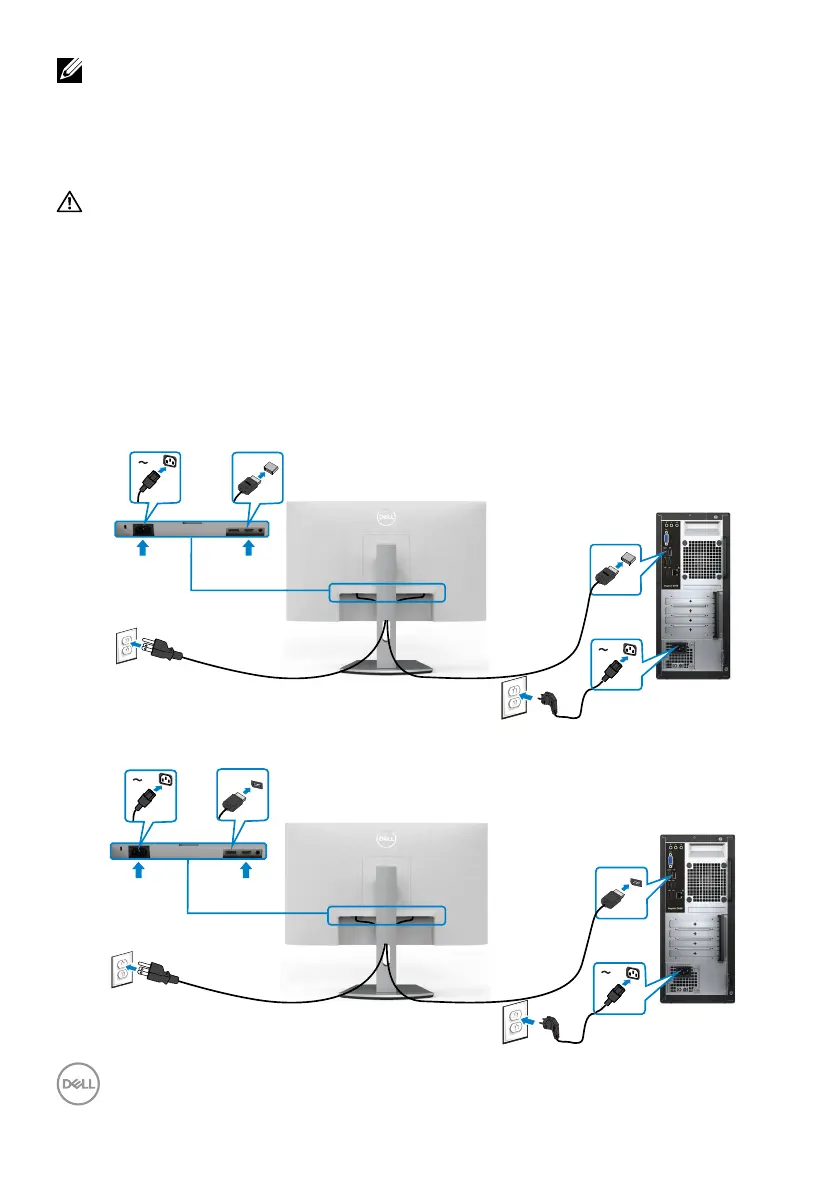
Connecting your monitor
WARNING: Before you begin any of the procedures in this section, follow the
Safety instructions.
To connect your monitor to the computer:
1. Turn off your computer.
2. Connect the DisplayPort or HDMI cable from your monitor to thecomputer.
3. Turn on your monitor.
4. Select the correct input source from the OSD Menu on your monitor and then
turn on your computer.
Connecting the HDMI cable
HDMI
HDMI
Connecting the DP cable (optional)
DP
DP



 To Next Page