Operating the monitor | 41
Icon Menu and
submenus
Description
• Movie: Loads color settings ideal for movies.
• FPS: Loads color settings ideal for First-Person Shooter
games.
• RTS: Loads color settings ideal for Real-Time Strategy
games.
• RPG: Loads color settings ideal for Role-Playing games.
• Warm: Increases the color temperature. The screen
appears warmer with a red/yellow tint.
• Cool: Decreases the color temperature. The screen appears
cooler with a blue tint.
• Custom Color: Allows you to manually adjust the color
settings. Press the
and buttons to adjust the Red,
Green, and Blue values and create your own preset color
mode.
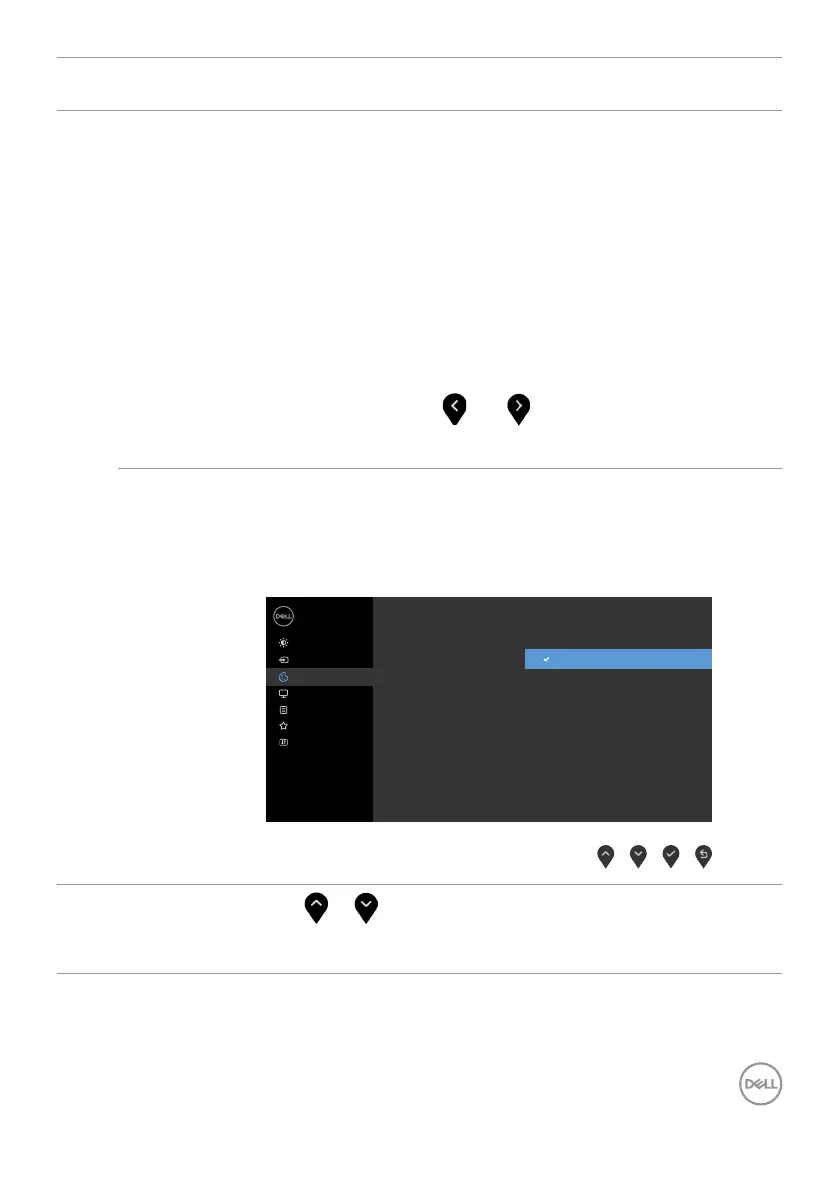
Input Color
Format
Allows you to set the video input mode to:
• RGB: Select this option if your monitor is connected to a
computer (or DVD player) using the HDMI, DP cable.
• YPbPr: Select this option if your DVD player supports only
YPbPr output.
Dell 24/27 Monitor
Input Source
Color
Personalize
Display
Menu
Others
Brightness/Contrast
Reset Color
Input Color Format
Preset Modes
RGB
YPbPr
Hue
Use
or to adjust the hue from 0 to 100.
NOTE: Hue adjustment is available only for Movie and FPS,
RTS, RPG mode.



 To Next Page