Need help?
Do you have a question about the Dell S2719H and is the answer not in the manual?
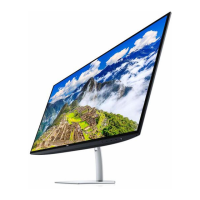
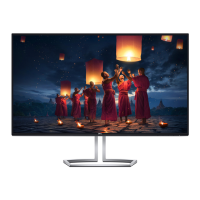
The Dell S2719H/S2719HN/S2719NX is a monitor designed for general use, offering a clear display and a straightforward user experience. Its primary function is to provide visual output from a connected computer or other video sources, making it suitable for a range of activities from office work to media consumption. The design emphasizes ease of assembly and disassembly, which is a key aspect of its maintenance and end-of-life recycling.
From a usage perspective, the monitor is designed to be user-friendly. Initial setup involves attaching the stand-base assembly, which is a simple process. The stand is designed for quick attachment and removal, featuring a release button that allows the user to easily lift the stand away from the monitor. This feature is particularly useful for users who might need to frequently move the monitor, pack it for transport, or mount it on a different stand or arm. The monitor's aesthetic is clean and modern, with a Dell branding prominently displayed on the rear cover. It is intended to blend seamlessly into various home or office environments. The external cables, which are necessary for its operation, are designed to be easily plugged in and unplugged, contributing to the overall ease of use.
Maintenance and repair are central to the design philosophy, with a clear emphasis on modularity and accessibility of internal components. The disassembly process, detailed in the manual, highlights how various parts can be systematically removed using common tools. For instance, the rear cover is secured with a few Philips-head screws, making it accessible for service. The manual specifies the screw sizes and torque, ensuring that technicians or advanced users can perform these steps correctly without damaging the device. A penknife is suggested for carefully separating the bezel and rear cover, indicating that these parts are designed to be unclipped or unsealed with precision. This attention to detail in the disassembly instructions suggests a commitment to repairability.
Further into the internal structure, components like the speaker, mainframe, and middle frame are all secured with Philips-head screws, again with specified sizes and torque values. This consistency in fastener type simplifies the tool requirements for maintenance. The speaker, specifically mentioned for the S2719H model, is easily removable, suggesting that it might be a replaceable module. The mainframe, which likely houses the primary electronics, is also designed for straightforward removal. The middle frame, which provides structural support and holds various components in place, is secured by a larger number of screws, indicating its critical role in the monitor's integrity.
Connectivity within the monitor is managed through FFC (Flexible Flat Cable) cables and converter boards. The manual illustrates how these cables, connecting the panel to the converter board, can be disconnected. This modular approach means that if a specific component, such as a converter board or the panel itself, needs replacement, it can be isolated and removed without necessarily requiring a complete overhaul of the entire system. The key board, which likely contains the control buttons for the monitor's on-screen display (OSD), is also designed for easy removal, suggesting that these user interface components are considered serviceable.
The internal electronics, including the main board and converter board, are secured with Philips-head screws, making them accessible for inspection or replacement. The manual also highlights the presence of electrolyte capacitors on the converter board. While not explicitly stated as a maintenance feature, the mention of their dimensions (height and diameter) is relevant for technicians who might need to identify or replace these components, especially in the context of power supply issues. The main frame, once all internal components are removed, is shown as a distinct metal structure, emphasizing the monitor's internal construction and the separation of its various functional blocks.
Environmentally, the manual provides crucial information about product materials, aligning with WEEE (Waste from Electrical and Electronic Equipment) directives. It explicitly states which components should be disposed of or recovered separately. For example, it confirms that the product has printed circuit boards with a surface greater than 10 square cm and an LCD display greater than 100 cm2, both of which are categories requiring specific handling. It also notes the presence of external electric cables and electrolyte capacitors in the power adapter that exceed certain size thresholds, indicating their special disposal requirements. The absence of mercury, asbestos, CFCs, HCFCs, HFCs, and HC in the components is a positive environmental aspect. The mention of BFR (Brominated Flame Retardants) in the DC cable of the power adapter is also noted, providing transparency about material composition.
The tools required for disassembly are standard, including a Philips-head screwdriver, a penknife, and for more advanced repairs, a soldering iron and absorber. This list reinforces the idea that the monitor is designed to be serviceable using commonly available tools, rather than requiring specialized equipment. This approach benefits both professional repair services and individuals with technical expertise who might wish to perform their own maintenance.
In summary, the Dell S2719H/S2719HN/S2719NX monitor is a product designed with a focus on ease of use, modularity, and repairability. Its straightforward assembly, accessible internal components, and clear disassembly instructions make it a practical choice for users who value maintainability and for service providers. The detailed material information also reflects a consideration for environmental responsibility in its lifecycle.
 General
| 3D | No |
|---|---|
| Color gamut | 99 % |
| Pixel pitch | 0.3114 x 0.3114 mm |
| Screen shape | Flat |
| Pixel density | 81 ppi |
| Backlight type | LED |
| Display diagonal | 27 \ |
| Display technology | LCD |
| Native aspect ratio | 16:9 |
| Vertical scan range | 56 - 76 Hz |
| Maximum refresh rate | 60 Hz |
| Horizontal scan range | 31 - 83 kHz |
| Supported video modes | 480i, 480p, 576i, 576p, 720p, 1080i, 1080p |
| Viewable size diagonal | 686 mm |
| Viewable size, vertical | 336.31 mm |
| Contrast ratio (dynamic) | 8000000:1 |
| Display bezel technology | InfinityEdge |
| Display number of colors | 16.78 million colors |
| Viewable size, horizontal | 597.89 mm |
| Display brightness (typical) | 250 cd/m² |
| Supported graphics resolutions | 1920 x 1080 (HD 1080) |
| On/off switch | Yes |
| Active display area (W x H) | 597.89 x 336.31 mm |
| VGA (D-Sub) ports quantity | 0 |
| RMS rated power | 10 W |
| Product color | Black |
| Market positioning | Business |
| Tilt angle range | -5 - 21 ° |
| Cable lock slot type | Kensington |
| AC input voltage | 100 - 240 V |
| AC input frequency | 50 - 60 Hz |
| Power consumption (max) | 36 W |
| Annual energy consumption | 32 kWh |
| Power consumption (standby) | 0.3 W |
| Power consumption (typical) | 26 W |
| Power consumption (PowerSave) | 20 W |
| Sustainability certificates | ENERGY STAR |
| Package depth | 715 mm |
| Package width | 140 mm |
| Package height | 447 mm |
| Package weight | 7860 g |
| Package material | Corrugated cardboard, Paper molded pulp, Polyethylene (PE) |
| Pallet width | 1000 mm |
| Pallet height | 1027 mm |
| Pallet length | 1160 mm |
| Pallet weight | 180529 g |
| Quantity per pallet | 20 pc(s) |
| Quantity per pallet layer | 10 pc(s) |
| Harmonized System (HS) code | 85285210 |
| Number of layers per pallet | 2 pc(s) |
| Quantity per master (outer) case | 1 pc(s) |
| Polyethylene (PE) content per bag | 28.28 g |
| Paper molded pulp content per package | 470 g |
| Corrugated cardboard content per package | 2065 g |
 Weight and Dimensions
| Stand weight | 520 g |
|---|---|
| Depth (with stand) | 187.1 mm |
| Height (with stand) | 454.6 mm |
| Weight (with stand) | 4989 g |
| Depth (without stand) | 45.8 mm |
| Width (without stand) | 612.7 mm |
| Height (without stand) | 356.5 mm |
| Weight (without stand) | 3628 g |


 To Next Page