Mike Fortin – Avid Technology – June 24th, 2013
Rev E
C.) Required system BIOS settings for AVID environments:
Hyper-Threading Setting:
Please Note:
CPU Hyper-threading should be enabled in all configurations per the chart below. It is
currently enabled by default by Dell for shipping T5600’s with BIOS ver A.04 or earlier
Media Composer 6.x/7.x
Symphony 6.x/7.x
NewsCutter 10.x/11.x
T7600 Required system BIOS changes:
1. Verify CPU Processors are set to Hyper-Threading – Set per chart above. Current version
BIOS vA.04 has Hyper-Threading enabled by default
2. Set Turbo boost – Disable
3. Set C State Control - Disable
4. Set hyper thread - Enable
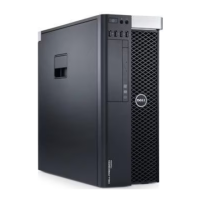
Set T5600 Required system BIOS changes:
- During boot up press F12 at the Dell splash screen to invoke Set Up.
- Select the Performance tab
- Select Processor
-
Select Hyper-Threading
- Verify setting is Enable
If Hyper-Threading is set for Disable then it must be changed to Enable
- Select Turbo Boost-Disable
- Select C State Control-Disable
- In the bottom right corner select accept
- Exit system reboots









 To Next Page