Need help?
Do you have a question about the Dell TP713 and is the answer not in the manual?
Lists necessary hardware and software for installation.
Details items included in the product packaging.
Instructions for inserting batteries into the wireless touchpad.
Guide on connecting the USB receiver to the computer.
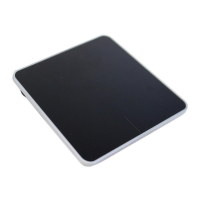
Describes the LED indicator and click functions on the touchpad's front.
Details the power switch, battery compartment, and model number on the back.
Explains single-finger gestures like edge swipes and taps.
Covers multi-touch gestures like pinch-to-zoom and rotation.
Details three-finger gestures for managing the desktop and apps.
Manufacturer, model, connection type, and OS support.
Voltage, battery, dimensions, and weight of the touchpad.
Operating conditions and radio transmission details.
Explains Dell's limited hardware warranty and return policies.
Details FCC compliance and operational conditions.
Lists various international regulatory agency approvals.
Information about the Microsoft Windows Hardware Quality Labs certification.
 General
| Aspect Ratio | 16:9 |
|---|---|
| Connectivity | USB |
| VESA Mount | No |
| Surface Treatment | Anti-glare |
| Interface | USB |
| Operating Temperature | 0°C to 50°C |
| Storage Temperature | -20°C to 60°C |
| Humidity | 10% to 90% (non-condensing) |

 To Next Page