EasyManua.ls Logo

Dell U2211H - User Manual

Dell U2211H
38 pages
Print Icon
To Next Page IconTo Next Page
Loading...
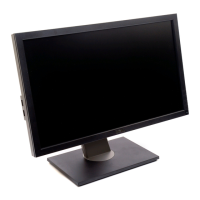
Dell™U2211H/U2311HMonitorUser'sGuide
Notes, Notices, and Cautions
Information in this document is subject to change without notice.
©2010DellInc.Allrightsreserved.
Reproduction of these materials in any manner whatsoever without the written permission of Dell Inc. is strictly forbidden.
Trademarks used in this text: Dell and the DELLlogoaretrademarksofDellInc;Microsoft and Windows are either trademarks or registered trademarks of Microsoft Corporation in
the United States and/or other countries, Intel is a registered trademark of Intel Corporation in the U.S. and other countries; and ATI is a trademark of Advanced Micro Devices,
Inc. ENERGY STAR is a registered trademark of the U.S. Environmental Protection Agency. As an ENERGY STAR partner, Dell Inc. has determined that this product meets the
ENERGY STAR guidelines for energy efficiency.
Other trademarks and trade names may be used in this document to refer to either the entities claiming the marks and names or their products. Dell Inc. disclaims any
proprietary interest in trademarks and trade names other than its own.
Model U2211Ht / U2311Hb
May 2010 Rev. A01
About Your Monitor
Setting Up the Monitor
Operating the Monitor
Troubleshooting
Appendix
NOTE:
A NOTE indicates important information that helps you make better use of your computer.
CAUTION: A CAUTION indicates either potential damage to hardware or loss of data and tells you how to avoid the problem.
WARNING: A WARNING indicates a potential for property damage, personal injury, or death.

Other manuals for Dell U2211H

Question and Answer IconNeed help?

Do you have a question about the Dell U2211H and is the answer not in the manual?

Summary

About Your Monitor

Package Contents

Lists the components included with the monitor for unpacking and setup.

Product Features

Details the technical specifications and unique features of the U2211H/U2311H monitors.

Identifying Parts and Controls

Identifies and describes the front and back panel controls and ports of the monitor.

Setting Up Your Monitor

Setting the Display Resolution

Steps to configure the monitor's display resolution to the maximum 1920 x 1080.

Attaching the Stand

Instructions on how to assemble and attach the monitor stand to the display panel.

Connecting Your Monitor

Guides on connecting the monitor to the computer via VGA, DVI, or DisplayPort cables.

Connecting the USB Cable

Instructions for connecting the USB upstream and downstream ports for data transfer.

Organizing Your Cables

Guidance on using the cable management slot to organize all connected cables neatly.

Attaching the Soundbar (Optional)

Instructions for installing the optional Dell Soundbar onto the monitor.

Removing the Stand

Procedure to safely detach the monitor stand from the display panel.

Wall Mounting (Optional)

Information and steps for securely mounting the monitor on a wall using a VESA-compatible kit.

Operating the Monitor

Using the Front Panel Controls

Explains the function of each button on the monitor's front panel for adjustments.

On-Screen Display (OSD) Menu

Details how to navigate and use the OSD menu for various monitor settings.

Troubleshooting

Self-Test and Built-in Diagnostics

Guides on using monitor self-test and built-in diagnostics to identify issues.

Common Problems and Solutions

Addresses common display issues like no video, poor focus, and lines with possible solutions.

Specific and Peripheral Problems

Covers product-specific, USB, and Soundbar issues and their troubleshooting.

Appendix

Safety Instructions

Provides critical safety warnings and precautions for using the monitor.

Regulatory and Contact Information

Includes FCC notices, regulatory information, and how to contact Dell support.
Summary

About Your Monitor

Package Contents

Lists the components included with the monitor for unpacking and setup.

Product Features

Details the technical specifications and unique features of the U2211H/U2311H monitors.

Identifying Parts and Controls

Identifies and describes the front and back panel controls and ports of the monitor.

Setting Up Your Monitor

Setting the Display Resolution

Steps to configure the monitor's display resolution to the maximum 1920 x 1080.

Attaching the Stand

Instructions on how to assemble and attach the monitor stand to the display panel.

Connecting Your Monitor

Guides on connecting the monitor to the computer via VGA, DVI, or DisplayPort cables.

Connecting the USB Cable

Instructions for connecting the USB upstream and downstream ports for data transfer.

Organizing Your Cables

Guidance on using the cable management slot to organize all connected cables neatly.

Attaching the Soundbar (Optional)

Instructions for installing the optional Dell Soundbar onto the monitor.

Removing the Stand

Procedure to safely detach the monitor stand from the display panel.

Wall Mounting (Optional)

Information and steps for securely mounting the monitor on a wall using a VESA-compatible kit.

Operating the Monitor

Using the Front Panel Controls

Explains the function of each button on the monitor's front panel for adjustments.

On-Screen Display (OSD) Menu

Details how to navigate and use the OSD menu for various monitor settings.

Troubleshooting

Self-Test and Built-in Diagnostics

Guides on using monitor self-test and built-in diagnostics to identify issues.

Common Problems and Solutions

Addresses common display issues like no video, poor focus, and lines with possible solutions.

Specific and Peripheral Problems

Covers product-specific, USB, and Soundbar issues and their troubleshooting.

Appendix

Safety Instructions

Provides critical safety warnings and precautions for using the monitor.

Regulatory and Contact Information

Includes FCC notices, regulatory information, and how to contact Dell support.

Dell U2211H Specifications

General IconGeneral
BrandDell
ModelU2211H
CategoryMonitor
LanguageEnglish

Related product manuals