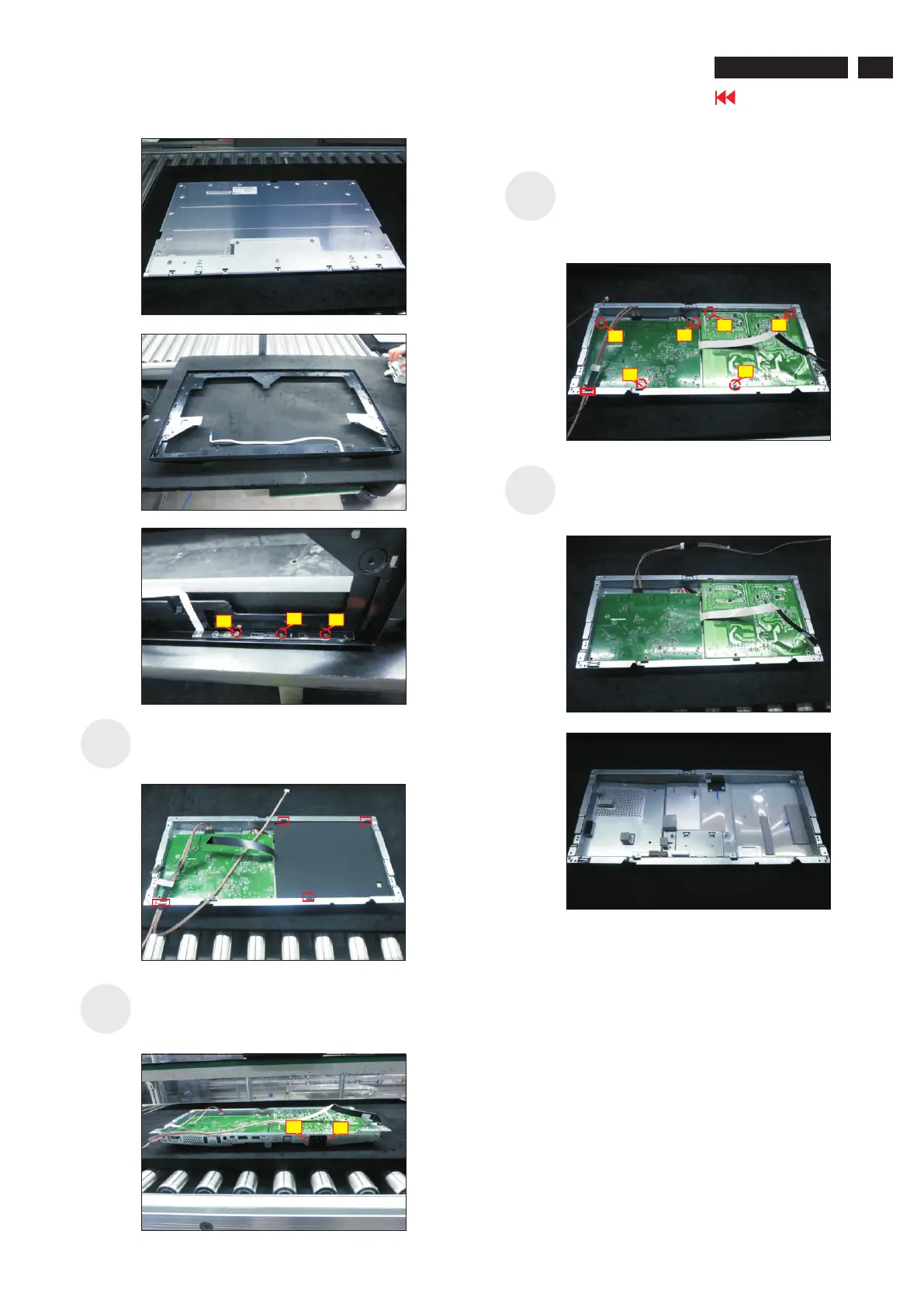
Use a Philips-head screwdriver to remove two screws
for unlocking the AC power outlet.
(No.1~2 screw size=M3x8, Torque=7±1kgfxcm)
S15
S16
Remove the panel lamp cable from the hook of the
bracket. Use a Philips-head screwdriver to remove
screws for interface board and power board. 6pcs
(No.1 screw size=M4x8, Torque=7±1kgfxcm;
No.2~6 screw size=M3x7.5, Torque=7±1kgfxcm)
S17
Remove the power board board and interface
board from the
disconnect all of the cables.
bracket chassis module carefully,
and then
S18
Turn over the bracket chassis module. Remove the
Mylar tape from the hooks of the bracket.
1
2
3
Go to contents page
U2720Q/Q2720QM
1
3
2
2
4
3
1
5
6












 To Next Page