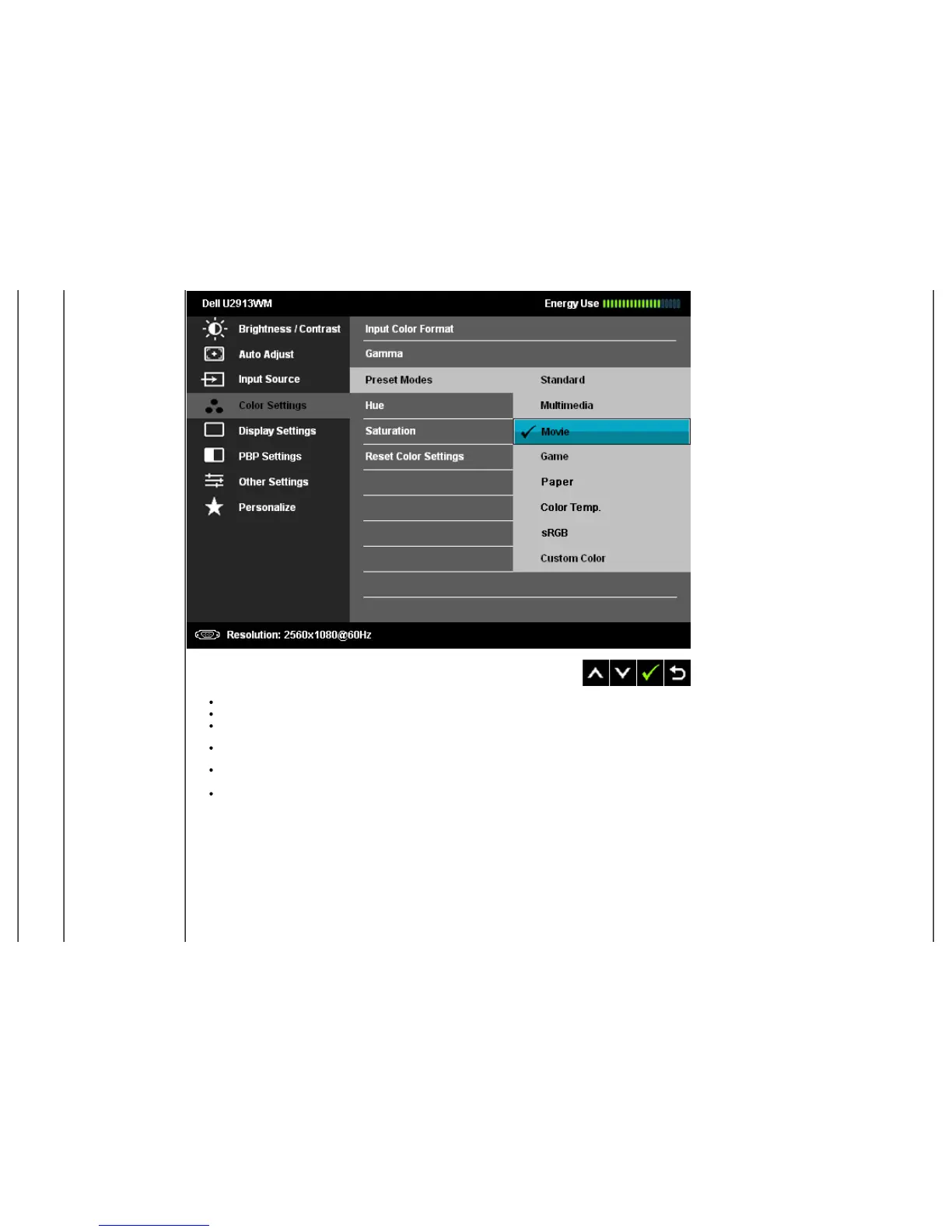
Standard: Loads the monitor's default color settings. This is the default preset mode.
Multimedia: Loads color settings ideal for multimedia applications.
Movie: Loads color settings ideal for most movie applications.
Game: Loads color settings ideal for most gaming applications. User is advised to use game Preset mode to play games at all time.
Paper: Loads brightness and sharpness settings ideal for viewing text. Blend the text background to simulate paper media without
affecting color images.
Color Temperature: The screen appears warmer with a red/yellow tint with slider set at 5,000K or cooler with blue tint with slider set
at 10,000K.


 To Next Page