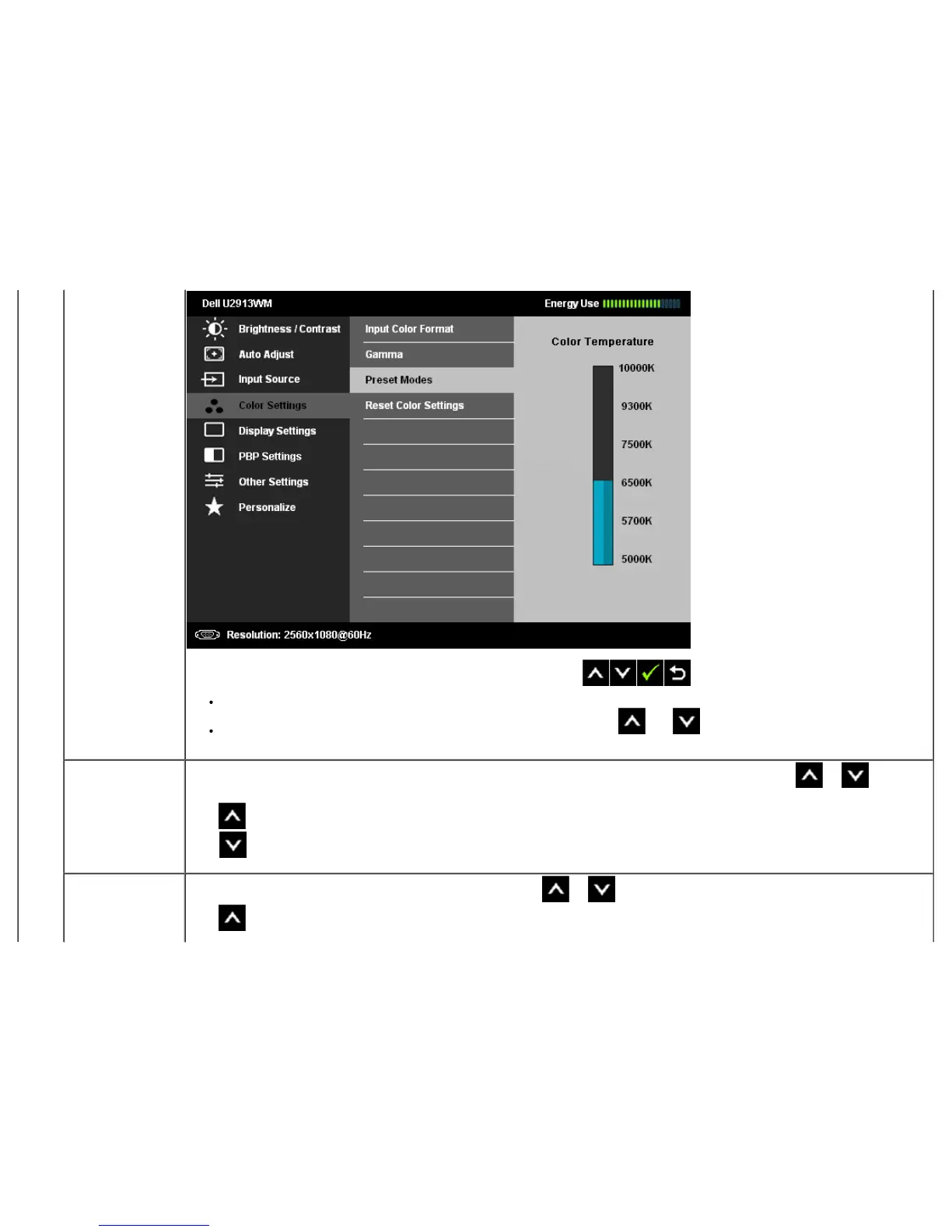
sRGB: Mode to emulate 72% NTSC color.
Custom Colorr: Allows you to manually adjust the color settings. Press the and buttons to adjust the three colors (R, G, B)
values and create your own preset color mode.
Hue
This feature can shift color of video image to green or purple. This is used to adjust the desired flesh tone color. Use
or to adjust
the hue from '0' to '100'.
Press to increase the green shade of the video image.
Press
to increase the purple shade of the video image.
NOTE: Hue adjustment is available only for Movie and Game mode.
Saturation
This feature can adjust the color saturation of the video image. Use
or to adjust the saturation from '0' to '100'.
Press
to increase the monochrome appearance of the video image.


 To Next Page