
 Need help?
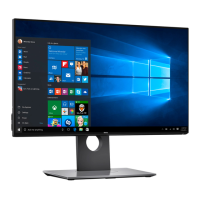
Do you have a question about the Dell UltraSharp U2417H and is the answer not in the manual?
Lists all components shipped with the monitor for setup verification.
Details the monitor's technical specifications, capabilities, and compliance certifications.
Identifies and describes the physical parts and buttons of the monitor, including front, back, side, and bottom views.
Provides detailed technical specifications for the monitor's panel, resolution, and electrical characteristics.
Explains automatic setup using EDID/DDC protocols for computer configuration and optimization.
Discusses acceptable pixel variations and directs users to Dell's support site for policy details.
Step-by-step instructions for attaching the monitor stand, including safety precautions.
Guidance on adjusting the monitor's tilt, swivel, and vertical extension for optimal viewing.
Instructions for configuring display rotation settings in Windows for portrait or landscape modes.
Provides instructions and diagrams for connecting the monitor to a computer via HDMI, DP, mDP, USB, and MHL cables.
Guidance on how to neatly organize all connected cables for a clean setup.
Step-by-step instructions for safely detaching the monitor stand from the display.
Instructions and notes for mounting the monitor on a wall using a VESA-compatible kit.
Simple instruction on how to power on the monitor using the power button.
Explains the function of the monitor's front panel buttons for image adjustment.
Guide to navigating and using the OSD menu for adjusting Brightness, Input Source, Color, Display, and other settings.
Instructions for performing a self-test to diagnose monitor functionality issues.
Guide to using the monitor's built-in diagnostic tool to identify screen abnormalities.
Table of common symptoms, experiences, and potential solutions for monitor issues.
Troubleshooting specific issues like image size, OSD lock, no input signal, and aspect ratio.
Solutions for issues related to MHL interface not working or not displaying an image.
Important safety warnings and precautions for using the monitor.
Information regarding FCC compliance and other regulatory details.
Information on how to get online support and contact Dell for assistance.
Detailed steps for setting the display resolution to 1920 x 1080 for optimal performance.
 General
| Screen Size | 23.8 inches |
|---|---|
| Resolution | 1920 x 1080 (Full HD) |
| Panel Type | IPS |
| Aspect Ratio | 16:9 |
| Refresh Rate | 60 Hz |
| Response Time | 8 ms (Normal); 6 ms (Fast) |
| Brightness | 250 cd/m² |
| Color Support | 16.7 million colors |
| Color Gamut | 99% sRGB |
| VESA Mount | 100 x 100 mm |
| Contrast Ratio | 1000:1 |
| Connectivity | HDMI, DisplayPort, Mini DisplayPort, USB 3.0 |
| Viewing Angle | 178° (horizontal), 178° (vertical) |

 To Next Page
