
 Need help?
Do you have a question about the Dell UltraSharp U3023E and is the answer not in the manual?
This document outlines the comprehensive disassembly procedures for the DELL U3023E monitor, providing a detailed guide for technicians and users involved in its maintenance, repair, or end-of-life recycling. The monitor is designed with modularity in mind, allowing for systematic removal of components, which facilitates both troubleshooting and the selective treatment of materials in accordance with environmental directives.
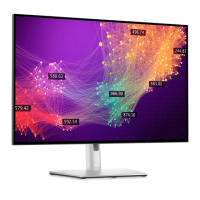
The DELL U3023E is a display monitor, serving as a visual output device for computers and other compatible systems. Its primary function is to render graphical and textual information, providing a visual interface for users to interact with their digital content. The monitor integrates various internal components, including a display panel, interface boards, power supply, and control mechanisms, all working in concert to deliver a high-quality visual experience. The design emphasizes ease of access to key components for servicing, ensuring the longevity and maintainability of the device.
The monitor is equipped with standard external connections, including power and video input ports, allowing for straightforward integration into various computing setups. Users can easily connect the monitor to their systems using common cables, ensuring broad compatibility. A notable usage feature is the joystick key, which provides an intuitive interface for navigating the monitor's on-screen display (OSD) menus, allowing users to adjust settings such as brightness, contrast, and input sources. This single-point control simplifies user interaction compared to traditional multi-button setups. The monitor also includes a removable stand, which offers flexibility in placement and allows for alternative mounting solutions, such as VESA mounts, to suit different workspace configurations. The stand's quick-release mechanism further enhances its user-friendliness, enabling swift setup and relocation.
The DELL U3023E is designed with several features that facilitate maintenance and repair, aligning with principles of serviceability and environmental responsibility.
Modular Design: The monitor's internal structure is highly modular, with components such as the rear cover, interface board, power board, USB board, and display panel being individually removable. This modularity simplifies the process of identifying and replacing faulty parts, reducing repair time and costs. For instance, the rear cover can be carefully unlatched and lifted, providing immediate access to internal components without requiring specialized tools beyond a standard screwdriver.
Accessible Fasteners: Throughout the disassembly process, the monitor primarily utilizes Philips-head screws for securing components. The instructions specify the exact screw sizes and torque values (e.g., M4x11 with 11±1kgfxcm torque for initial unlocking mechanisms, M2x3.3 with 0.8~1kgfxcm for the key board, M3x5 with 4±0.5kgfxcm for the USB board, M3x5 with 5±0.5kgfxcm for the middle bezel, M3x5 with 5±0.5kgfxcm for the bracket chassis module, and a mix of M4x8 and M3x7.5 with 7±1kgfxcm for interface and power boards). This standardization of fasteners simplifies the tool requirements for maintenance, making it accessible for technicians.
Cable Management and Connectors: Internal cables, such as the joystick key cable, USB cables, LED cable, panel lamp cables, and LVDS cable, are designed with easily detachable connectors. This allows for quick disconnection and reconnection during component replacement. For example, the joystick key cable can be disconnected from the interface board, and the LVDS cable can be pushed away from the panel module connectors, ensuring that components can be removed without damaging the wiring. The use of acetate tapes and aluminum foil to secure cables and connectors further aids in organized disassembly and reassembly.
Component Isolation for Recycling: The manual specifically highlights the removal of electrolyte capacitors from printed circuit boards. This is a critical maintenance and recycling feature, as these components often contain hazardous materials that require selective treatment. The detailed steps for cutting glue, ensuring the cutting path is within the glue, and lifting the bulk cap away from the PCB, along with the use of a soldering iron and absorber to remove pin solder, demonstrate a commitment to proper material handling and environmental compliance. This ensures that the monitor can be responsibly recycled at the end of its life, minimizing environmental impact.
Protective Measures: The instructions advise placing removed components, such as the bracket chassis module, on a protective cushion. This simple yet effective measure prevents damage to sensitive parts during the maintenance process, ensuring that components remain functional if they are to be reused or reinstalled.
Clear Identification of Components: The manual uses numerical labels for screws and provides clear visual aids (red marks in images) to indicate specific components or areas requiring attention. This clarity reduces ambiguity and helps technicians follow the disassembly steps accurately, minimizing errors.
Material Information for Recycling: The document includes a "Product material information" section, which lists various substances and components that require separate disposal or recovery in compliance with EU Council Directive 75/442/EEC. This section explicitly states whether components like mercury-containing components, batteries, plastic containing BFR, asbestos, CRT, CFC/HCFC/HFC/HC, gas discharge lamps, LCD display, external electric cables, refractory ceramic fibers, radio-active substances, and electrolyte capacitors are used in the product. This information is crucial for proper end-of-life management and ensures that the monitor's materials are handled in an environmentally sound manner. For instance, it confirms the presence of printed circuit boards larger than 10 cm² and electrolyte capacitors (height > 25mm, diameter > 25mm), both of which require specific recycling protocols.
In summary, the DELL U3023E monitor is designed not only for its primary function as a display device but also with a strong emphasis on maintainability and environmental responsibility. Its modular construction, standardized fasteners, clear cable management, and detailed disassembly instructions make it a serviceable product, allowing for efficient repairs and responsible recycling of its components.
 General
| Screen Size | 30 inches |
|---|---|
| Panel Type | IPS |
| Refresh Rate | 60 Hz |
| Aspect Ratio | 16:10 |
| Brightness | 400 cd/m² |
| Contrast Ratio | 1000:1 (typical) |
| VESA Mount | 100 x 100 mm |
| Built-in Speakers | No |
| Resolution | 2560 x 1600 |
| Ports | HDMI, DisplayPort, USB-C, USB 3.2, Ethernet |
| Color Gamut | 95% DCI-P3 |
| Stand Adjustments | Height, tilt, swivel, pivot |












 To Next Page