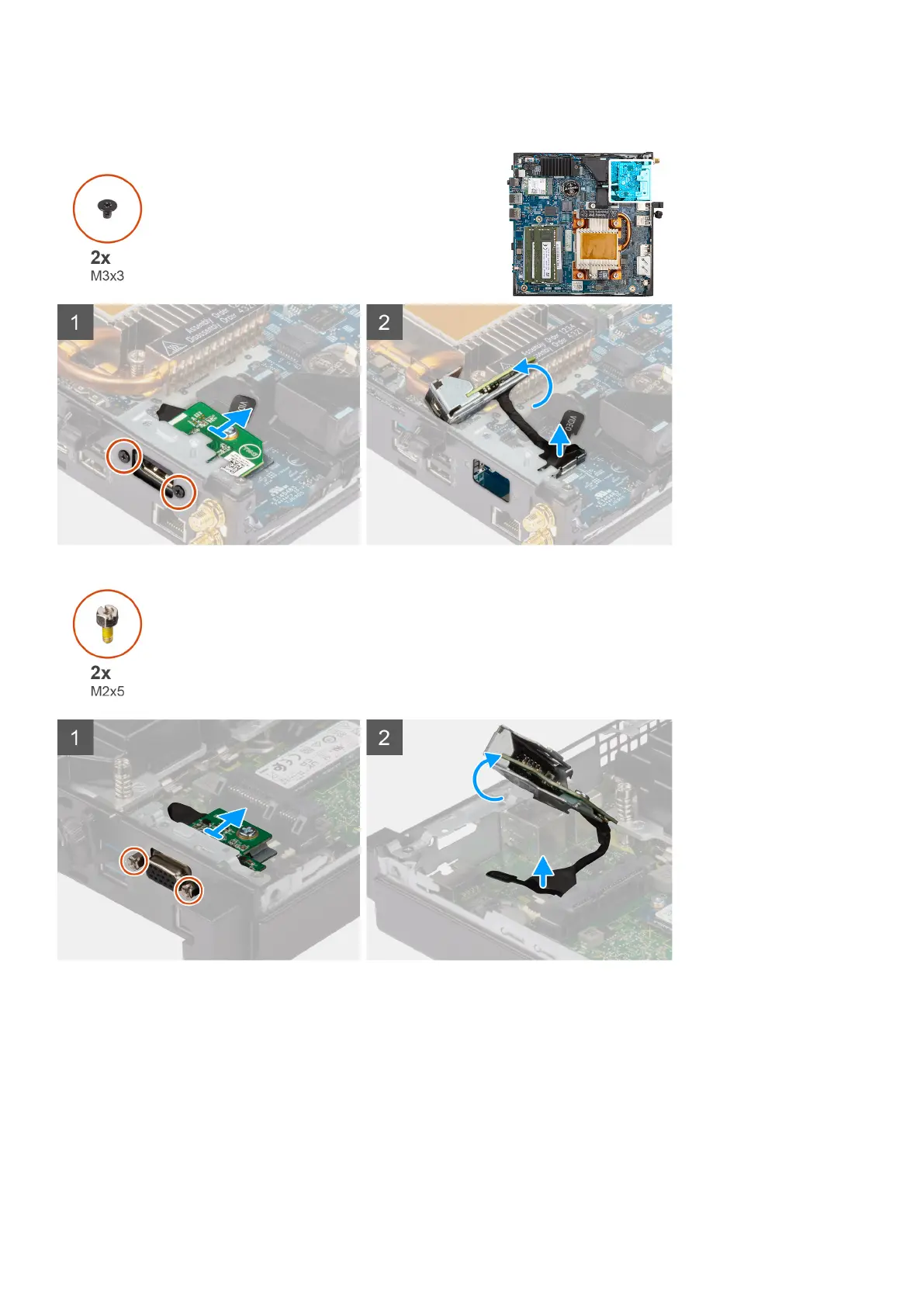
The following images indicate the location of the optional I/O module and provide a visual representation of the removal
procedure.
Steps
1. Remove the two (M3x3) screws that secure the optional I/O module (HDMI/DP/PS2) or two (M2x5) cross type screws
that secure the optional I/O module (VGA/Serial) to the computer chassis.
2. Disconnect the I/O-module cable from the connector on the system board.
3. Remove the optional I/O module from the computer.
Removing and installing Field Replaceable Units (FRUs)
57



 To Next Page