EasyManua.ls Logo

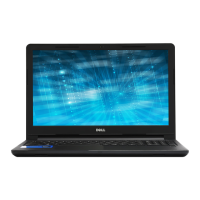
Dell Vostro 15 3578 - User Manual

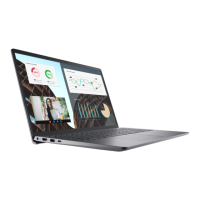
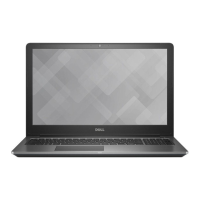
Dell Vostro 15 3578
83 pages
Print Icon
To Next Page IconTo Next Page
Loading...
Dell Vostro 15–3578
Owner's Manual
Regulatory Model: P63F
Regulatory Type: P63F002

Table of Contents

Questions and Answers

  • K
    kyle70Aug 8, 2025
    What does it mean if my Dell Laptop has a system board, covers BIOS corruption or ROM error?
    • S
      smithdonnaAug 8, 2025
      If your Dell Laptop's system board covers BIOS corruption or a ROM error, the diagnostic light pattern you may observe is 2 blinks amber, followed by 2 blinks white.
  • N
    Nicole SmithAug 12, 2025
    What does it mean if my Dell Vostro 15 3578 Laptop has a processor failure?
    • A
      Anthony LamAug 12, 2025
      If your Dell Laptop is experiencing a processor failure, the diagnostic light pattern you may observe is 2 blinks amber, followed by 1 blink white.
  • M
    Mark JohnsonAug 18, 2025
    What does it mean if my Dell Vostro 15 3578 has a display failure?
    • J
      Jennifer SmithAug 18, 2025
      If your Dell Laptop is experiencing a display failure, the diagnostic light pattern you may observe is 2 blinks amber, followed by 7 blinks white.
  • J
    jennifer17Aug 23, 2025
    What does it mean if my Dell Laptop has invalid memory installed?
    • S
      Shirley CarrAug 23, 2025
      If your Dell Laptop has invalid memory installed, the diagnostic light pattern you may observe is 2 blinks amber, followed by 5 blinks white.
  • J
    johnsonjessicaAug 27, 2025
    What does it mean if my Dell Vostro 15 3578 has a system board/ chipset error?
    • S
      Shannon NicholsonAug 28, 2025
      If your Dell Laptop is showing a system board or chipset error, the diagnostic light pattern you may observe is 2 blinks amber, followed by 6 blinks white.
  • W
    watkinsjohnSep 2, 2025
    What does it mean if my Dell Vostro 15 3578 has PCI/Video card/chip failure?
    • R
      Raymond LarsonSep 2, 2025
      If your Dell Laptop is experiencing PCI, Video card, or chip failure, the diagnostic light pattern you may observe is 3 blinks amber, followed by 2 blinks white.

Summary

Working on your computer

Safety precautions

Steps to ensure safe operation before disassembling or reassembling the computer.

Electrostatic discharge - ESD protection

Methods to prevent damage to components from static electricity.

Before working inside your computer

Procedures to follow before performing internal computer maintenance.

Removing and installing components

Battery

Instructions for removing and installing the computer's battery.

Hard drive

Procedures for removing and installing the hard drive assembly and bracket.

System board

Procedures for removing and installing the system board.

Display assembly

Procedures for removing and installing the display assembly.

System setup

Software

Troubleshooting

Enhanced Pre-Boot System Assessment - ePSA diagnostics

Guide to running the pre-boot system diagnostics for hardware checks.

Dell Vostro 15 3578 Specifications

General IconGeneral
ProcessorIntel Core i5-8250U
RAM8GB DDR4
Storage1TB HDD
Display15.6-inch FHD (1920 x 1080)
GraphicsIntel HD Graphics 620
Operating SystemWindows 10 Home
PortsHDMI
Wireless802.11ac Wi-Fi, Bluetooth 4.1
Optical DriveDVD-RW
Battery42Whr

Related product manuals