190 Adding and Replacing Parts
Coin-Cell Battery
CAUTION: Before you begin any of the procedures in this section, follow the
safety instructions in the
Product Information Guide
.
NOTICE: To avoid electrostatic discharge, ground yourself by using a wrist
grounding strap or by periodically touching an unpainted metal surface (such as a
connector on the back of the computer).
NOTICE: To help prevent damage to the system board, remove the battery from the
battery bay before you begin working inside the computer.
Removing the Coin-Cell Battery
1
Follow the procedures in "Before You Begin" on page 161.
2
Turn the computer over.
3
Loosen the captive screw on the memory module/coin-cell battery cover
(see "Bottom View" on page 34), and remove the cover.
4
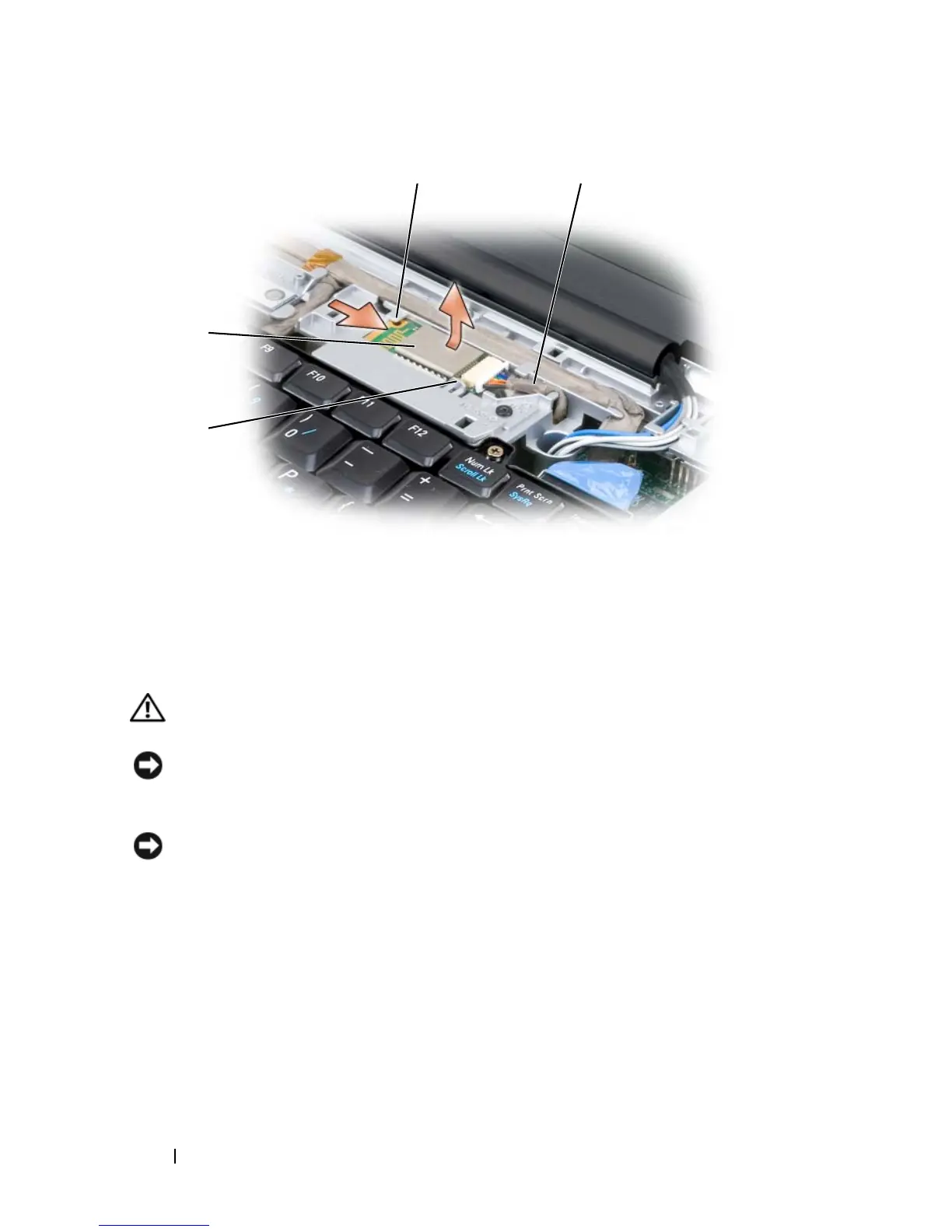
Disconnect the coin-cell battery cable from the system board.
1 securing tab 2 card
3 securing tab 4 cable
1
4
2
3










 To Next Page