Setting Up Your Computer 17
6
Connect to the Internet, if applicable. See
"Connecting to the Internet"
on page 17
for more information.
Connecting to the Internet
To connect to the Internet, you need a modem or network connection and an
Internet service provider (ISP). If you are using a dial-up connection, connect
a telephone line to the modem connector on your computer and to the
telephone wall connector before you set up your Internet connection. If you
are using a DSL or cable/satellite modem connection, contact your ISP or
cellular phone service for setup instructions.
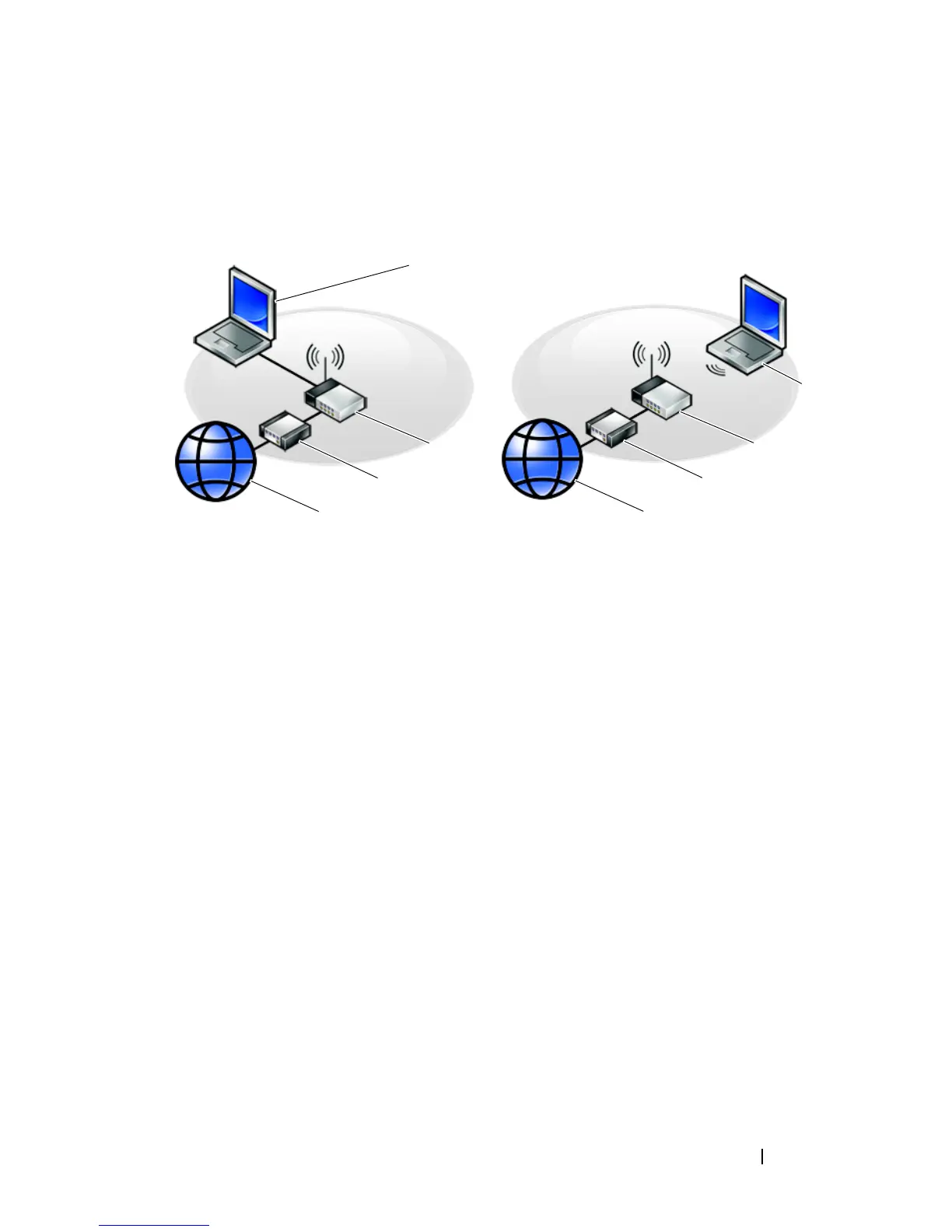
1 Internet service 2 cable or DSL modem
3 wireless router 4 laptop computer with network
adapter
5 laptop computer with wireless
network card
1
2
3
1
2
3
4
5












 To Next Page