EasyManua.ls Logo

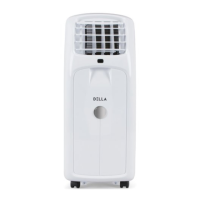
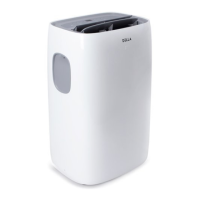
DELLA 048-TL-PAC12K - User Manual

DELLA 048-TL-PAC12K
23 pages
Print Icon
To Next Page IconTo Next Page
Loading...
1
NOTICE:
If your package is missing parts or you are having issues with assembly, please call Belleze Furniture directly at
(909)-595-5901. The Belleze Furniture customer service team will address any questions or concerns you may have.
Have this manual open and ready for reference.
CUSTOMER SERVICE:
909-595-5901
9:00AM - 6:00PM PST (Monday - Friday)
Model# 048-TL-PAC10K / 12K / 14K
USER’S MANUAL
PORTABLE AIR CONDITIONER
CAUTION! WARNING: Do not use this device before reading these instructions.
manufacturer@dellaproductsusa.com
www.dellaproductsusa.com

Questions and Answers

  • B
    Brenda TaylorAug 3, 2025
    What to do if my DELLA 048-TL-PAC12K does not work?
    • W
      wsullivanAug 3, 2025
      If your DELLA Air Conditioner isn't working, start by ensuring it's properly plugged into a grounded power socket. Then, check your house's fuse or circuit breaker box. If the water tank is full, drain it and reset the settings. Also, be aware that after a power failure, there may be a 3-minute protective time delay before the unit operates again.
  • T
    Timothy FergusonAug 14, 2025
    Why is my DELLA Air Conditioner not cooling properly?
    • L
      lhuertaAug 15, 2025
      If your DELLA Air Conditioner isn't cooling properly, ensure that you've allowed it enough time to cool the room. Check for any obstructions blocking the air inlet or exhaust vent. A dirty filter can also impact performance, so clean it. Verify that the temperature setting isn't too high by adjusting it on the control panel. Keep in mind that the unit works best in an enclosed area to prevent hot air from entering.
  • C
    Chelsea CarpenterAug 25, 2025
    How to stop my DELLA Air Conditioner from running too much?
    • A
      Amy Fischer DDSAug 25, 2025
      If your DELLA Air Conditioner runs too much, it might be due to the room being too large for its capacity; ensure the unit is adequately sized for the space. Also, check that all doors and windows are closed to prevent warm air from entering the room.

Summary

Specifications

Parts & Features

Installation Guide

Placing the Unit

Instructions on how to properly position the air conditioner unit for optimal performance.

Exhaust Installation

Steps for connecting the exhaust hose and window kit for proper ventilation.

Window Kit and Seal Installation

Guidance on installing window kits and optional foam seals for effective sealing.

Drain Hose Installation

Procedure for connecting the drain hose for continuous water drainage in DRY mode.

Grounding and Safety

Explanation of proper grounding and electrical safety precautions for the unit.

User Instruction

Unit Controls and Modes

Explanation of the main control panel buttons and operational modes like Cool, Dry, and Fan.

Timer Settings

Instructions for setting the unit's start-up and shut-down timers for automated operation.

Remote Control Usage

Comprehensive guide to using the remote control, including modes, timers, and functions.

Care and Maintenance

Draining the Unit

Procedures for draining condensate from the unit via continuous or manual drainage.

Cleaning and Storage

Instructions for cleaning the unit housing, filter, and proper storage procedures.

Troubleshooting

Error Code Chart

DELLA 048-TL-PAC12K Specifications

General IconGeneral
Voltage115V
RefrigerantR410A
Cooling Capacity12000 BTU
Power Supply60Hz
Operating Temperature (Cooling)90°F

Related product manuals