EasyManua.ls Logo

Delma SIRIO 3 - User Manual

Delma SIRIO 3
16 pages
Print Icon
To Next Page IconTo Next Page
Loading...
TECHNICAL INSTALLATION MANUAL
FOR AUTOMATIC GATES
WARNING!
Before installing, thoroughly read this manual that is an integral part of this
Kit. BAME S.r.l. declines any responsibilit y in the event current standards in
the country of installation are not complied with
The symbol CE conforms with European Directive R&TTE 99/05CE
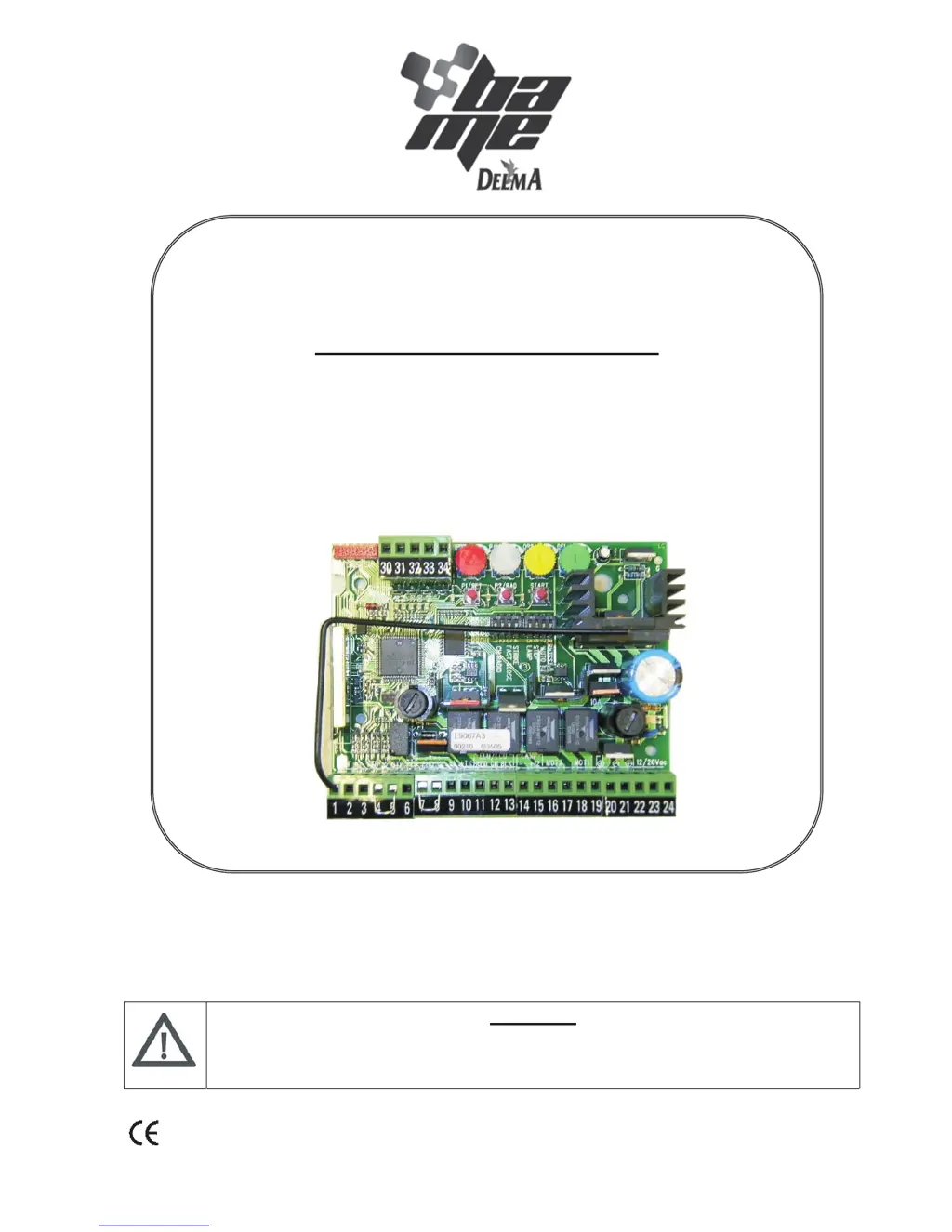
ELECTRONIC CONTROL UNIT FOR
TWO 12/24 VDC MOTOR
SIRIO 3
12/24

Questions and Answers

  • J
    jtaylorAug 2, 2025
    Why Delma SIRIO 3 gate does not open with remote or key-switch?
    • A
      Anthony LambertAug 2, 2025
      If the Delma Control Unit gate doesn't open when commanded via remote or key-switch, several issues could be the cause. First, ensure the 230V mains voltage is present by checking the master switch. Next, verify that the emergency STOP is not active and check any STOP commands connected to the STP input. If the STP input is not in use, confirm there's a jumper between the STP input and the common. Also, inspect the fuses and replace any that are burnt out with ones of the same value. Finally, check the motor power cable connection at the terminal board or replace the cable if it's faulty.
  • B
    Brittney CastroAug 7, 2025
    What to do if Delma SIRIO 3 Control Unit gate opens but doesn't close?
    • R
      Robin MorrisAug 7, 2025
      If your Delma Control Unit gate opens but fails to close, start by checking the photocell (if present). Ensure it's clean and free from obstructions. If a photocell isn't installed, verify the presence of a jumper between the PHO input and the common. Additionally, confirm that an NO (normally open) contact, rather than an NC (normally closed) contact, from a key selector is correctly connected to the STR input.
  • M
    morganfordAug 11, 2025
    What to do if Delma SIRIO 3 motor starts but gate does not move?
    • C
      Carolyn JenkinsAug 11, 2025
      If the Delma Control Unit motor starts but the gate remains stationary, begin by checking for any obstructions blocking the gate's path. Inspect the hinges for any blockages and restore, replace, or lubricate them as needed. Also, check the motor fixings. If an electric lock is present, ensure it's functioning correctly and that the electrical connection is secure, properly positioned, and lubricated.
  • M
    Michael CruzAug 16, 2025
    Why Delma Control Unit operator functions by wire but not with remote control?
    • D
      Darren VanceAug 16, 2025
      If the Delma Control Unit operates via wire but not with the remote control, the issue likely lies with the remote itself. First, check or replace the remote's battery. If the battery is not the issue, perform the remote control acknowledgement procedure.
  • S
    Sharon FryeAug 21, 2025
    What to do if Delma Control Unit gate moves then stops?
    • H
      Heather CarrAug 21, 2025
      If the Delma Control Unit gate moves and then stops during opening or closing, the motor force might be insufficient, or the OBS trigger threshold might be too low. Check if the gate leaves are aligned and lubricate them if necessary. Increase the trigger threshold by turning the OBS trimmer clockwise. If this doesn't resolve the issue, increase the FOR trimmer clockwise and reprogram from RESET.
  • R
    Robert DayAug 27, 2025
    Why does Delma SIRIO 3 flashing light only functions for 4 seconds?
    • P
      Patricia MonroeAug 27, 2025
      If the Delma Control Unit flashing light operates for only 4 seconds and the gate moves slowly, especially when a 12V optional battery is fitted, it indicates the control unit is running on battery power due to a lack of mains voltage. Check the mains voltage supply. Functioning is normal because it is only powered by the battery.

Summary

INTRODUCTION

MAIN FEATURES

TECHNICAL SPECIFICATIONS

CONNECTION AND SET UP OF THE CONTROL UNIT

GENERAL DIAGRAM OF SETTINGS AND CONNECTIONS

Provides a visual overview of terminal connections and settings.

SIMPLIFIED LEARNING PROCEDURE

Step-by-step guide for automatic gate programming and configuration.

PROFESSIONAL LEARNING PROCEDURE

Advanced procedure for detailed configuration of gate functions and parameters.

CONTROL UNIT OPERATING LOGIC

PROGRAMMING AND CANCELLATION OF REMOTE CONTROLS

Details on adding, removing, and managing remote transmitter codes.

OPERATION OF THE SAFETY DEVICES

Explains how safety devices like photocells and limit switches function.

TRIMMER FOR - MOTOR SPEED

Adjusts motor speed (force) from 50% to 100%.

TRIMMER DEL - DELAY BETWEEN MOTORS

Sets the delay time between two motors for opening and closing.

TRIMMER PAU - OPERATING MODE

Configures pause time for automatic closing, from 3 to 60 seconds.

PEDESTRIAN OPENING FUNCTION

Enables partial opening for pedestrian access via remote or input.

TRIMMER OBS - OBSTACLE SENSITIVITY

Adjusts obstacle detection delay and counter-force threshold.

FLASHING LIGHT AND WARNING LIGHTS

Describes operation of flashing lights and gate open warning indicators.

SLOW-DOWN AND ELECTRIC LOCK

Details slow-down function and electric lock management via expansion card.

COURTESY LIGHT AND BUFFER BATTERY MANAGEMENT

Covers courtesy light activation and battery/solar panel charging.

LOGICAL STOP AND MEMORY FAULT HANDLING

Explains stop input function and EEPROM memory error management.

SIGNALLING LED

PROGRAMMING THROUGH GTSYSTEM

TROUBLESHOOTING

SAFETY WARNINGS FOR INSTALLATION AND USE

Delma SIRIO 3 Specifications

General IconGeneral
Frequency50/60 Hz
Operating temperature-20°C ... +60°C
Supply voltage24 V DC
DisplayLCD
Input Voltage24 V DC