18
HOW TO SWITCH ON/OFF THE COOKTOP
Switching ON
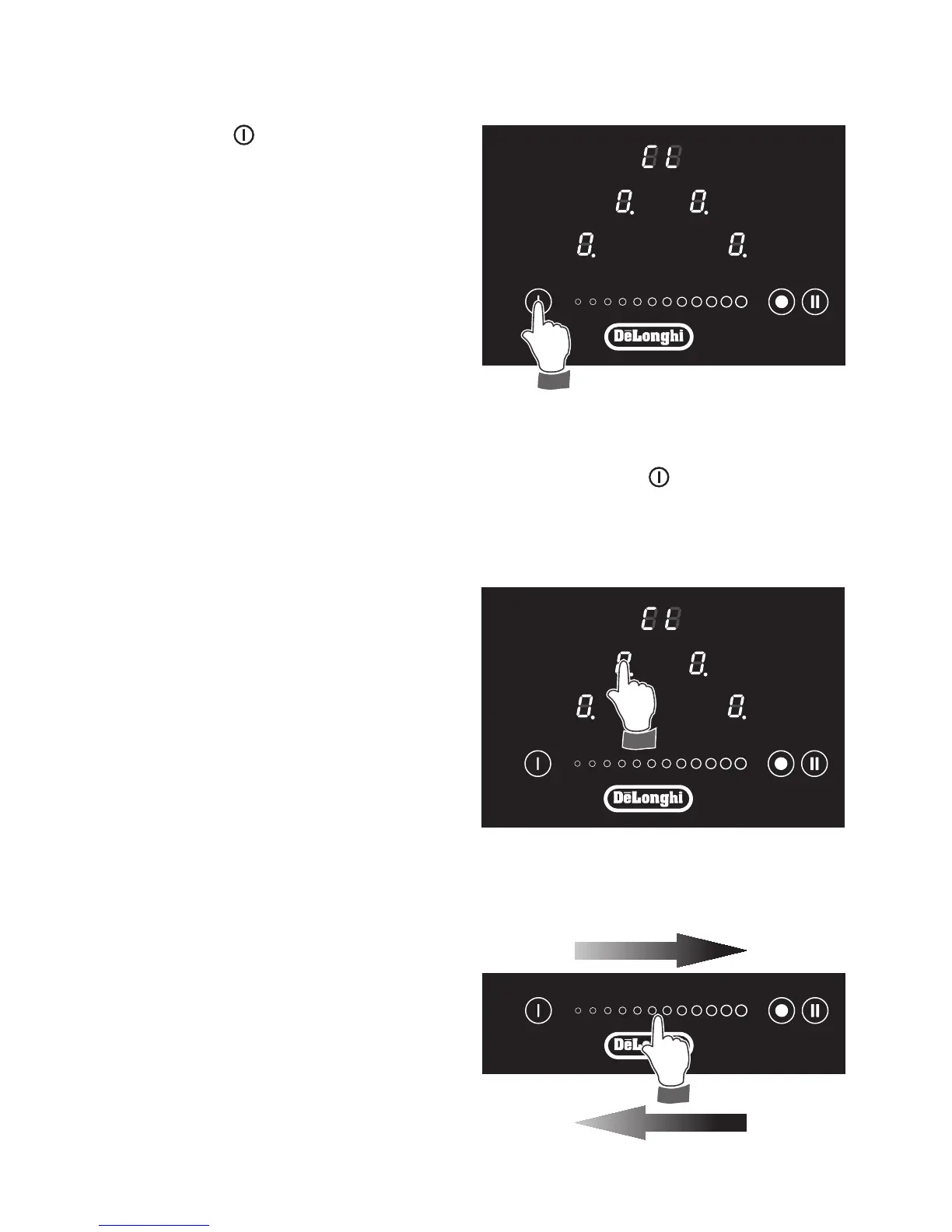
Touch the key
until the touch control
system is lit (g. 16). The displays of the
cooking zones read “ 0 ”.
Notes:
■ If the safety Child Lock protection is
active, the cooktop can be used only
after having deactivated this protec-
tion (see chapter CHILD LOCK SA-
FETY).
■ Auto switch-Off: If a cooking zone is
not turned On within 15 seconds, the
cooktop will automatically switch off.
Switching OFF
The cooktop may be switched Off at any time by pressing the key
.
If any cooking zones are turned On, they will be turned Off.
Figure 16
POWER IGNITION AND
ADJUSTMENT OF A COOKING
ZONE
To turn On a cooking zone the cooktop
must be switched On (see section “HOW
TO SWITCH ON/OFF THE COOKTOP”).
■ Select a cooking zone by touching
the relevant display of the cooking
zone to be used (g. 17).
■ Select a setting on the selector
[between “
1 ” (minimum) and “ 9 ”
(maximum)]: touch at one point to
“jump” to a specic setting or slide
your nger along the selector (g.
18).
■ The cooking zone display shows the
selected level.
■ The power level can be modied at
any time.
increase



 To Next Page