EasyManua.ls Logo

DeLonghi DINAMICA plus ECAM37X.70 - User Manual

DeLonghi DINAMICA plus ECAM37X.70
28 pages
Print Icon
To Next Page IconTo Next Page
Loading...
ECAM37X.70
BEAN TO CUP ESPRESSO AND
CAPPUCCINO MACHINE
Instructions for Use
Instructions videos available at:
http://dinamicaplus.delonghi.com

Table of Contents

Question and Answer IconNeed help?

Do you have a question about the DeLonghi DINAMICA plus ECAM37X.70 and is the answer not in the manual?

Summary

Introduction to the DeLonghi Dinamica Plus

Understanding Bracket Notation

Explains the use of letters in brackets to refer to appliance parts on pages 2-3.

Troubleshooting and Repair Guide

Guides users to resolve issues using specific sections and contact Customer Services if needed.

DeLonghi Dinamica Plus Appliance Description

Appliance Components Identification

Detailed list of physical parts of the appliance, referenced by letters (A1-A22).

Main Screen (Homepage) Features

Explains the symbols and indicators displayed on the appliance's main screen (B1-B8).

Control Panel Functions Explained

Details the buttons and symbols on the control panel (C1-C4) for operation.

Included Accessories Guide

Lists and describes the various accessories provided with the machine (D1-D7).

Milk Container Components

Details the parts of the milk container and its function (E1-E5).

Setting Up Your DeLonghi Dinamica Plus

Turning the DeLonghi Dinamica Plus On

Turning the DeLonghi Dinamica Plus Off

Navigating the Settings Menu

Accessing the Settings Menu

Instructions on how to enter the main settings menu using the 'o' button.

Exiting the Settings Menu

How to navigate back to the homepage from the settings menu using the 'Esc' button.

Performing a Rinse Cycle

Instructions for using the rinse function to clean internal circuits with hot water.

Descaling the Appliance

Refers to section "13. Descaling" for detailed instructions on the descaling process.

Installing and Managing Water Filter

Refers to section "15. Water softener filter" for filter installation instructions.

Customizing Beverage Settings

Allows users to view and reset customized beverage settings to default values.

Configuring Auto-Off Function

How to set the appliance to automatically turn off after a specified period.

Enabling Energy Saving Mode

Explains how to enable or disable the energy-saving function to reduce consumption.

Adjusting Coffee Temperature

Instructions on how to change the water temperature for making coffee (Low, Medium, High).

Making Coffee with DeLonghi Dinamica Plus

Brewing Coffee from Beans

Step-by-step guide on how to make coffee using whole coffee beans.

Adjusting Coffee Aroma Intensity

How to select the desired coffee aroma strength from Extra Light to X-Strong.

Selecting Coffee Quantity

Using Pre-Ground Coffee

Adjusting the Grinding Mill

Tips for Hotter Coffee

Brewing Coffee into a Pot

Making Milk-Based Coffees

Preparing the Milk Container

Step-by-step instructions for filling and correctly attaching the milk container.

Adjusting Milk Froth Level

Automatic Milk Beverage Preparation

Cleaning Milk Container After Use

Delivering Hot Water

Customizing Beverages

Cleaning the DeLonghi Dinamica Plus

Overall Machine Cleaning Guide

Lists all parts of the machine that require regular cleaning.

Cleaning the Internal Circuit

Cleaning the Coffee Grounds Container

Cleaning Drip and Condensate Trays

Cleaning the Machine Interior

Cleaning the Water Tank

Cleaning Coffee Spouts

Cleaning Pre-Ground Coffee Funnel

Cleaning the Infuser

Thorough Milk Container Cleaning

Cleaning the Hot Water Nozzle

Descaling Procedure

Setting Water Hardness Level

Measuring Water Hardness

Guide on using the test paper to determine the water hardness level.

Setting the Water Hardness Level

How to program the machine with the measured water hardness for optimal descaling.

Water Softener Filter Installation

Installing the Water Softener Filter

Step-by-step guide for installing the water softener filter into the appliance.

Replacing the Water Softener Filter

Removing the Water Softener Filter

Technical Specifications

Energy Saving Tips

Understanding Displayed Messages

Fill Tank With Fresh Water Message

Explains the cause and remedy for the "Fill Tank" warning.

Insert Water Tank Message

Describes the "Insert Water Tank" alert and how to resolve it.

Empty Grounds Container Message

Details the "Empty Grounds Container" message and the required actions.

Insert Grounds Container Message

Explains the "Insert Grounds Container" alert after cleaning.

Add Ground Coffee Max. One Measure Message

Addresses the message when using pre-ground coffee incorrectly.

Add Ground Coffee Max. One Measure (Long Coffee)

Fill Beans Container Message

Ground Too Fine. Adjust Mill Message

Select Milder Taste or Reduce Quantity Message

Insert Water Spout Message

Insert Milk Container Message

Insert Infuser Assembly Message

Water Circuit Empty. Press OK to Start Message

Press OK to Clean or Turn Dial Message

Turn Milk Froth Dial to Clean Message

Turn Froth Adjustment Dial Message

Descaling Needed Message

Replace Water Filter Message

General Alarm: Consult User Manual Message

Filter Replacement Reminder

Machine Descaling Reminder

Energy Saving Mode Notification

Cleaning Underway. Please Wait Message

Troubleshooting Common Problems

Coffee Not Hot Troubleshooting

Addresses issues causing coffee to be not hot and provides solutions.

Weak or Not Creamy Coffee Troubleshooting

Solutions for coffee that is weak or lacks creaminess.

Slow Coffee Delivery Troubleshooting

Guides on fixing slow coffee delivery, often related to grinder settings.

Coffee Not Dispensing Troubleshooting

Solutions for blocked coffee spouts or no coffee dispensing.

Appliance Will Not Make Coffee Troubleshooting

Addresses issues preventing the appliance from making coffee.

Appliance Not Turning On Troubleshooting

Solutions for when the appliance fails to power on.

Infuser Cannot Be Extracted Troubleshooting

Third Rinse After Descaling Troubleshooting

Milk Not Flowing from Spout Troubleshooting

Milk Froth Quality Troubleshooting

Machine Noises or Steam Puffs Troubleshooting

Overview

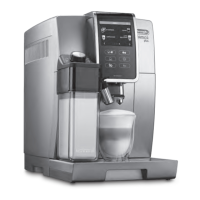
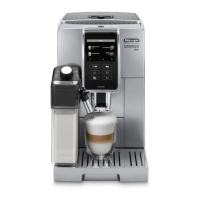
The De'Longhi ECAM37X.70 Dinamica Plus is a bean-to-cup espresso and cappuccino machine designed for home use, offering a range of coffee and milk-based beverages. Its intuitive interface and automated features aim to simplify the coffee-making process from bean to cup.

Function Description

The Dinamica Plus is a fully automatic coffee machine that grinds fresh coffee beans, brews espresso, and froths milk to create various beverages. It features a built-in grinder, a water tank, a milk container, and a drip tray, all integrated into a compact design. The machine is capable of preparing single or double espressos, coffees, long coffees, cappuccinos, latte macchiatos, and other milk-based drinks. It also has a hot water function for tea or warming cups.

The appliance operates through a touch-sensitive control panel with a display that guides the user through various functions and settings. Upon startup, the machine performs an automatic preheat and rinse cycle to ensure optimal brewing temperature and cleanliness. Similarly, an automatic rinse cycle is performed when the machine is turned off after use.

Key functions include:

  • Coffee Preparation: The machine grinds whole coffee beans on demand for each beverage. Users can select from various coffee types (Espresso, Coffee, Long, Doppio+, 2X Espresso) and adjust the aroma intensity (Extra Light, Light, Medium, Strong, X-Strong) and quantity. For pre-ground coffee, a dedicated funnel is available, though only one cup can be made at a time using this method.
  • Milk-Based Beverages: The integrated milk container allows for automatic preparation of cappuccinos, latte macchiatos, hot milk, and other frothed milk drinks. The froth adjustment dial on the milk container lid enables users to customize the amount of froth.
  • Hot Water Delivery: A hot water spout is provided for dispensing hot water, useful for making tea or preheating cups.
  • Customization: The machine allows users to customize beverage settings, including coffee aroma and quantity, and save these preferences. The coffee temperature can also be adjusted (Low, Medium, High).
  • Energy Saving: An energy-saving function can be enabled to reduce power consumption, complying with European regulations. An auto-off (standby) feature can be programmed to turn the appliance off after a set period of inactivity.
  • Descaling: The machine features an automatic descaling program, prompted by a display message when descaling is required. This process is crucial for maintaining the appliance's performance and longevity.
  • Water Hardness Setting: Users can measure their water hardness using a provided test strip and set the corresponding level in the machine's settings. This helps optimize the descaling frequency.
  • Water Softener Filter: Certain models include a water softener filter, which can be installed to reduce limescale buildup. The machine prompts users when the filter needs replacing.

Usage Features

The Dinamica Plus is designed for ease of use, with a clear display and intuitive controls.

  • Initial Setup: Upon first use, the machine requires filling the water tank, selecting the display language, and performing an initial rinse cycle. It's recommended to customize water hardness settings early on.
  • Turning On/Off: The appliance is turned on and off using a dedicated button. The main switch at the back should be pressed for initial power.
  • Menu Navigation: The settings menu is accessed via a dedicated button, allowing users to scroll through options and make adjustments.
  • Coffee Bean Loading: Coffee beans are added to the beans container, and the grinding adjustment dial can be turned during the grinding phase to fine-tune the grind for optimal coffee extraction.
  • Pre-Ground Coffee: For pre-ground coffee, a specific funnel is used, and only one level measure should be added per brew.
  • Milk Container Use: The milk container is filled with milk and attached to the hot water connection nozzle. The froth adjustment dial allows for customization of milk froth. After preparing milk-based beverages, the milk container requires a cleaning cycle.
  • Cup Placement: For optimal coffee quality and temperature, cups should be placed under the coffee spouts, and the spouts should be lowered as close to the cup as possible. Warming cups with hot water is also recommended for hotter coffee.
  • Troubleshooting: The display provides various messages to inform users about the machine's status (e.g., "FILL TANK WITH FRESH WATER," "EMPTY GROUNDS CONTAINER," "DESCALING NEEDED") and offers remedies for common issues.

Maintenance Features

Regular cleaning and maintenance are essential for the Dinamica Plus to ensure consistent performance and hygiene. The machine provides several automated and manual cleaning procedures.

  • Internal Circuit Cleaning: The machine performs automatic rinse cycles upon startup and shutdown. For prolonged periods of inactivity (3-4 days), it's recommended to perform 2-3 rinse cycles before use.
  • Coffee Grounds Container: The coffee grounds container needs to be emptied and cleaned regularly, as prompted by the display. It's important to empty it even if not completely full when removing the drip tray to prevent clogging.
  • Drip Tray and Condensate Tray: The drip tray, condensate tray, and grille should be removed, emptied, and cleaned regularly. The drip tray has a level indicator to show when it needs emptying.
  • Water Tank: The water tank should be cleaned monthly with a damp cloth and mild washing-up liquid. If a water softener filter is installed, it should be removed and rinsed during cleaning.
  • Coffee Spouts: The coffee spouts should be cleaned regularly with a sponge or cloth, and any blockages in the holes should be cleared with a toothpick.
  • Pre-Ground Coffee Funnel: The pre-ground coffee funnel should be checked monthly for blockages and cleaned with the provided brush if necessary.
  • Infuser: The infuser, accessible after opening the infuser door, must be cleaned at least once a month. This involves removing it, soaking it in water, rinsing it under the tap, and using the cleaning brush to remove coffee residues. The infuser should only be cleaned with water, without washing-up liquid or a dishwasher.
  • Milk Container: To maintain frother efficiency, the milk container should be cleaned every two days. This involves disassembling the lid, milk spout, and intake tube, washing all components with hot water and mild washing-up liquid. All milk container components are dishwasher-safe (top basket only). After each use of a milk function, a "CLEAN" cycle is required, where steam and hot water are delivered from the frothed milk spout to clean internal tubes. The hot water connection nozzle (A8) should also be cleaned with a sponge after milk preparation.
  • Descaling Program: The machine guides the user through an automatic descaling program, which involves adding descaling solution to the water tank and performing a series of rinses. This process removes limescale buildup from the internal circuits.
  • Water Softener Filter Replacement/Removal: If a water softener filter is installed, the machine prompts for its replacement after approximately two months or three weeks of inactivity. Instructions are provided for both replacing and removing the filter, and the machine needs to be notified of the filter's status change.

The Dinamica Plus emphasizes user convenience through automated cleaning prompts and clear instructions for manual maintenance, ensuring the longevity and optimal performance of the appliance.

DeLonghi DINAMICA plus ECAM37X.70 Specifications

General IconGeneral
Weight9.5 kg
Water Tank Capacity1.8 l
Coffee Bean Container Capacity300 g
Rated Voltage/Frequency220-240 V / 50-60 Hz
Input Power1450 W
Energy ClassA
Ground Coffee CapacityYes
Number of Coffee Options13
Adjustable Milk FrothYes
ProgrammableYes
ColorBlack
DisplayYes
Milk FrotherYes
Brew TemperatureAdjustable
Grounds Container Capacity14

Related product manuals