EasyManua.ls Logo

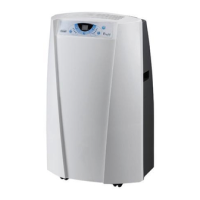
DeLonghi Pinguino PACEX100SILENT - User Manual

DeLonghi Pinguino PACEX100SILENT
7 pages
Print Icon
To Next Page IconTo Next Page
Loading...
14
INTRODUCTION
Thank you for choosing this De’Longhi product. Please take a few
minutes to read these instructions. This will prevent running any
risks or damaging the appliance.
Below you will nd all the information necessary for operating
your local air conditioner.
The appliance must be placed where there are no obstacles to
air intake and output.
DESCRIPTION
Description of the appliance (See page 3 - A)
A1
Air outlet grille
A2 Control panel
A3 Handles
A4 Wheels
A5 Filter
A6 Air intake grille
A7 Air exhaust hose housing
A8 Air intake grille
A9 Power supply cable
A10 Drainage hose with cap
A11 Remote control signal receiver
Description of accessories (See page 3 - B)
B1 Wall ange with cap
B2 Air exhaust hose
B3 Hose adapter (2 pieces)
B4 Wall mounting accessory
B5 Crosspiece grille
B6 Cap for crosspiece hole
B7 Crosspiece
B8 Screws
B9 Window outlet
B10 Remote control
Electrical Connection
Before plugging into the mains, check the following:
the mains voltage is the same as that indicated on the plate
on the back of the appliance;
the socket and electrical line are sized to support the load
required;
the socket is the proper type for the plug, otherwise, re-
place the socket;
the socket is connected to an ecient earthing system. The
manufacturer is not responsible in the event of non-com-
pliance with these injury prevention standards.
The power cable must only be replaced by special-
ised technicians.
USE
The instructions below will enable you to prepare your air con-
ditioner for operation as eciently as possible. Before use, make
sure the air intake and outlet grilles are unobstructed.
Please note: This appliance is provided with an auto-evapora-
tion feature for condensate removal during cooling and dehu-
midifying modes.
AIR CONDITIONING WITHOUT INSTALLATION
Just a few simple steps and your local air conditioner will ensure
your comfort:
Screw a hose adapter B3 to one end of the air exhaust hose
B2.
Fit the other adapter B3 in the air exhaust hose housing A7
on the back of the appliance (see g. 1).
Screw the end of the hose without an adaptor to the adap-
tor previously attached to the appliance (see g. 1).
Sash window
Fit the crosspiece grille B5 to the crosspiece B7 and attach
it using the 4 screws provided B8 (g. 2).
Open the window.
Put the crosspiece B7 in the window, extending it the en-
tire width of the window (g. 3).
Once the crosspiece has been extended, it can be attached
by screwing in the remaining two screws provided.
Lower the window (g. 4).
Set the local air conditioner near the window. Insert the air
exhaust hose B2 previously assembled in the grille on the
crosspiece B7 (g. 5). Make sure the air exhaust hose is not
obstructed.
When not using the appliance, the crosspiece hole can be
covered with the cap B6 provided.
Double casement window
Apply the window outlet B9 to the air exhaust hose B2 that
was previously assembled, as shown in g. 6.
Open the window or French door slightly and set the outlet
B9 in place as shown in gure 7.
Limit the length and curves of the air hose as much as
possible, avoiding any obstruction.

Questions and Answers

  • A
    Andrew SmithAug 6, 2025
    Why is my DeLonghi Pinguino PACEX100SILENT Air Conditioner not cooling the room?
    • M
      Mark HardyAug 6, 2025
      Several factors can cause your DeLonghi Air Conditioner to run but not cool effectively. Check if windows, doors, or drapes are open and close them, keeping in mind the recommendations for proper use. Eliminate any heat sources in the room, such as ovens or hair dryers. Ensure the air exhaust hose is correctly attached to the housing on the back of the appliance. Clean or replace the dust filters if they are clogged. Finally, consider whether the appliance's technical characteristics are suitable for cooling the room's size.
  • F
    Frank MillerAug 12, 2025
    What to do if my DeLonghi Pinguino PACEX100SILENT Air Conditioner does not turn on?
    • M
      Michele BurtonAug 12, 2025
      If your DeLonghi Air Conditioner isn't turning on, first ensure it's properly plugged in. Check if there is a power outage and wait for the power to be restored. If these steps don't work, the internal protection device may have been triggered, in which case you should call the help center.
  • L
    Lisa RoyAug 17, 2025
    Why does my DeLonghi Pinguino PACEX100SILENT only work for a short time?
    • R
      Robert WebbAug 17, 2025
      If your DeLonghi Air Conditioner operates for only a short period, the air exhaust hose might be obstructed or bent. Correctly position the air exhaust hose, limiting its length and curves as much as possible and avoiding any obstructions. Also, check for any obstructions impeding air exhaust outside and remove them.
  • V
    veronica33Aug 25, 2025
    Why does my DeLonghi Air Conditioner not work immediately after restarting?
    • B
      billy85Aug 25, 2025
      To protect the compressor, your DeLonghi Air Conditioner has an internal device that delays startup for about 3 minutes after being restarted. Wait for this time to pass; this delay is normal.
  • C
    Christopher CrawfordAug 30, 2025
    Why does my DeLonghi Pinguino PACEX100SILENT Air Conditioner smell bad during operation?
    • G
      Gary MooreAug 30, 2025
      An unpleasant odor during operation of your DeLonghi Air Conditioner is often due to clogged dust filters. Clean or replace the filters as previously described.

Summary

Product Description and Setup

Description of the Appliance

Lists and identifies the main components and parts of the air conditioner unit.

Description of Accessories

Lists and identifies the accessories provided with the air conditioner for setup and use.

Electrical Connection

Provides essential safety checks and guidelines before plugging the appliance into a power source.

Air Conditioning Without Installation

Step-by-step instructions for setting up and operating the air conditioner without permanent installation.

Installation and Control Panel Operation

Air Conditioning With Installation

Detailed steps for semi-permanent installation, including drilling holes and fitting components.

Control Panel Operation

Instructions on how to use the main control panel for various functions and modes.

Turning the Appliance On and Off

Guide on the correct procedure for powering the appliance on and off via the control panel.

Air Conditioner Mode

Explanation of the primary cooling and dehumidifying mode, including temperature settings.

Advanced Modes and Features

Dehumidifier Mode

Instructions for operating the unit in dehumidifier mode for damp environments.

Fan Mode

Guide on using the appliance solely as a fan, without the cooling function.

Temperature Scale Selection

How to switch the temperature display between Celsius (°C) and Fahrenheit (°F).

ECO Real Feel Function

Explanation of the technology that optimizes temperature and humidity for comfort and efficiency.

Remote Control and Timer Functions

Operation Using the Remote Control

Guidelines for using the remote control effectively, including range and handling.

Description of the Remote Control

Key for identifying buttons and functions on the remote control.

Programming the Timer

Instructions for setting delayed start-up or shut-down times for the appliance.

Inserting or Replacing Batteries

Procedure for safely installing or changing batteries in the remote control.

Maintenance and Usage Advice

General Usage Tips

Recommendations for optimizing air conditioner performance and efficiency in various conditions.

Cleaning the Appliance

Instructions on how to clean the exterior of the air conditioner safely.

Cleaning the Air Filter

Detailed guide on cleaning the air filter to maintain unit efficiency and air quality.

End of Season Operations

Steps for properly preparing the appliance for storage at the end of the cooling season.

Technical Information and Troubleshooting

Technical Specifications

Key technical data and operating limits for the air conditioner.

Self-Diagnosis

Explanation of error codes and messages displayed by the appliance's diagnostic system.

Troubleshooting

A guide to identifying and resolving common problems and issues with the air conditioner.

DeLonghi Pinguino PACEX100SILENT Specifications

General IconGeneral
BrandDeLonghi
ModelPinguino PACEX100SILENT
CategoryAir Conditioner
LanguageEnglish

Related product manuals