Heating and Air Conditioning
N:06:01
PRESSURE CHECK
"
SYSTEM PRESSURE CHECK
1.
Lift engine cover.
2.
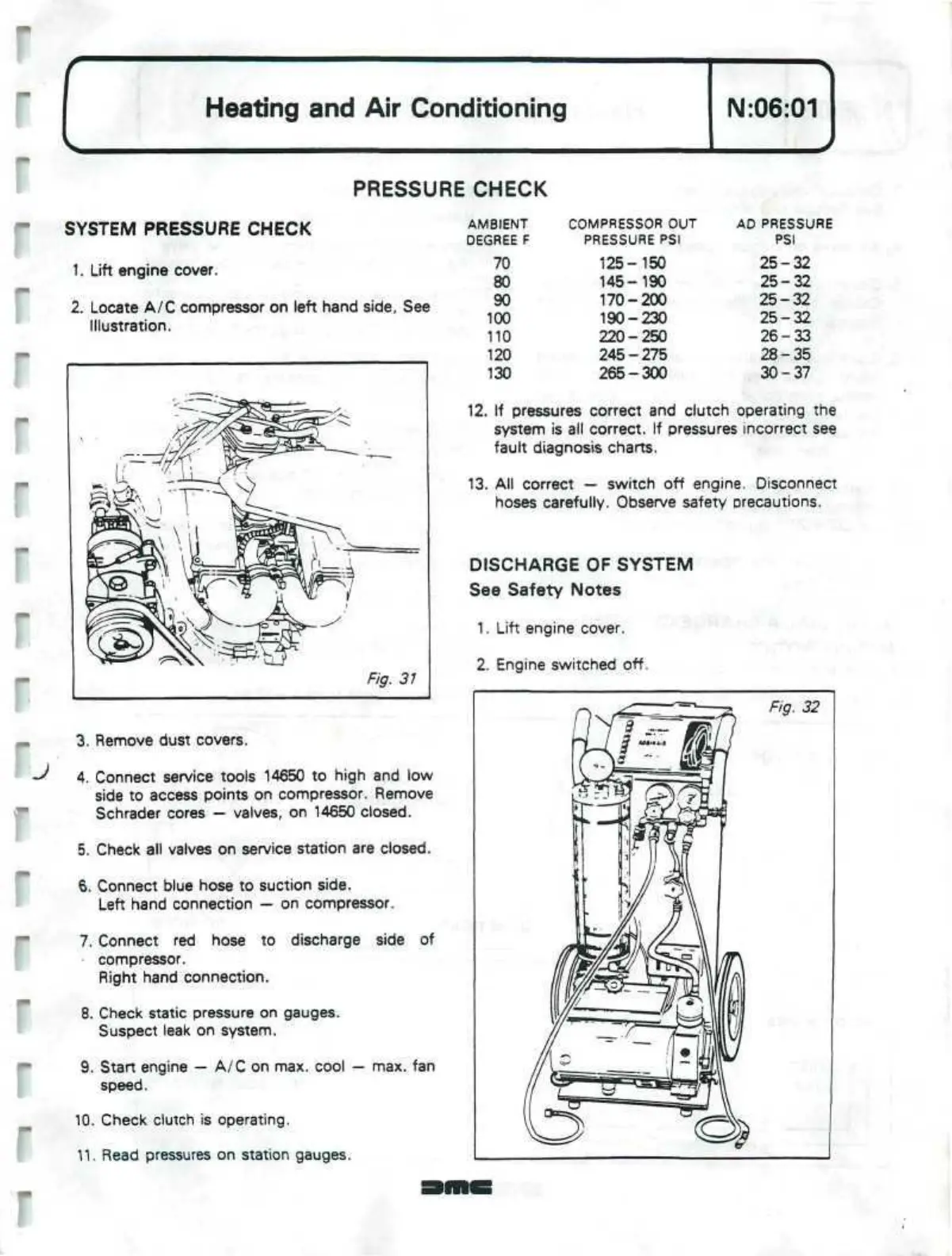
Locate A/C compressor on left hand side, See
Illustration.
3. Remove dust covers.
<**
4. Connect service tools 14650 to high and low
side to access points on compressor. Remove
Schrader cores — valves, on 14650 closed.
5. Check all valves on service station are closed.
6. Connect blue hose to suction side.
Left hand connection — on compressor.
7. Connect red hose to discharge side of
compressor.
Right hand connection.
8. Check static pressure on gauges.
Suspect leak on system.
9. Start engine — A/C on max. cool — max. fan
speed.
10.
Check clutch is operating.
11.
Read pressures on station gauges.
AMBIENT
DEGREE F
70
80
90
100
110
120
130
COMPRESSOR OUT
PRESSURE
PSI
125-150
145-190
170-200
190-230
220-250
245-275
265-300
AD PRESSURE
PSI
25-32
25-32
25-32
25-32
26-33
28-35
30-37
12.
If pressures correct and clutch operating the
system is all correct. If pressures incorrect see
fault diagnosis charts.
13.
All correct — switch off engine. Disconnect
hoses carefully. Observe safety precautions.
DISCHARGE OF SYSTEM
See Safety Notes
1.
Lift engine cover.
2.
Engine switched off.


 To Next Page
 Loading...