3 - Conguration
Congure the receiver according to the type of switch connected.
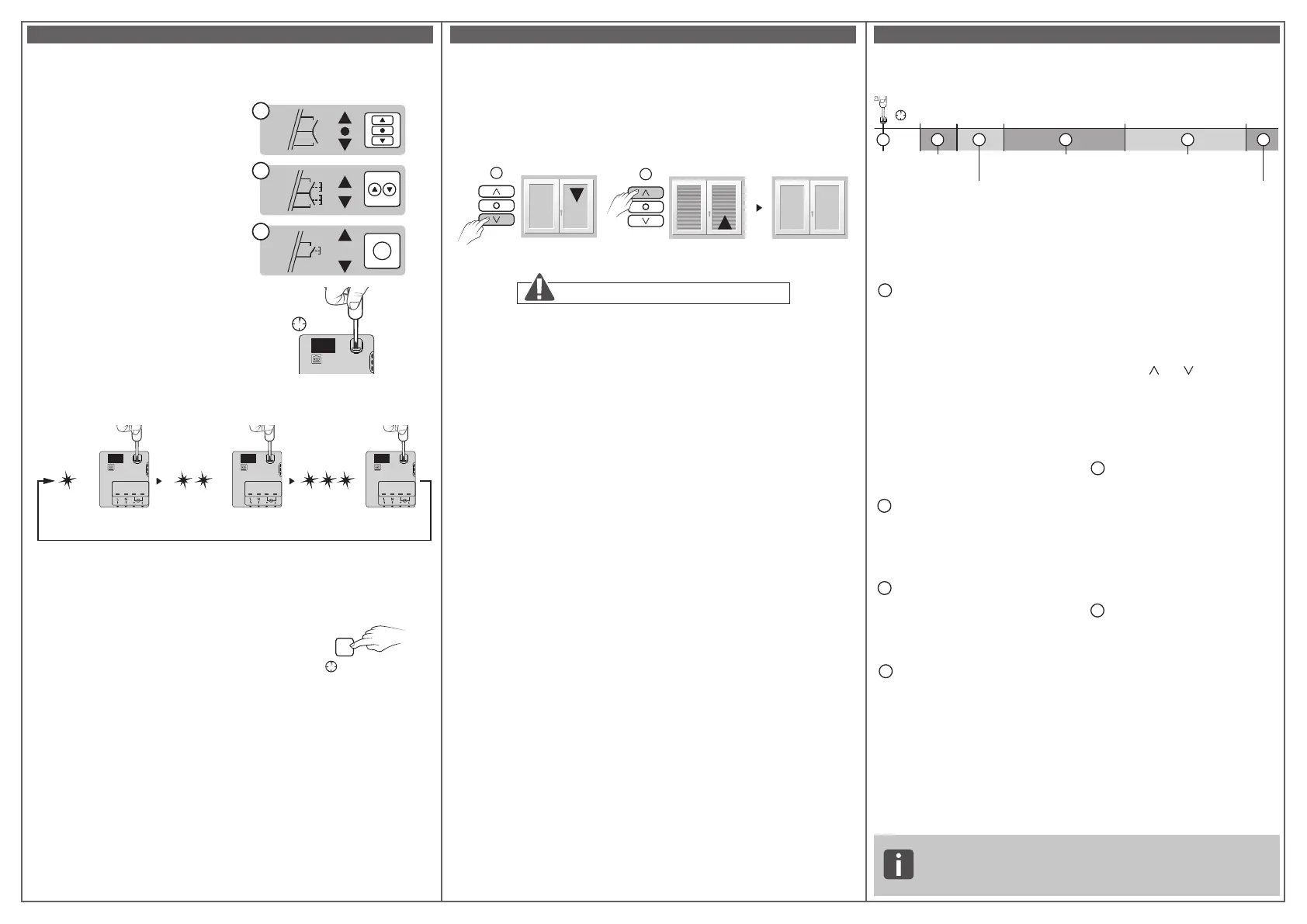
Mode 1 (by default): Hold switch
Raise/Stop/Lower
Mode 2: Raise/Lower
double push-button
Mode 3: Raise/Stop/Lower/Stop
push-button
To modify the receiver
conguration.
- Press the receiver's button for
6 seconds.
- The LED ashes, then becomes steady,
release.
The number of ashes corresponds
to the current mode.
- Briey press the receiver button to select the mode.
1 2 3 4
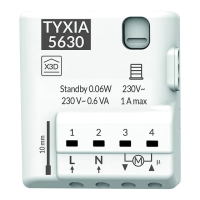
TYXIA
1 2 3 4
TYXIA
1 2 3 4
TYXIA
- Conrm the selected mode by pressing the button
for 3 seconds until the LED switches off.
4 - Learning for the shutter travel time
Perform a complete cycle from stop to stop:
1- Lower or raise the roller shutter completely to the stop.
2- Do the reverse action until the opposite stop is reached.
1
2
Note: The learning for the shutter travel time adjusts itself automatically
for each complete cycle from stop to stop.
5 - Troubleshooting
Summary of functions accessible using the receiver button:
3’’
B
A
>6’’ >10’’ >20’’ >30’’
C D
E
F
>
> 6 s
TYXIA
An additional user guide is available on the TYXIA 5630 and
TYXIA 5730 pages of the DELTA DORE website.
www.deltadore.com
• Quick press on the button.
A
Checking the transmitter
operating mode.
Briey press the button.
The LED ashes:
- 1 red ash: MODE 1 Hold switch
(Raise/Stop/Lower).
- 2 red ashes: MODE 2 Double
push-button (Raise/Lower).
- 3 red ashes: MODE 3 Single
push-button (Raise/Stop/Lower/
Stop).
• Press and hold the button for
x seconds.
B
Association (refer to §2)
- Press the receiver button for
3 seconds until the LED ashes.
Release
C
Conguration (refer to §3)
- Press the receiver's button for
6 seconds. The LED ashes, then
becomes steady, release.
D
Remove an association
(the removal method varies
according to the transmitter
associated, refer to the trans-
mitter's user guide)
Example of removing a remote
control association.
On the receiver:
- Press the receiver button for
10 seconds until the LED ashes
rapidly, release.
On the remote control:
- Press the and buttons for
3 seconds.
- Make sure that the receiver LED
has stopped ashing. The prod-
ucts are no longer associated.
E
Remove all associations
- Press the receiver's button for
20 seconds.
- Press and hold until the LED
switches off after the rapid
ashing phase.
- Release. The receiver has no
wireless connection.
F
Factory reset
- Press the receiver button for
30 seconds, the LED ashes then
switches off.
The receiver has no wireless
connection and the conguration
is reset (mode 1 by default).
Association
Remove an
association
Remove
all associations
Conguration
Factory
reset
Do not interrupt the roller shutter travel.
IN1
COM
IN2
IN1
COM
IN2
IN1
COM
1
2
3
1
2
1
2
> 3s
B
Conrmation
Mode 1
Hold
switch
Mode 2
Double
push-button
Mode 3
Push button


 To Previous Page
 Loading...