Delta Temperature Controller User Manual
© DELTA ELECTRONICS, INC. ALL RIGHTS RESERVED - 11 - 2007-09-17
DTCOM Software Explanations
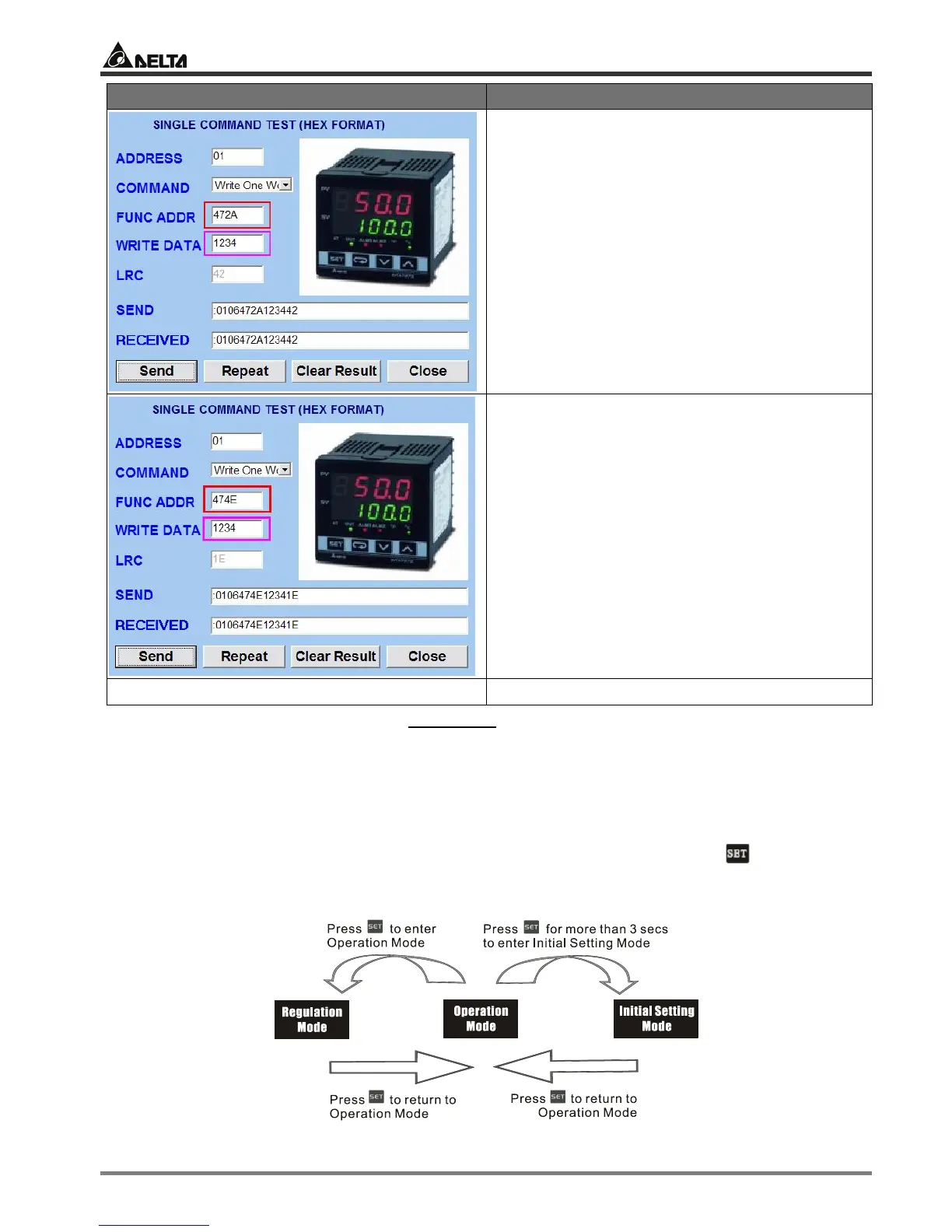
Function address = 472A; Write data = 1234
(Please DO NOT modify this value; otherwise
system confusion may occur.)
Clear the user’s settings.
Function address = 474E; Write data = 1234
(Please DO NOT modify this value; otherwise
system confusion may occur.)
Switch off DTC and re-power it. Return to default settings
The model adopted in this example is: DTC1000R with firmware V1.40.
CHAPTER 2: CONTROL MODES IN DTA
2.1 ON/OFF
There are three control modes in DTA: ON/OFF, MANUAL and PID. First, press for 3 seconds
to enter the “initial setting” mode. See below for how to switch between each mode:


 To Next Page