Delta Temperature Controller User Manual
© DELTA ELECTRONICS, INC. ALL RIGHTS RESERVED - 15 - 2007-09-17
CHAPTER 3: CONTROL MODES IN DTB
3.1 ON/OFF
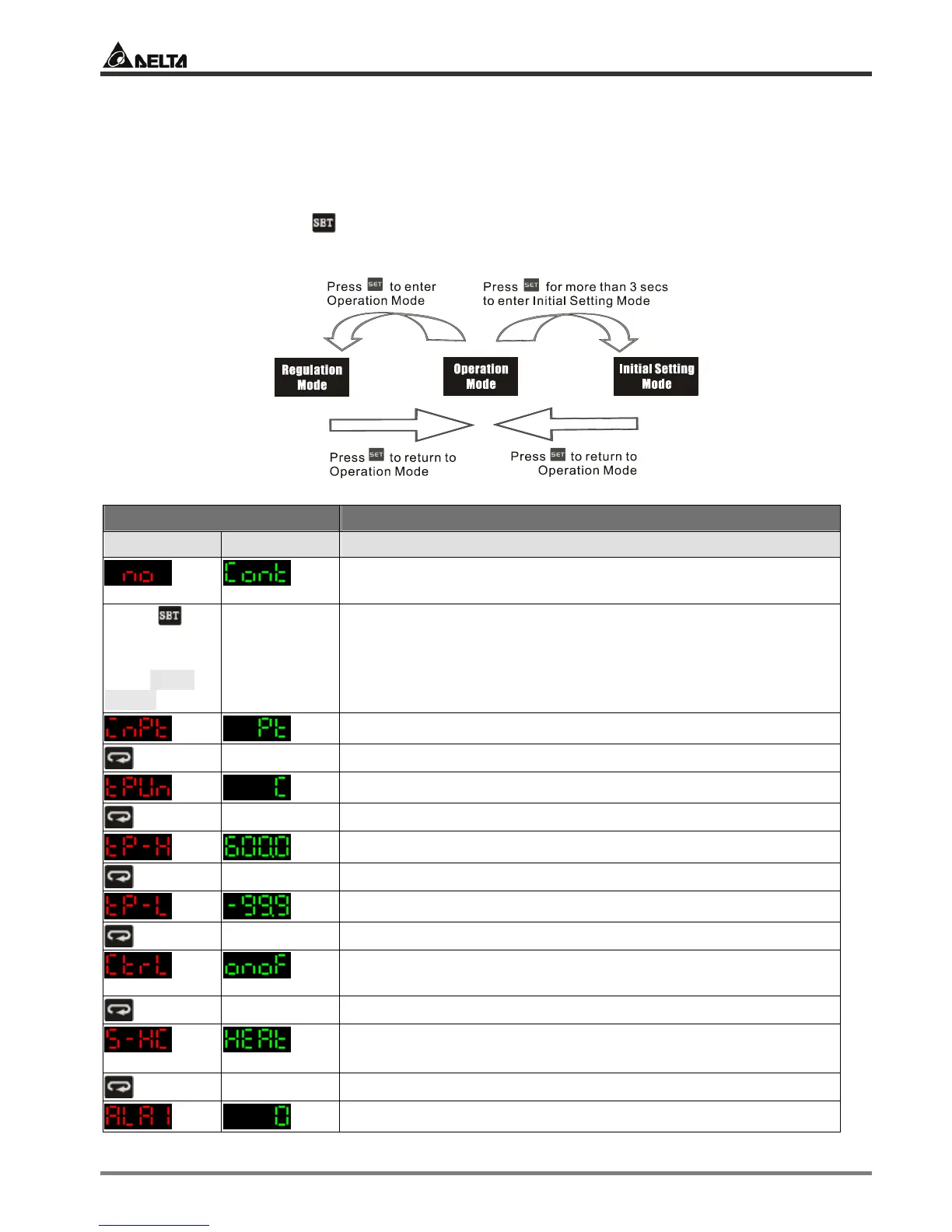
There are four control modes in DTB: ON/OFF, MANUAL, PID and PID PROG. To switch to
ON/OFF mode, first press for 3 seconds to enter the “initial setting” mode. See below for how
to switch between each mode:
Display Explanations
PV SV Status of the temperature controller
Message displayed when DTB has not yet been connected to a
sensor.
Press for
more than 3
seconds to
enter initial
setting mode
Select the sensor connected. Default = PT100
Temperature unit. Default = °C
Upper limit of temperature range
Lower limit of temperature range
The control modes include: ON/OFF, MANUAL, PID and PID
PROG. Default = PID. Select “ON/OFF” here.
Select heating/cooling/heating 1 cooling 2/heating 2 cooling 1.
Default = heating
Set up Alarm mode 1. Default = alarm output disabled.


 To Next Page