Delta Temperature Controller User Manual
2007-09-17 - 4 - © DELTA ELECTRONICS, INC. ALL RIGHTS RESERVED
DTA DTB DTC
Model: DTA4896R1 Model: DTB4896RR Model: DTC1000R
PV SV PV SV PV SV
Adjust temperature
Input
compensation
0.0
Password of DTC
Level 1
password
Disabled
Level 2
password
Disabled
Level 3
password
Disabled
Back to top
Back to top
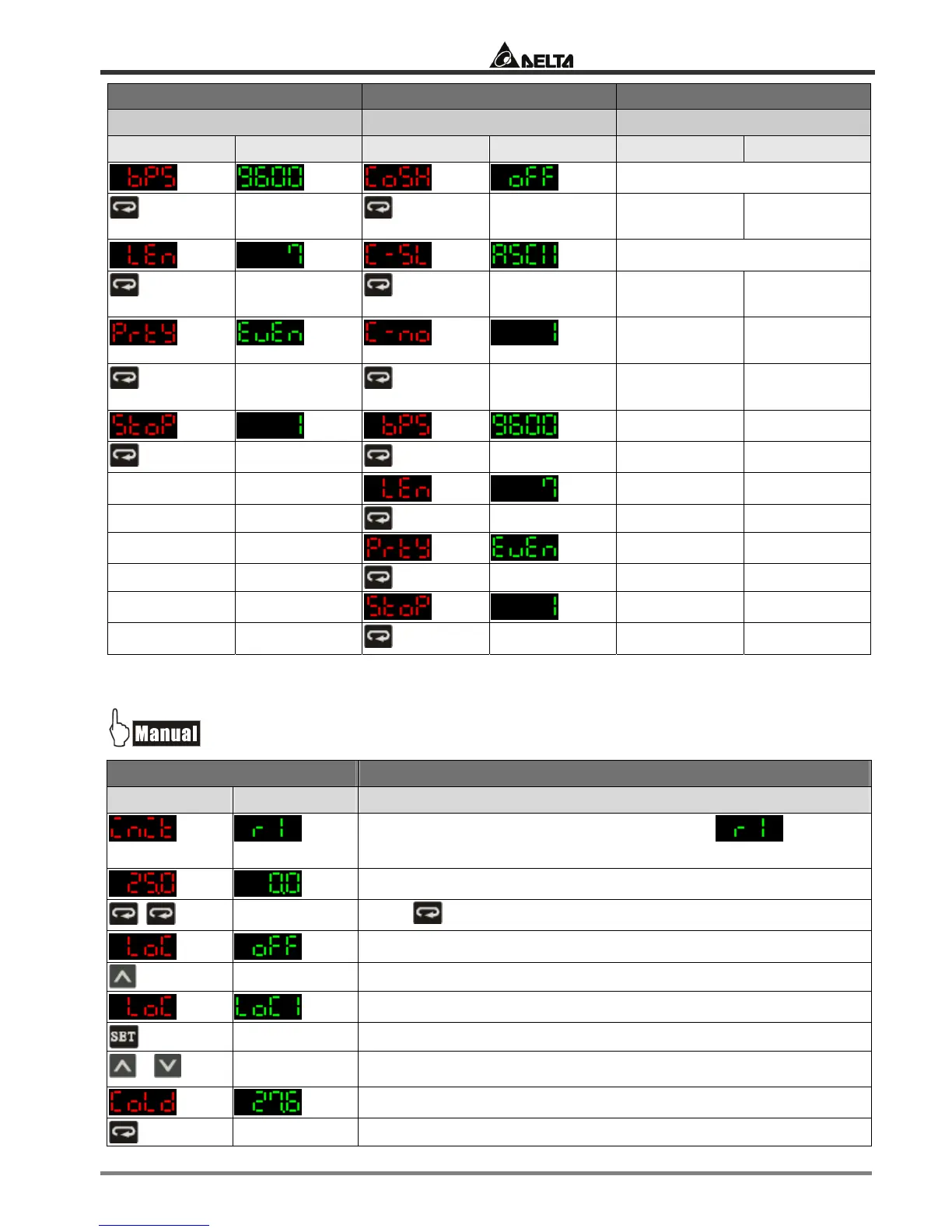
1.2 How to Return to Default Settings in DTA
Display Explanations
PV SV Status of the temperature controller
Temporary display when DTA is switched on: = relay
output with RS-485 communication.
Example displayed values
Press twice
Key-locked function
Select Lock 1
+
Press “up” and “down” keys together for 1 second.
Default value


 To Next Page