Chapter 3 Creating and Editing Programs|DOP-EXIO Series
3-2
Revision March, 2008, Doc. Name: 2007PDD23000014
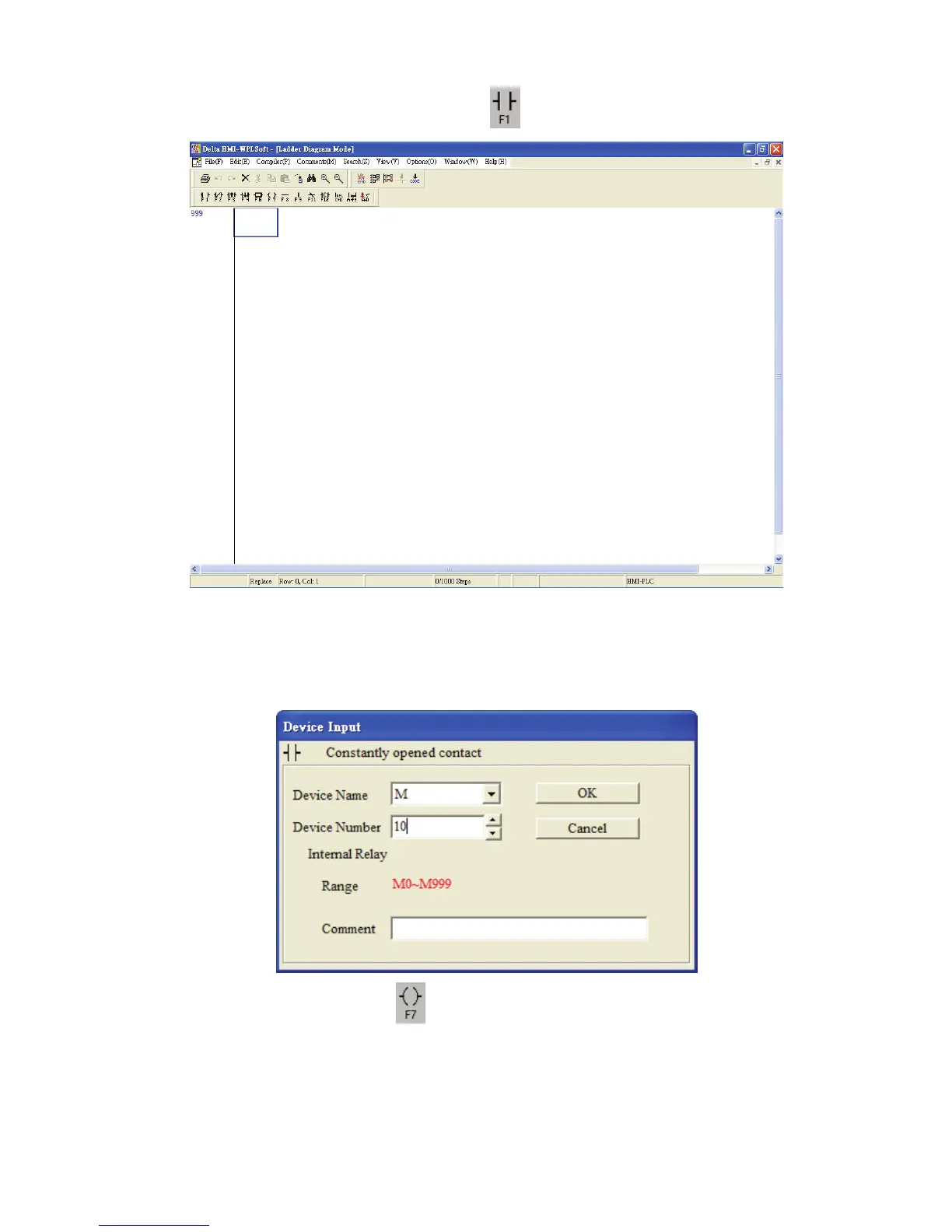
1. Click the Normally Open Contact icon on the toolbar or press F1 function key.
2. The “Device Input” dialog box will appear. The user can select device name (e.g. M) ,
device number (e.g. 10), and enter comments (e.g. Internal Relay). Then, press the
button “OK” to save the settings.
3. Click the Output Coil icon on the toolbar or press F7 function key. The “Device
Input” dialog box will appear next. The user can select device name (e.g. Y), device
number (e.g. 0), and enter comments (e.g. Output Relay). Then, press the button
“OK” to save the settings.



 To Next Page