Chapter 3 Creating and Editing Programs|DOP-EXIO Series
Revision March, 2008, Doc. Name: 2007PDD23000014 3-5
Keyboard Operation
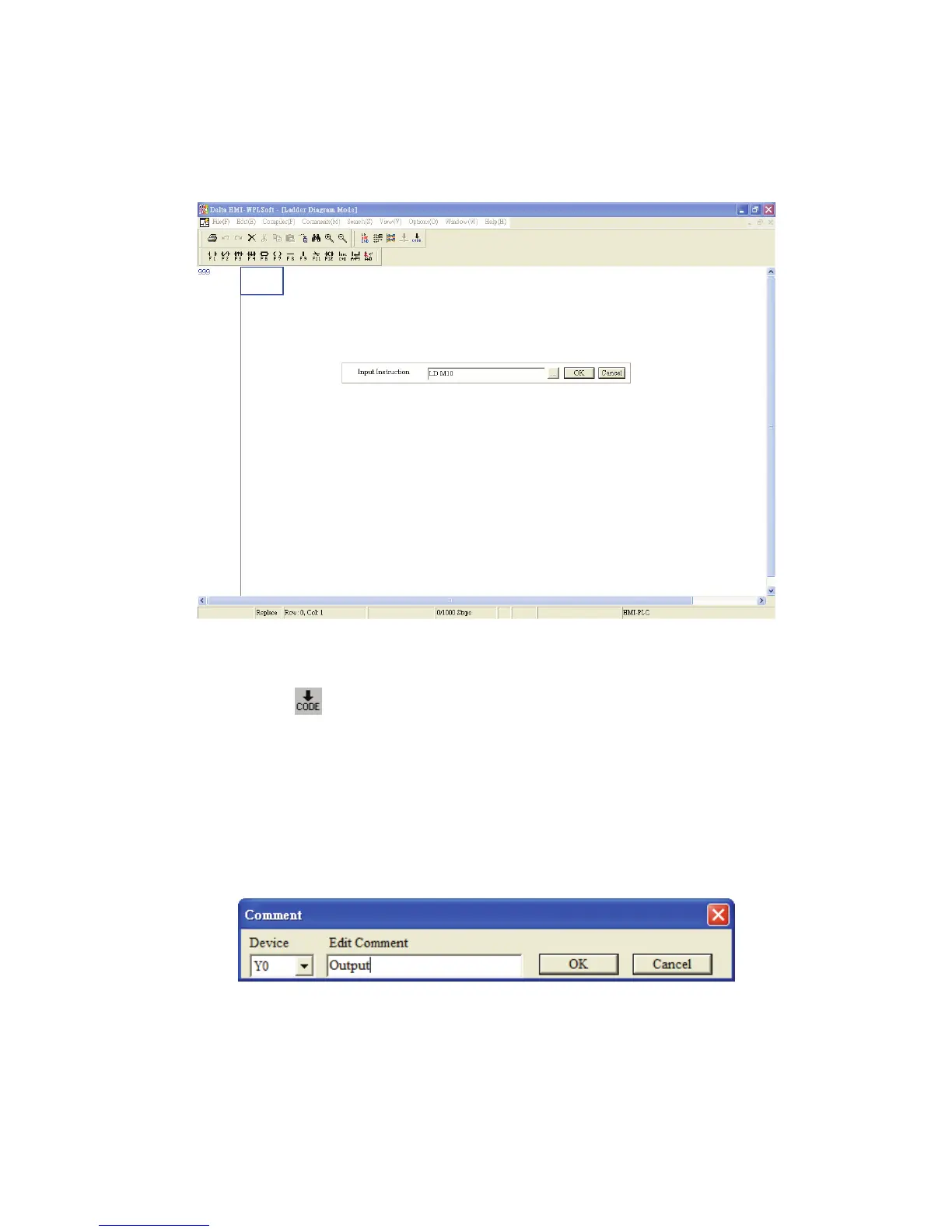
1. Place the editing block at the start of the program (Row: 0, Col: 1), and type in “LD
M10” by using the keyboard. Then, press the Enter key on the keyboard, or click the
“OK” button to complete the settings.
2. Type in “OUT Y0” by using the keyboard and press Enter key on the keyboard. Then,
type in “END” by using the keyboard and press Enter key on the keyboard. Finally,
click the icon to compile the completed ladder diagram.
If the user wants to edit the comments at the same time when input an instruction by
using keyboard, the user can click the “Prompt to Edit Device Comment(H)” under the
“Options” menu. Then, the “Comment” dialog box (see the figure below) will appear for
the user to enter and edit the corresponding comments after an instruction is input
correctly.



 To Next Page