Chapter 3 Creating and Editing Programs|DOP-EXIO Series
Revision March, 2008, Doc. Name: 2007PDD23000014 3-15
Paste Block Ö Paste the selected block.
Method 1: Click “Edit(E)” > “Paste(P)”.
Method 2: Click the icon on the toolbar.
Method 3: Use keyboard shortcuts by pressing keys (Ctrl) + (V).
Method 4: Right click the mouse to select the “Paste” command in the pop-up
menu.
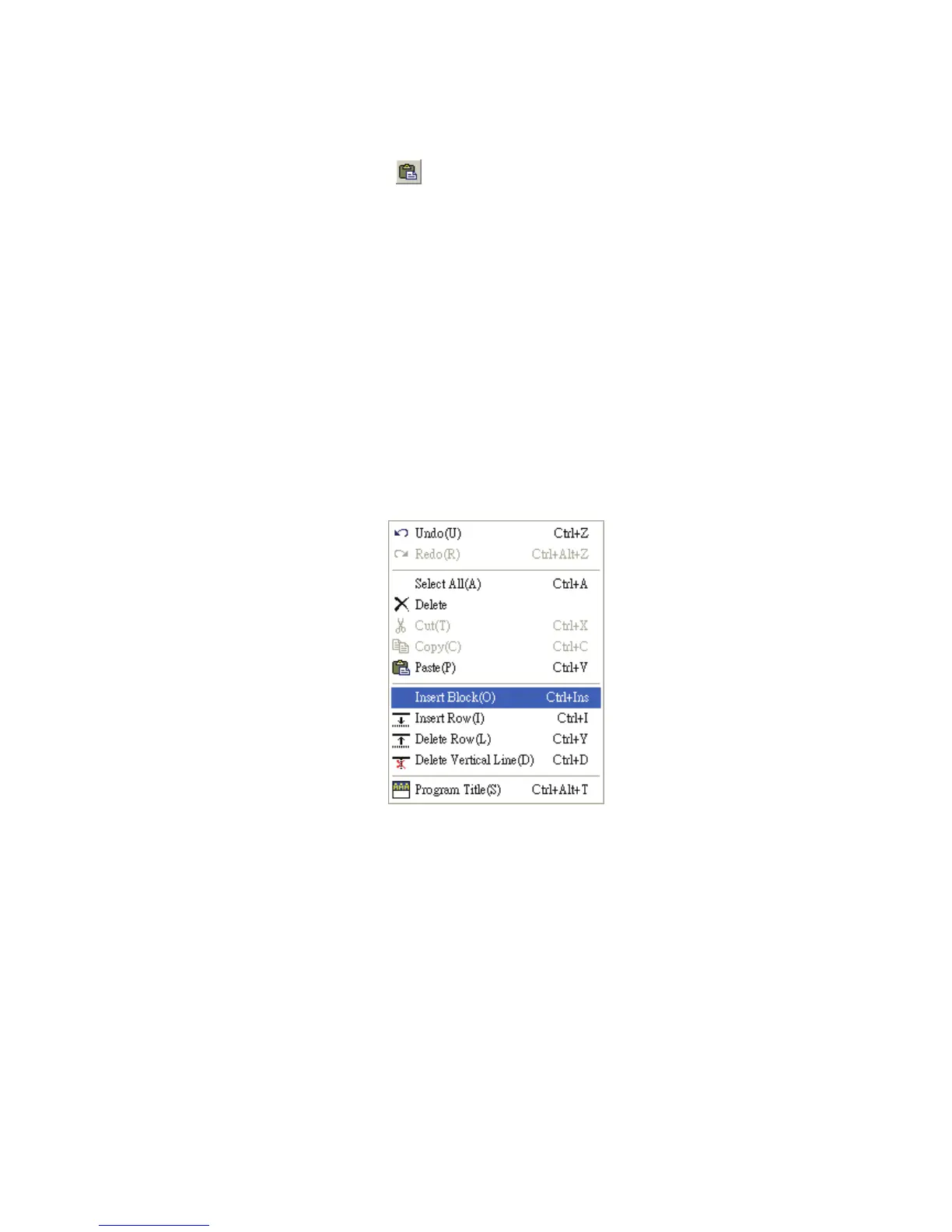
Insert Block Ö Insert the selected block (This function is valid after the “Copy Block”
function is executed. Therefore, before inserting the selected block, perform “Copy
Block” action first).
Method 1: Click “Edit(E)” > “Insert Block(O)”.
Method 2: Use keyboard shortcuts by pressing keys (Ctrl) + (Ins).
Method 3: Right click the mouse to select the “Insert Block” command in the pop-up
menu.
) Compiler(P)
This function is used to compile current HMI-WPLSoft programs for DOP-EXIO series
product. If the user completes the editing of the ladder diagram in the ladder diagram mode,
performing this function will check whether the ladder diagram is valid or not. If there is no
error occurred when converting the program, the ladder diagram can be converted to the
instruction program successfully; meanwhile, the program memory addresses (numbers of
steps) for each editing block will appear on the left-hand side of the start of the ladder
diagram. However, if there is any error occurred, a ladder diagram error message dialog
box will appear to display the error code and point out the exact erroneous addresses
(exact row and column where the error occurred) after the compiler action is completed.
If the user completes program editing in the instruction mode when performing this function,
the system will start to check if there is any error occurred or not. If there is no error, the


 To Next Page
 Loading...
