Chapter 4 I/O Point Indicators|DOP-EXIO Series
Revision March, 2008, Doc. Name: 2007PDD23000014 4-1
Chapter 4 I/O Point Indicators
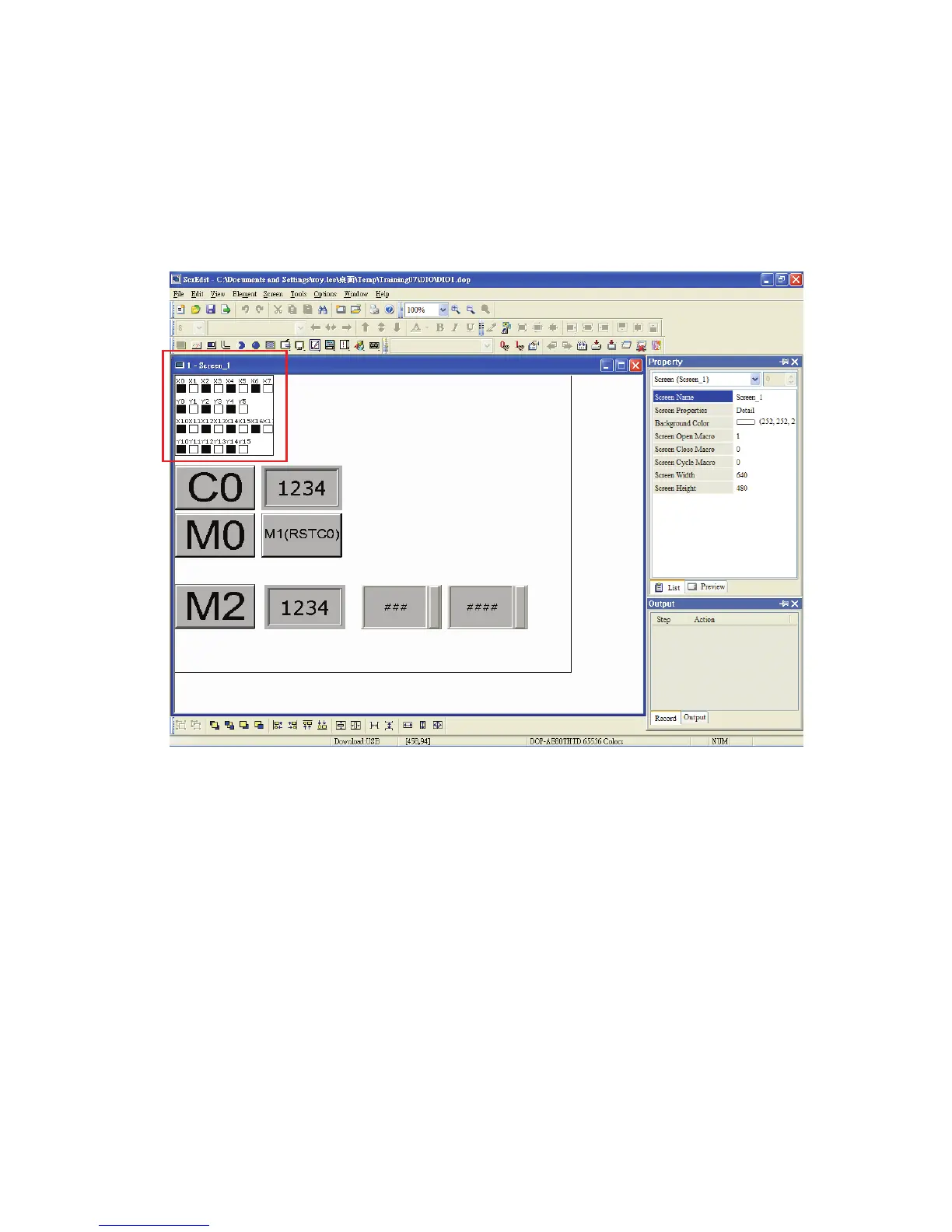
In the editing environment of ScrEdit (Screen Editor) programming software, the user can use
digital input/output point indicators (hereinafter called “I/O point indicators”) to display the
status of the input and output points and monitor the operation of DOP-EXIO series. Please
refer to the Fig. 4.1 below.
Fig. 4.1 Status of I/O point indicators
After opening the “Screen Properties” dialog box, which provides screen property settings for
each screen, the user can set the settings of the I/O point indicators. Please refer to Fig. 4.2 in
the following page.



 To Next Page