Chapter 4 I/O Point Indicators|DOP-EXIO Series
4-2
Revision March, 2008, Doc. Name: 2007PDD23000014
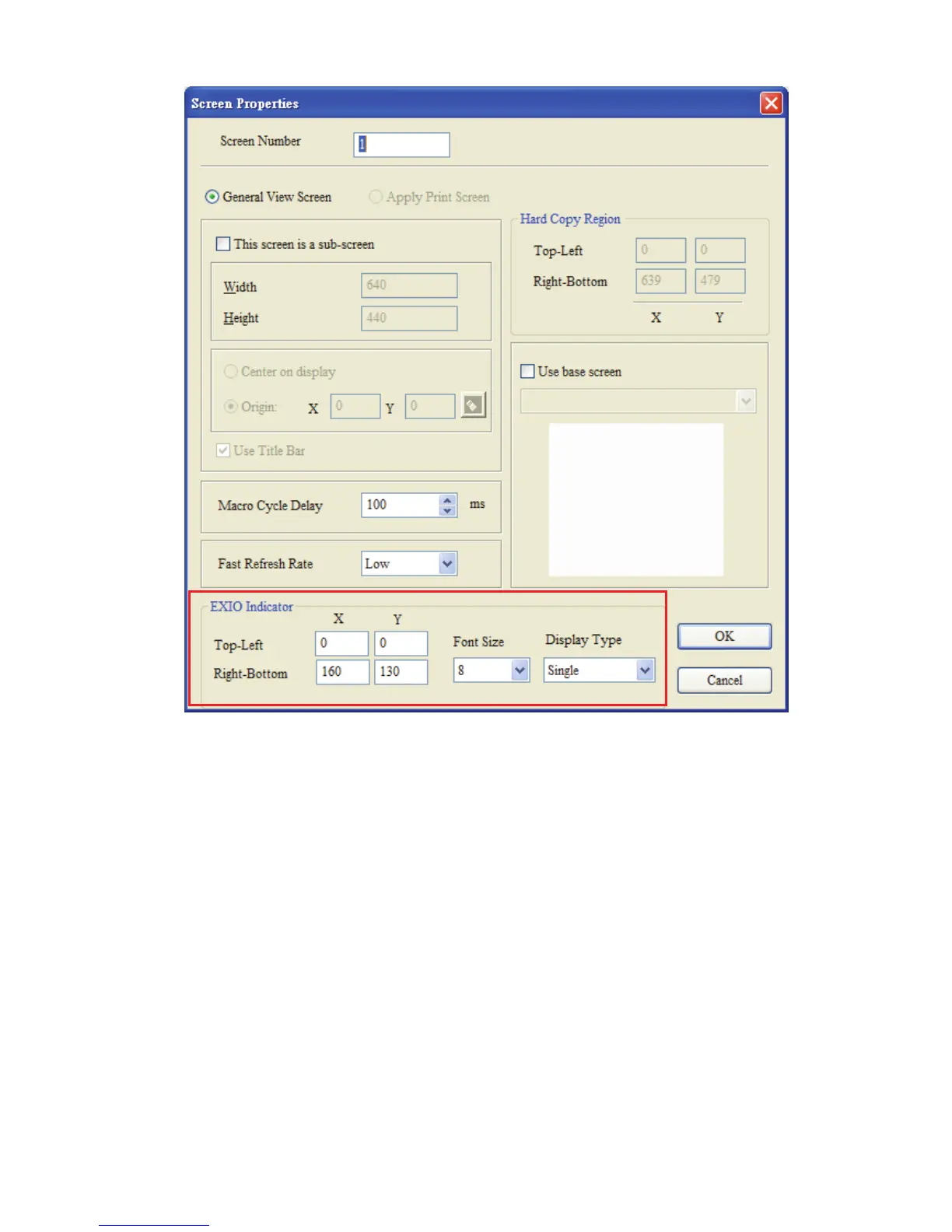
Fig. 4.2 “Screen Properties” dialog box
1. Display Position:
Determine the position of the I/O point indicators by setting the coordinates of the
Top-Left and Right-Bottom points.
2. Font Size:
Determine the font size of the font which displays in the I/O point indicators. (The
available selection includes 8, 10, 12, 14, 16, 18, 20, 24, 28, 32, 40, 48, 64.)
3. Display Type:
There are three kinds of display types: None, Single and All.
The display of the indicators will change depending on the settings of the screen
properties.



 To Next Page