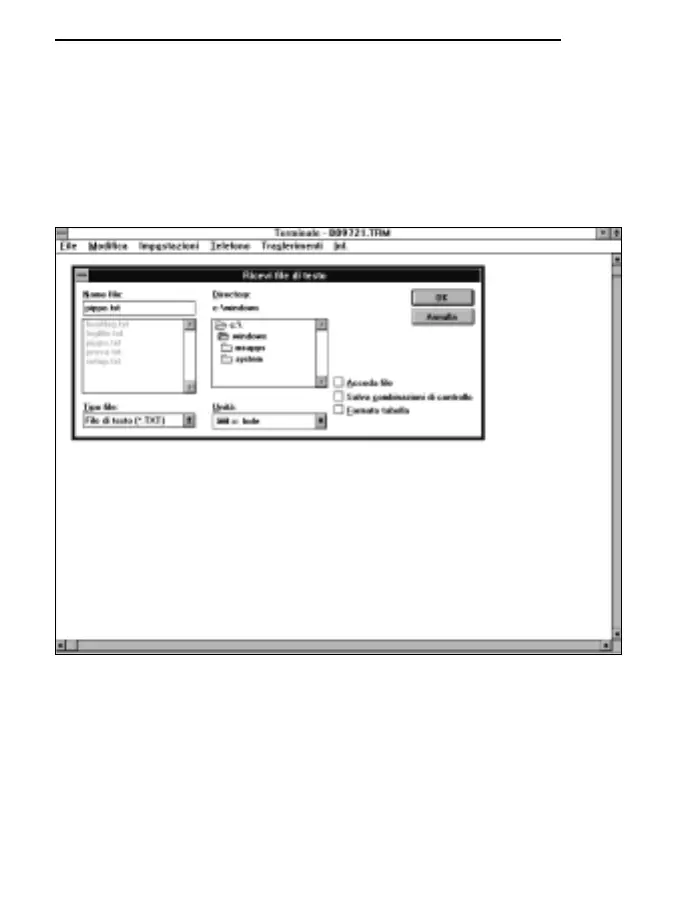
G) To receive and store data from an instrument:
* select TRANSFER from the terminal window (1 click).
* select RECEIVE TEXT FILE from the pull-down menu and the window will appear (1 click).
* type the name of the file in which data are to be stored (max. 8 characters) on the line provi-
ded.
* OK to confirm and start storage (1 click).
At this point the terminal is ready to receive data from the measuring instrument. Everything sent
by the measuring instrument will be stored in the file indicated previously.
H) Switch on the measuring instrument.
When the instrument has completed the switching-on routine, activate the immediate unloading
of data at the set rate, pressing the SERIAL OUTPUT button, or activate the unloading of the
data stored in the internal memory with the program P1 (press the PROG button twice) and
press the ENTER button.
125
ENGLISH



 To Next Page