Need help?
Do you have a question about the Delta-T RZ-05A Series and is the answer not in the manual?
Check for damage upon receipt, ensure unit is top-side up to prevent oil displacement.
Keep unit upright during unpacking and transport. Improper packaging may void warranty.
Mount vertically with 3" air space. Keep upright during transport to prevent damage.
Record unit label data for warranty and ordering. Verify power source compatibility.
Maintains enclosure temperature via closed-loop system, protecting internal components.
Ensure unit sits upright 24hrs, check power compatibility, connect power, and test operation.
Use template, ensure airflow clearance, mount high, secure unit, connect power, and check for leaks.
Provides electrical and refrigeration data for RZ-05A models, including voltage, current, and fuses.
Ensure door hinges support unit weight and prevent enclosure toppling when door is open.
Lists electrical and refrigeration parameters for the RZ-06A series air conditioners.
Lists electrical and refrigeration parameters for the RZ-08A series air conditioners.
Provides enclosure heating with 500W or 1000W capacity, adjustable set point.
Protects compressor in cold conditions with internal heat and optimized low current.
Provides high temperature alarm notification with default settings of 105°F.
Celsius programming and external heaters (100W-950W) for enclosure temperature control.
Custom pre-programmed settings and high ambient application optimization for performance.
Safety switch to disable power when the enclosure door is opened.
12' probe for flexible monitoring and maintaining temperature at specific locations.
Remote control via Ethernet/IP or Outdoor package with external controller mounting.
Identifies fault conditions like HA2 (condenser high temp) and CA (evaporator coil alarm).
Guide to viewing and changing setpoints on the digital controller for temperature management.
Procedures for accessing hidden menus, locking/unlocking the keypad for controller settings.
Details on Cooling Setpoint, Differential, Compressor Protection, Probed Display, and Auxiliary Setpoint.
Configures Auxiliary Differential, Max Temp Alarm (ALU), and Min Temp Alarm (ALL) settings.
Lists causes and outputs for various alarm signals and how to recover from them.
Regular cleaning/replacement of air filter and condenser coils to maintain performance.
Fans require no maintenance. Compressors are sealed and maintenance-free with thermal protection.
Addresses leaks and refrigerant charge restoration by qualified professionals.
Provides a list of serviceable parts and their corresponding ISC part numbers for technicians.
Emphasizes UL testing, shroud installation, power cutoff for service, and licensed technician use.
Flow chart to troubleshoot issues when the unit fails to start or operate.
Flow chart for diagnosing overheating or insufficient cooling problems, checking filters and coils.
Diagnoses compressor/fan status, setpoint, ambient temperature, and error codes for cooling issues.
Verifies voltage to the compressor and checks the contactor circuit for proper activation.
Explains how to interpret flashing error codes displayed by the unit for diagnostics.
Guides on troubleshooting fuse openings, nuisance trips, and incoming power issues.
Flow chart to diagnose and fix water overflow by checking drains and enclosure seals.
Detailed dimensional drawings and specifications for the NE050 Narrow Edge models.
Provides the overall system wiring diagram for the air conditioner components.
Detailed wiring diagram for the digital controller and its associated inputs/outputs.
Outlines the one-year warranty, operating conditions, and exclusions for ISC products.
Details purchaser's duties regarding grounding, installation codes, and shipping damage claims.
Instructions for obtaining an RMA number and preparing units for return shipment.
Steps for requesting and obtaining repair services for units no longer under warranty.
Step-by-step guide on how to connect power wires using Wago terminal blocks.
 General
| Brand | Delta-T |
|---|---|
| Model | RZ-05A Series |
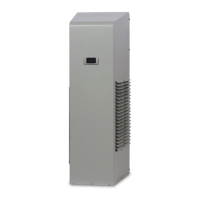
| Category | Air Conditioner |
| Language | English |

 To Next Page