Chapter 9 Serial Communication Module AS00SCM
9- 71
An example of using PLC to control the input/output of the IO module remotely:
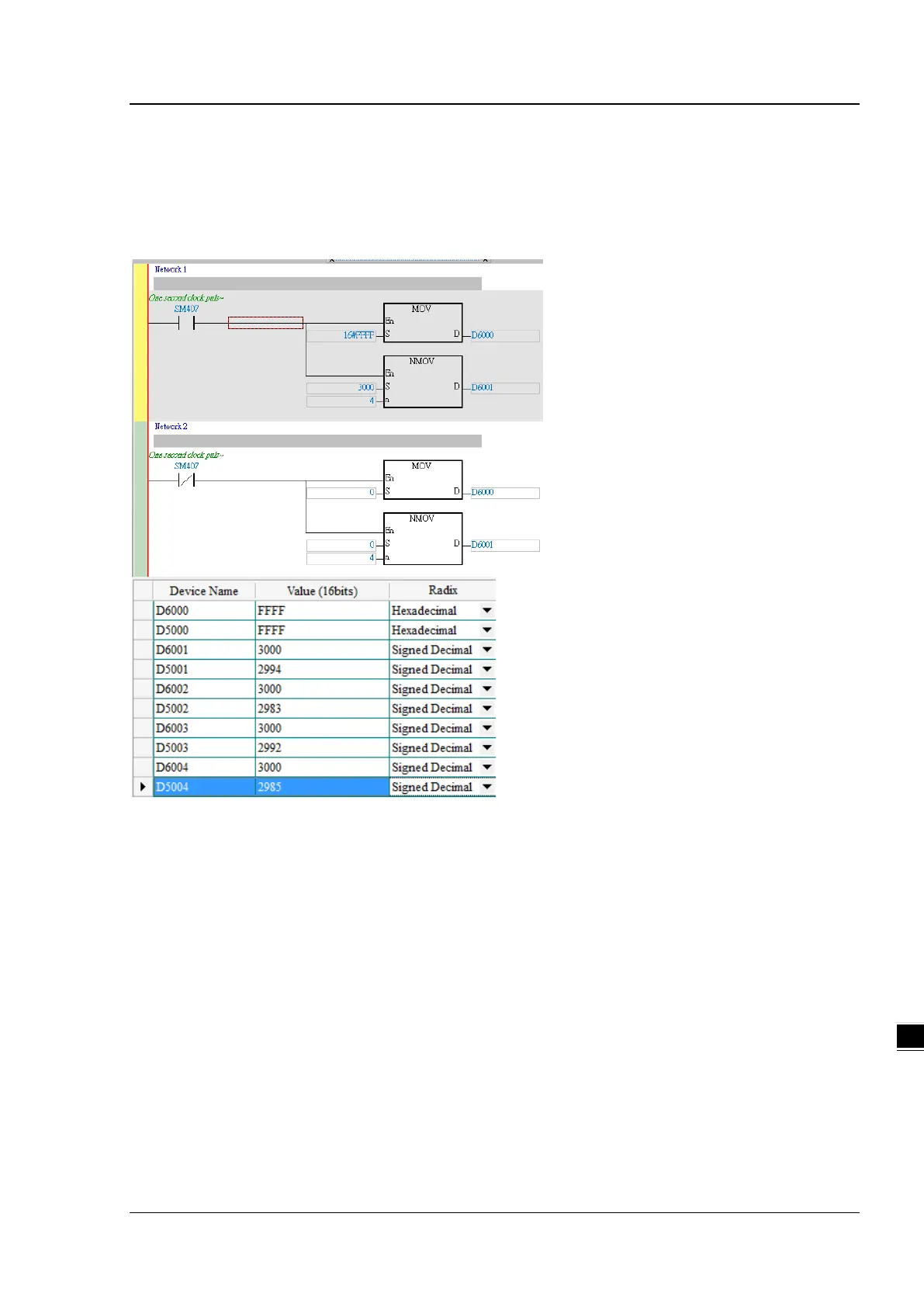
Start ISPSoft and download the program from AH series PLC. Switch digital output module between 1 and 0 in every
0.5 seconds; change output values of the analog output module. Wire DI/DO modules to AI/AO modules and then
you can see the changes of D6000 from D5000 and D6001-D6004 from D5001-D5004 as the example below shown.
The module error codes are stored in D5005-D5009. Refer to relevant module manuals for error code definitions.



 To Next Page
 Loading...