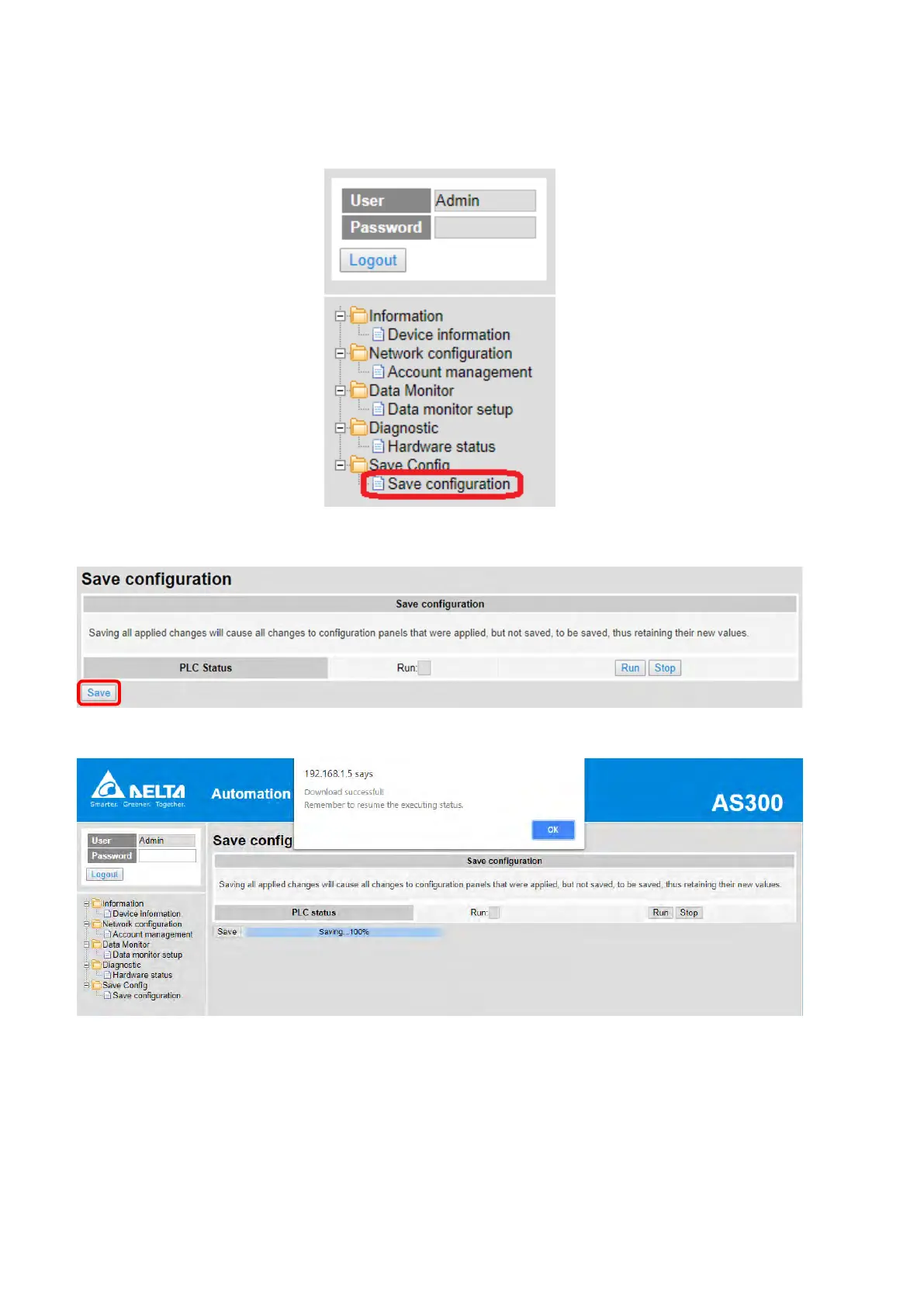
c. Double-click Save configuration to open the setting page.
d. Click “Save” to save and download the settings to the device.
After download is complete, it will be prompted with a Download successful message.
Send Quote Requests to info@automatedpt.com
Call +1(800)985-6929 To Order or Order Online At Deltaacdrives.com
Send Quote Requests to info@automatedpt.com
Call +1(800)985-6929 To Order or Order Online At Deltaacdrives.com



 To Next Page
 Loading...