EasyManua.ls Logo

Delta DelREMO-V2.0 - User Manual

Delta DelREMO-V2.0
45 pages
Print Icon
To Next Page IconTo Next Page
Loading...
1
User Guide
(Indoor)
DelREMO-V2.0
www.deltaelectronicsindia.com

Questions and Answers

Summary

About this guide

Purpose of the Guide

Explains the method to install and configure the DelREMO-V2.0 system.

Intended Reader

Guide written for trained engineers and technicians for installation and configuration.

Chapter Organization

Lists the chapters and their content within the guide.

Instructional Icons

Familiarizes the user with icons used in the guide for warnings, cautions, and notes.

Disclaimers and Important Notes

Handling and Safety Information

General Safety Instructions

Safety instructions for operating the DelREMO-V2.0 system, including precautions for sharp edges and supervision.

Specific Instructions

Instructions on checking environmental conditions, AC/DC inputs, sensors, and flammable vapors.

Additional Information

Liability for incorrect installation, unauthorized modification, and user responsibility for training.

Contents of the Consignment

Lists the items included in the consignment, such as the guide and the system.

Unpacking the Consignment

Instructions for unpacking the contents of the consignment safely.

Follow Check List

Check the received consignment against the checklist and contact authorities if items are missing.

Handling Tips

Handle the lightweight DelREMO-V2.0 system carefully to avoid damaging internal components.

Preliminary Inspection

Inspect the system for damages before and after removing it from the crate.

DeIREMO-V2.0 System Overview

System Description

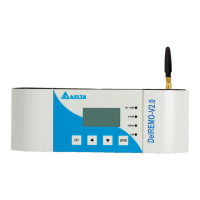
Describes the DelREMO-V2.0 as a remote monitoring unit collecting data from solar inverters and sensors.

Introduction to Different Sections

Introduces key sections of the DelREMO-V2.0 SYSTEM to facilitate installation.

Technical Specifications

Details technical specifications including input DC supply, operating range, and capacity.

Installation Procedure

Step 1: Tools and Equipment Required for Installation

Lists the necessary tools and equipment for installing the DELREMO SYSTEM safely.

Step 2: Preliminary System Inspection

Inspect the system for any physical damage during carriage before installation.

Step 3: System Mounting

Instructions on how to mount the DelREMO-V2.0 unit on the wall using the provided plate.

Step 4: System Handling

Handle the DelREMO system carefully, especially the LCD connector when opening/closing the cover.

Step 5: Adapter Connections

Warning about checking polarity when connecting the adapter output to the DelREMO System.

Step 6: Solar Inverter Modular Interconnection Procedure

Procedure for interconnecting modules via RS485 daisy chain to make the system functional.

Basic Interconnection Steps

Details the basic interconnection steps for the DelREMO-V2.0 to avoid connection problems.

System Commissioning

Steps Involved in System Commissioning

Steps involved in the commissioning procedure of the DelREMO-V2.0 system.

System Start Up Precautions

Precautions to take before starting up the DelREMO-V2.0 system to prevent loss of life or equipment.

Starting Up Procedure

Step-wise procedure for starting up the DelREMO-V2.0 system to prevent mistakes or missing steps.

System Configuration

Details the settings required on a Laptop/PC to access the DelREMO-V2.0 via Ethernet.

Firmware Upload Procedure

Instructions on how to upload a firmware file to the DelREMO-V2.0 system.

Modem Setting Configuration

Guide to setting or verifying modem settings, including SIM status and APN configuration.

Site Configuration

Steps to enter site configuration, including Site ID, Site Name, and Inverter Count settings.

Server Configuration

Instructions to enter server configuration, including NOC and Heart Beat settings.

DelREMO Ethernet Configuration

Guide to configuring DelREMO Ethernet settings, including IP address, subnet mask, and gateway.

Auto Update Settings

Steps to configure Auto Update settings for the DelREMO system, including URL and host IP.

Clock Configuration

Instructions for clock configuration, including SNTP, NITZ, and PC clock synchronization methods.

Master Mobile Number Setup

Instructions for setting master mobile numbers for user access and notifications.

Sensor Configuration

Guide to sensor configuration, explaining name, type, offset, and multiplier attributes for calibration.

Power Generation Regulation

How power generation can be regulated in steps to improve system efficiency and avoid power loss.

Device Information

How to find MAC address and other device information under the Device Information tab.

Energy Meter Monitoring

How to view energy meter parameters by tapping on the EM Status option.

Inverter Status Monitoring

How to view various parameters from the inverter configured with DelREMO.

LCD Settings Configuration

Step-by-step guide for configuring settings directly on the DelREMO-V2.0 device using the LCD.

Basic Functional Verification

Steps for basic functional verification after commissioning the DelREMO SYSTEM.

Check Points Before Leaving the Site

Points to check carefully before leaving the installation site after setup.

System Calibration Procedure

Information on system calibration, noting it's pre-calibrated and onsite calibration is not allowed.

Conforming the Configuration

How to confirm the configuration settings, focusing on recommended site configurations like inverters and APN.

Modes of Operation

Explains the different modes through which DelREMO-V2.0 can send data to the remote server.

Mains Mode

Confirms AC availability and adapter output for the DelREMO-V2.0 system operating on 24VDC.

Introducing Alarm System and Troubleshooting

System Alarms

Describes how the DelREMO-V2.0 system uses alarms for self-diagnosis and error reporting.

Troubleshooting Overview

Guide for identifying and resolving common faults and problems encountered during DelREMO-V2.0 operation.

Standard Troubleshooting Procedure

Standard procedure for troubleshooting, starting with checking LEDs and web interface for alarms.

System Status Indications

Explains system status indicators shown by LEDs and web interfaces for fault indication.

Troubleshooting Table

Provides a table of common problems, their possible causes, and solutions for the DelREMO-V2.0 system.

Unresolved Problems

Instructions on what to do if a problem cannot be resolved, advising to contact Delta support.

Maintenance

General Periodic Maintenance

Guidelines for periodic maintenance, focusing on cleaning and avoiding harsh chemicals.

Dos and Donts

Important do's and don'ts for operating and maintaining the DelREMO-V2.0 system safely.

Customer Care Support

Contact information for customer care helpline for any queries or service-related issues.

Delta DelREMO-V2.0 Specifications

General IconGeneral
Analog Input Resolution16-bit
Memory2MB Flash
EnclosureIP65
Analog Input Range0-10V
Measurement ParametersVoltage, Current, Digital Inputs, Pulse Counts
Temperature Range-40°C to +80°C
Humidity Range0% to 100% RH
Accuracy±0.5°C, ±3% RH
Resolution0.1°C, 0.1% RH