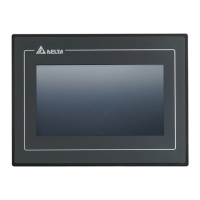
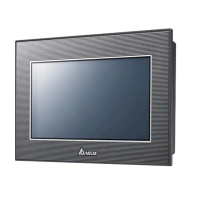
Do you have a question about the Delta DOP-107CV and is the answer not in the manual?
Lists DOP-B to DOP-100 compatible, partially compatible, and incompatible models, noting differences.
Details how DOPSoft 4.0 converts DOP-B project files to DOP-100 series models automatically.
Explains DOP-100's [Fixed] or [Gradient] button fill styles, compared to DOP-B's fixed style.
Compares DOP-B's separate Goto/Previous Page buttons to DOP-100's integrated approach.
Details DOP-B's simpler password entry versus DOP-100's user account and password requirement.
Identifies DOP-100 models with audio output and how projects with audio are handled.
Lists DOP-100 models supporting multi-language input and its configuration interface.
Covers default printer changes to ePrinter and Report List to Print Output button mapping.
Compares HMI-end and PC-end file encryption methods for DOP-B versus DOP-100.
Explains COM port interface changes (COM1 to COM2) during transition for specific models.
Provides link and instructions for updating Intel ICD OpenGL driver to resolve errors.
Lists DOP-B to DOP-100 compatible, partially compatible, and incompatible models, noting differences.
Details how DOPSoft 4.0 converts DOP-B project files to DOP-100 series models automatically.
Explains DOP-100's [Fixed] or [Gradient] button fill styles, compared to DOP-B's fixed style.
Compares DOP-B's separate Goto/Previous Page buttons to DOP-100's integrated approach.
Details DOP-B's simpler password entry versus DOP-100's user account and password requirement.
Identifies DOP-100 models with audio output and how projects with audio are handled.
Lists DOP-100 models supporting multi-language input and its configuration interface.
Covers default printer changes to ePrinter and Report List to Print Output button mapping.
Compares HMI-end and PC-end file encryption methods for DOP-B versus DOP-100.
Explains COM port interface changes (COM1 to COM2) during transition for specific models.
Provides link and instructions for updating Intel ICD OpenGL driver to resolve errors.
| Display Type | TFT LCD |
|---|---|
| Contrast Ratio | 500:1 |
| Backlight | LED |
| Input Voltage | 24V DC |
| Operating Temperature | 0°C ~ 50°C |
| COM ports | RS-232, RS-485 |
| USB Host | Yes |
| USB Client | Yes, USB 1.1 |
| Memory | 128 MB Flash, 64 MB |
| Power Supply | DC 24V |
| Interface | USB, RS-232, RS-485 |
| Storage Temperature | -20°C ~ 60°C |
| Humidity | 10% ~ 90% RH, non-condensing |
Loading...