EasyManua.ls Logo

Delta DOP-110CG - User Manual

Delta DOP-110CG
8 pages
Print Icon
To Next Page IconTo Next Page
Loading...
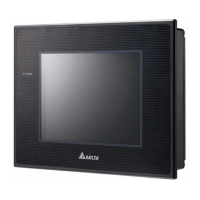
DOP-110CG
High color Wide screen ‧‧
User-friendly
No.18, Xinglong Rd., Taoyuan City
33068, Taiwan
Instruction Sheet
(1) General precautions
Thank you for purchasing this product. This DOP-110CG instruction sheet provides information for the
DOP-110CG series HMI. Before using this product, read through this instruction sheet carefully to ensure
the correct use of the product. Keep this sheet handy for quick reference whenever needed. Before
finishing reading this sheet, follow the instructions below:
Install the product in an indoor location, which is free of vapor and corrosive and inflammable gas.
Refer to the wiring diagram when connecting the wires.
Ensure this product is correctly grounded. The grounding method must comply with the national
electrical standard guidelines (refer to NFPA 70: National Electrical Code, 2005 Ed.).
Do not disassemble the HMI or change the wiring when power is on.
Do not touch the power supply when power is on, or it may cause electric shock.
When the HMI displays a low power notification and requires a battery change, contact Delta or
local distributors for the replacement. Do not change the batteries by yourself.
This product can be used with other industrial automation equipment. Read through this sheet
carefully and install the product according to the instructions to avoid danger.
Cleaning method: use a dry cloth to clean the product.
This product must be used at an altitude below 2,000 m (6561.68 ft).
If the equipment is used in a manner not specified by the manufacturer, the protection function
provided by the equipment may be impaired.
For repair and maintenance, contact Delta Electronics, Inc. Address: No.18, Xinglong Rd.,
Taoyuan City, Taiwan. TEL: +886-3-3626301.
If you have any inquiry during operation, contact our local distributors or Delta Customer Service Center.
The instruction sheet may be revised without prior notice. Contact our distributors or download the latest
version from the Delta website (http://www.deltaww.com.tw/ia).
(2) Communication port pin assignment
DOP-110CG COM1
COM Port Pin
MODE1
RS-232
1 -
2 RXD
3 TXD
4 -
5 GND
6 -
7 RTS
8 CTS
9 -
DOP-110CG COM2
COM Port Pin
MODE1 MODE2 MODE3
COM2 COM3 COM2 COM3 COM2 COM3
RS-232 RS-485 RS-485 RS-485 RS-232 RS-422
1 - - D+ - - TXD+
2 RXD - - - RXD -
3 TXD - - - TXD -
4 - D+ - D+ - RXD+
5 GND GND GND
6 - - D- - - TXD-
7 RTS - - - RTS -
8 CTS - - - CTS -
9 - D- - D- - RXD-
Note: the mark “-” means connection is not required.
(3) Description of each part
DOP-110CG (front view)
A
A
Operation / display area
DOP-110CG (rear view)
SLAVE
CO M2
CO M1CO M3
IN
HOST
A B DCE
A
Power input connector
(24 AWG wire min.)
B COM2 / COM3
C COM1 D USB Slave
E USB Host - -
(4) Mounting dimensions
DOP-110CG
299(11.77")
224(8.82")
285.2 (11.23")
+1.0
.0
0
Note:
T = 1.6 mm6 mm (0.063"0.24")
T
38.5
(2.02")
Unit: mm (inch)
Operation temperature: 0°C to 50°C (32°F to 122°F)
Storage temperature: -20°C to 60°C (-4°F to 140°F)
(5) Installation and wiring
Precautions:
Mount the HMI according to the following illustration. Incorrect installation direction may result in
malfunction.
To ensure the HMI is well ventilated, make sure there is sufficient space between the HMI and the
adjacent objects or walls.
This product should be used on a case or platform which conforms to enclosure Type 4X standard
(for indoor use only).
The maximum panel thickness for mounting must be no greater than 5 mm (0.2 inches).
Installation diagram:
Step 1:
Put the waterproof gasket onto the HMI and
then insert the HMI into the panel cutout.
Step 2:
Place the fasteners into the slots and tighten
the screws until reaching the panel cutouts.
Step 3:
Tighten the screws with the torque between
0.5 N-M and 0.7 N-M to avoid damage to the
plastic case.
DOP-110CG torque: 6.17 lb-inch (0.7 N-M)
Step 4:
For heat dissipation, keep a minimum
clearance of 60 mm (2.36 inches) and
45 mm (1.77 inches) respectively on the rear
and bottom of the HMI.
60
45
Wiring:
Type Wire gauge (AWG) Stripped length Torque
Solid
24 - 12
7 - 8 mm
(0.28 - 0.31 inches)
5 kg-cm (4.3 lb-in)
Stranded
24 - 12
7 - 8 mm
(0.28 - 0.31 inches)
5 kg-cm (4.3 lb-in)
Refer to the following diagram when wiring the power connector. The temperature rating of
the cable must be greater than 75°C (167°F)

Question and Answer IconNeed help?

Do you have a question about the Delta DOP-110CG and is the answer not in the manual?

Overview

The Delta DOP-110CG is a Human Machine Interface (HMI) designed for industrial applications, offering a robust and user-friendly interface for controlling and monitoring machinery. This device is a high-color, wide-screen unit, making it suitable for environments where clear visual representation of data is crucial.

Function Description

The DOP-110CG serves as a central control point, allowing operators to interact with industrial equipment through a graphical interface. It supports various communication protocols, enabling seamless integration with different PLCs and other devices. The HMI displays real-time data, alarms, and operational status, providing comprehensive oversight of the production process. Its touch-sensitive screen facilitates intuitive operation, reducing the learning curve for new users. The device also includes features for data logging and recipe management, which are essential for process optimization and quality control.

Important Technical Specifications

Display:

  • Panel Type: 10.4" TFT LCD (65535 colors)
  • Resolution: 800 x 600 pixels
  • Backlight: LED backlight (half-life of more than 20,000 hours at 25°C)
  • Display Area: 211.2 mm × 158.4 mm
  • Brightness: 300 cd/m² (Typ.)

Processor and Memory:

  • CPU: ARM Cortex-A8 (800 MHz)
  • Flash ROM: 256 Mbytes
  • RAM: 256 Mbytes

Touchscreen:

  • 4-wire resistive touchscreen with 1,000,000 operations

Buzzer:

  • Multi-tone frequency (2 - 4 KHz) / 80 dB

Communication:

  • Ethernet: 1 Port, 10/100 Mbps (Data transmission)
  • USB: 1 USB Slave Ver 2.0, 1 USB Host Ver 2.0
  • Serial Ports:
    • COM1: RS-232 (supports flow control)
    • COM2: RS-232 (supports flow control) / RS-485
    • COM3: RS-422 / RS-485
  • SD Card: Yes

Power Supply:

  • Input Voltage: DC +24V (-15% to +15%) (use an isolated power supply)
  • Power Consumption: 8 W (Max)
  • Leakage Current: 500 V for 1 minute (between DC24V terminal and FG terminal)

Environmental Conditions:

  • Operating Temperature: 0°C to 50°C (32°F to 122°F)
  • Storage Temperature: -20°C to +60°C (-4°F to 140°F)
  • Operating Environment: 10% to 90% RH (40°C), 10% to 90% RH (41°F to 104°F)
  • Vibration Resistance: IEC61131-2 (5 Hz to 8.3 Hz: 3.5 mm, 8.3 Hz to 150 Hz: 1G)
  • Shock Resistance: IEC60068-2-27 (15G, 11 ms, in X, Y, Z directions)
  • Degree of Protection: IP65 / NEMA (front panel)

Dimensions and Weight:

  • W x H x D (mm): 299 x 224 x 48.8
  • Mounting Dimensions (mm): 285.2 x 210.2
  • Weight: 1735 g

Usage Features

The DOP-110CG is designed for ease of installation and operation. Its compact dimensions and panel-mount design allow for flexible integration into existing control cabinets. The device features a robust construction, ensuring reliable performance in harsh industrial environments. The touchscreen interface, combined with the high-resolution display, provides clear and responsive interaction.

Installation:

  1. Mounting: The HMI is designed for panel mounting. Ensure sufficient space between the HMI and adjacent objects or walls for proper ventilation and maintenance. The panel cutout dimensions are 285.2 x 210.2 mm.
  2. Wiring: Connect the power supply (DC +24V) to the designated terminals. Ensure proper grounding to prevent electrical hazards. Connect communication cables (RS-232, RS-485, Ethernet) to the respective ports for PLC and network integration.
  3. Securing: Use the provided mounting clips to firmly secure the HMI to the panel. Tighten the screws to ensure a snug fit, preventing movement or vibration during operation.

Operation:

  • Power On: Once powered, the HMI will boot up and display the configured application.
  • Touchscreen Interaction: Navigate through screens, input data, and trigger actions using the touch-sensitive display. The resistive touchscreen allows for operation with gloves, which is common in industrial settings.
  • Data Monitoring: Real-time data from connected PLCs can be displayed in various formats, including numerical values, graphs, and trends.
  • Alarm Management: The HMI can display alarms and events, providing operators with immediate notification of critical conditions.
  • Recipe Management: Store and retrieve different production recipes, allowing for quick changeovers and consistent product quality.

Safety Precautions:

  • Always use an isolated power supply to prevent electrical noise and ensure stable operation.
  • Ensure proper grounding to avoid electric shock.
  • Do not open the HMI casing unless authorized, as it may expose internal components to damage or void the warranty.
  • Avoid exposing the HMI to direct sunlight, high temperatures, or excessive humidity to maintain optimal performance and longevity.
  • Use only specified cables and connectors to ensure reliable communication and power supply.

Maintenance Features

The DOP-110CG is designed for minimal maintenance, but regular checks can prolong its lifespan and ensure continuous operation.

Routine Maintenance:

  • Cleaning: Regularly clean the display panel with a soft, dry cloth. For stubborn dirt, use a mild, non-abrasive cleaner. Avoid using strong solvents or abrasive materials that could damage the screen.
  • Firmware Updates: Periodically check the Delta website for firmware updates. Keeping the firmware up-to-date can improve performance, add new features, and resolve potential issues.
  • Backup: Regularly back up the HMI project files to an external storage device (e.g., USB drive or SD card). This ensures that configurations and data can be restored quickly in case of system failure or replacement.
  • Battery Replacement: The HMI includes a backup battery for the RTC (Real-Time Clock). The battery typically lasts about 3 years or more at 25°C (77°F). If the RTC loses time or settings, the battery may need to be replaced. Refer to the manual for specific instructions on battery replacement.
  • Connection Checks: Periodically inspect all power and communication cables for signs of wear, damage, or loose connections. Secure any loose connections to prevent intermittent operation.

Troubleshooting:

  • No Power: Check the power supply voltage and ensure all power connections are secure.
  • No Display: Verify the backlight is functioning. If the backlight is off, it may indicate a problem with the backlight unit or power supply.
  • Touchscreen Unresponsive: Calibrate the touchscreen if it becomes inaccurate. If it remains unresponsive, check for physical damage or contact technical support.
  • Communication Errors: Verify the communication settings (protocol, baud rate, data bits, parity, stop bits) on both the HMI and the connected PLC. Check the physical connections of the communication cables.
  • System Freezes: If the HMI freezes frequently, try restarting the device. If the problem persists, it may indicate a software issue or hardware malfunction. Consider restoring a previous backup or contacting technical support.

Documentation and Support:

  • The device manual provides detailed instructions for installation, operation, and troubleshooting.
  • Delta Electronics offers technical support and resources on its website, including FAQs, downloads, and contact information for service centers.
  • For advanced troubleshooting or repairs, it is recommended to contact authorized Delta service personnel.

By following these guidelines, users can ensure the DOP-110CG operates efficiently and reliably, contributing to a smooth and productive industrial process.

Delta DOP-110CG Specifications

General IconGeneral
BrandDelta
ModelDOP-110CG
CategoryTouchscreen
LanguageEnglish