- 5 -
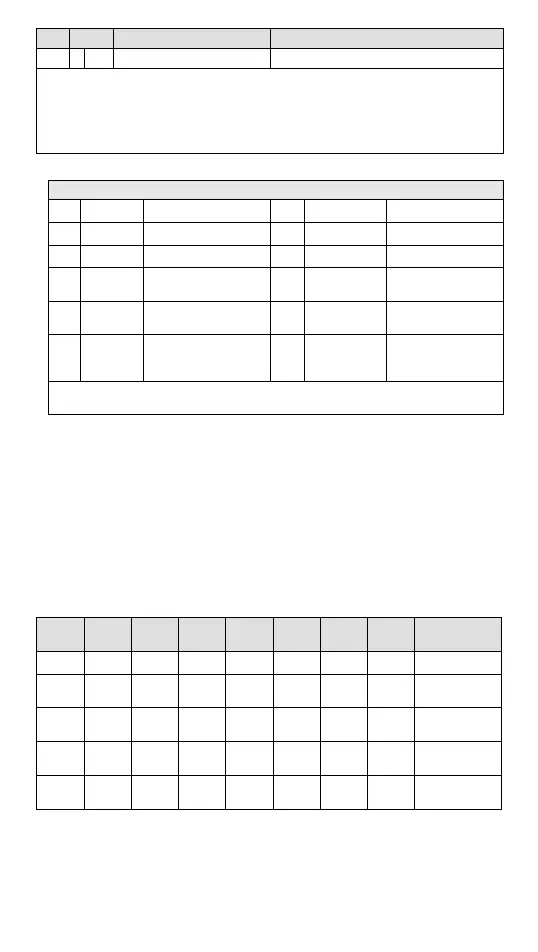
CR# Attrib. Register name Explanation
#111 O R/W Set value of CH4 lower bound
Symbols:
O: When CR#41 is set to H’5678, the set value of CR will be saved.
X: set value will not be saved.
R: able to read data by using FROM instruction.
W: able to write data by using TO instruction.
※ CR#43: Error status value. See the table below:
Description
bit0 K1 (H’1) Power supply error bit6 K64 (H’40) CH4 Conversion error
bit1 K2 (H’2) Reserved bit9 K512(H’0200) Mode setting error
bit2 K4 (H’4) Upper/lower bound error bit10 K1024(H’0400) Sampling range error
bit3 K8 (H’8) CH1 Conversion error bit11 K2048(H’0800)
Upper / lower bound
setting error
bit4 K16 (H’10) CH2 Conversion error bit12 K4096(H’1000)
Set value changing
prohibited
bit5 K32 (H’20) CH3 Conversion error bit13 K8192(H’2000)
Communication
breakdown on next
module
Note: Each error status is determined by the corresponding bit (b0 ~ b13) and there may be more
than 2 errors occurring at the same time. 0 = normal; 1 = error
※ Module Reset (Available for firmware v1.10 or above): When modules need reset, write H’4352 in
CR#0 then disconnect and turn on the power again. The resetting initializes parameter setups to
provide normal functions for other modules. Connect to only one module during reset, wait 1
second before disconnecting the power.
Explanation on Special Registers D9900~D9999
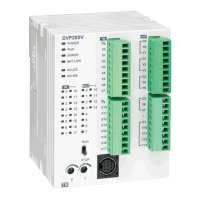
When DVP-ES2 MPU is connected with modules, registers D9900~D9999 will be
reserved for storing values from modules. You can apply MOV instruction to operate
values in D9900~D9999.
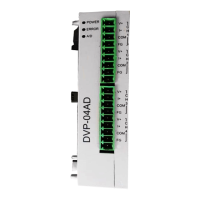
When DVP-ES2 MPU is connected with DVP04AD-E2, the configuration of special
registers is as below:
Module
#0
Module
#1
Module
#2
Module
#3
Module
#4
Module
#5
Module
#6
Module
#7
Description
D1320 D1321 D1322 D1323 D1324 D1325 D1326 D1327
Model Code
D9900 D9910 D9920 D9930 D9940 D9950 D9960 D9970
CH1 average
input value
D9901 D9911 D9921 D9931 D9941 D9951 D9961 D9971
CH2 average
input value
D9902 D9912 D9922 D9932 D9942 D9952 D9962 D9972
CH3 average
input value
D9903 D9913 D9923 D9933 D9943 D9953 D9963 D9973
CH4 average
input value
Note 1: D9900 ~ D9999 are average input values of CH1 ~ CH4 and the sampling range is K1 ~ K100.
When the sampling range is set to K1, the values displayed in D9900~D9999 are current values.
You can use: 1. ES_AIO Configuration Function of WPLSoft or 2. FROM/TO instructions (CR#8
~ CR#11) to set the sampling range as K1.
Adjust A/D Conversion Curve



 To Next Page