EasyManua.ls Logo

Delta InsightPower SNMP IPv6 - User Manual

Delta InsightPower SNMP IPv6
68 pages
Print Icon
To Next Page IconTo Next Page
Loading...
www.deltapowersolutions.com
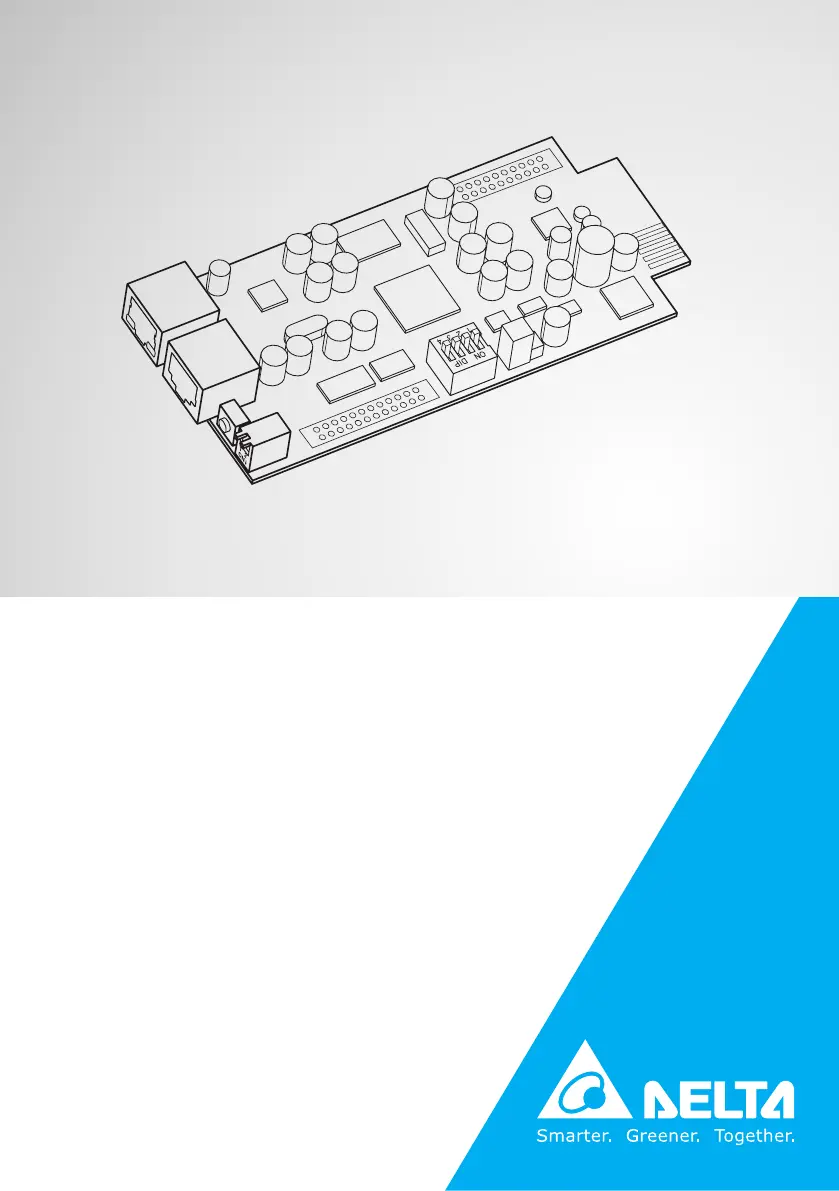
Delta InsightPower
SNMP IPv6 for UPS
User Manual
The power behind competitiveness

Questions and Answers

  • D
    Debra StewartAug 15, 2025
    What to do if I am unable to perform an SNMP Get command on my Delta InsightPower SNMP IPv6 Network Card?
    • B
      Barbara AtkinsonAug 15, 2025
      If you can't perform an SNMP Get command, ensure that the workstation’s IP address is added to the NMS IP list with Read or Read/ Write access. Also, the community string on the workstation and the SNMP IPv6 must match.
  • M
    matthewjacksonAug 19, 2025
    What to do if I am unable to perform an SNMP Set command on my Delta Network Card?
    • W
      wrightamandaAug 19, 2025
      If you are unable to perform an SNMP Set command, make sure that the workstation’s IP address is added to the NMS IP list, with Read/ Write permission. Also, the community string on the PC and the SNMP IPv6 must match.
  • C
    Collin ChavezAug 23, 2025
    What to do if I am unable to connect to the Delta Network Card SNMP IPv6 via its Host Name?
    • D
      debra56Aug 23, 2025
      If you're unable to connect to the SNMP IPv6 via its Host Name, refresh the NetBIOS table by entering the following command nbtstat –R in DOS prompt mode. Also, ensure that the Host Name assigned to the SNMP IPv6 does not exceed 16 bytes.
  • T
    taylorandersonAug 27, 2025
    What to do if I am unable to receive SNMP trap on my Delta Network Card?
    • J
      Jenny WardAug 27, 2025
      If you are unable to receive an SNMP trap, make sure that the workstation’s IP address is added to the Target IP list.
  • P
    pamelamossAug 31, 2025
    How to enable IPv6 in Windows XP for Delta InsightPower SNMP IPv6 Network Card?
    • T
      taylor79Aug 31, 2025
      To enable IPv6, click START, then RUN, and enter ipv6 install.
  • J
    Jennifer RoySep 3, 2025
    What to do if I forgot the administrator account and password for Delta InsightPower SNMP IPv6?
    • M
      Mindy LeeSep 3, 2025
      You can reset the administrator account and password via text mode. Establish a COM port connection with the Delta Network Card. When prompted for login information, enter 'rstadmin' within 30 seconds and press Enter. The administrator account and password will then be reset to the default values (admin/password).
  • R
    Randy GarciaNov 11, 2025
    What to do if I can't ping the Delta InsightPower SNMP IPv6 SNMP IPv6 from my workstation?
    • R
      Ronald AdamsNov 11, 2025
      If you are unable to ping the SNMP IPv6 from your workstation, consider the following possibilities: * If the green LED indicator on the SNMP IPv6 is off, check that the network cable is correctly connected from the SNMP IPv6 to the router or hub. * If the green LED indicator is on, manually assign a valid IP address to the SNMP IPv6. * If the green LED indicator flashes and your network configuration includes a DHCP server, ensure that the DHCP service is working properly. * If the green LED indicator flashes and the assigned IP is already taken on the network, make sure the assigned IP is not already taken on the network. * Use a network cable to cross link your SNMP IPv6 and the workstation. * If the current configuration is not useable, the SNMP IPv6 will reset to default ...

Summary

Important Safety Warnings for SNMP IPv6

SNMP IPv6 Safety Warnings

Provides critical warnings for safe operation and handling of the SNMP IPv6 unit.

Introduction to the SNMP IPv6

SNMP IPv6 Product Overview

Overview of the SNMP IPv6 device and its function in network management.

SNMP IPv6 Installation Guide

SNMP IPv6 System Configurations

Configure SNMP IPv6 via Web Interface

Step-by-step guide to configure the SNMP IPv6 using its web-based interface.

Configure SNMP IPv6 with EzSetting Tool

Instructions for configuring the SNMP IPv6 using the EzSetting program.

InsightPower SNMP IPv6 for UPS Web Interface

Monitor UPS Status via Web Interface

Section for monitoring UPS status, including information, history, and environment data.

System Administration Settings

Manages user accounts, network settings, time server, and system upgrades.

SNMP Device Firmware Upgrade Guide

SNMP IPv6 Troubleshooting Guide

Delta InsightPower SNMP IPv6 Specifications

General IconGeneral
BrandDelta
ModelInsightPower SNMP IPv6
CategoryNetwork Card
LanguageEnglish

Related product manuals