VIVOTEK
User's Manual - 75
Noise reduction
■ Enable noise reduction: Check to enable noise reduction in order to reduce noises and ickers
in image. This applies to the onboard 3D Noise Reduction feature. Use the slide bar to adjust
the reduction strength. Note that applying this function to the video channel will consume system
computing power.
3D Noise Reduction is mostly applied in low-light conditions. When enabled in a low-light
condition with fast moving objects, trails of after-images may occur. You may then select a lower
strength level or disable the function.
Enable digital image stabilizer
If you experience problems such as vibration occurs when on a pole mount, try enable the image
stabilizer.
Hightlight mask: If there are strong light sources in the scene, the system will block out the strong
light sources, and eliminate the effects from the lighting sources. For example, a strong lighting
source can mislead the system to consider the whole scene is well lit, while the other areas is in
fact poorly represented.
Scene mode: deblur
■ When enabled, shutter time will be xed to 1/120 second to reduce image smear. This feature
is designed to apply with human movement at the pace of 1.4~2.2m/s. The deblur function
is related to Motion detection where motion-alerted pixels need to be suppressed in order to
increase the accuracy of motion detection. In certain conditions, shadows or light changes can
all cause false alarms in motion detection.
The deblur function uses the same detection window as that of the Motion detection.
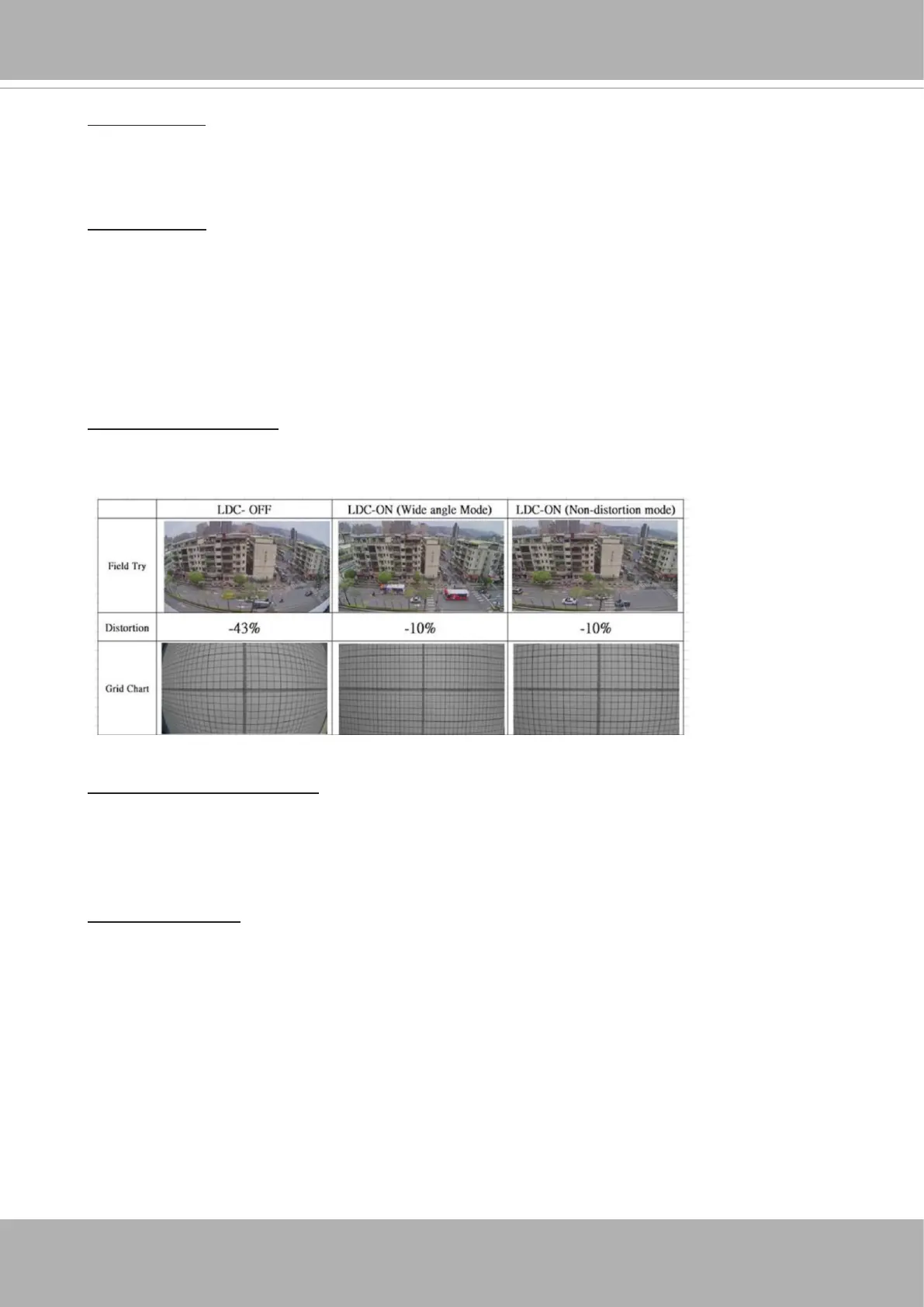
Lens distortion correction
■ Then Lens Distortion Correction is implemented by warping the distorted image input into a
rectied, undistorted image output.


 To Next Page