Need help?
Do you have a question about the Deltaco Gaming DM320 and is the answer not in the manual?
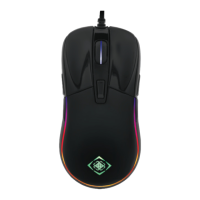
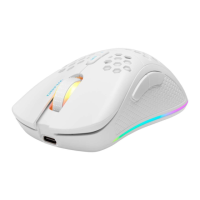
This document describes the DELTACO GAMING DM320, a lightweight gaming mouse designed for versatile use.
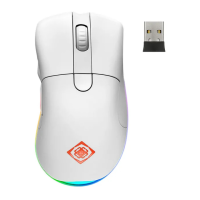
The DELTACO GAMING DM320 is a lightweight gaming mouse that offers both wireless and wired connectivity, providing flexibility for different gaming setups. It features a total of 8 buttons, including dedicated buttons for backward, forward, mouse wheel, left click, right click, and DPI adjustment. An on/off switch is located on the underside of the mouse, along with a slot for the USB receiver. The mouse is designed for plug-and-play functionality, requiring no drivers for basic operation. It also includes LED lighting with multiple modes, which can be controlled directly from the mouse.
The DM320 mouse is straightforward to use. To get started, simply connect the USB receiver to an available USB port on your computer and turn on the mouse using the switch located on its underside. The mouse and receiver will automatically connect without the need for additional drivers.
Dual Mode Functionality: The mouse can be used in two modes:
Charging: To charge the mouse, connect the USB-A cable to a USB-A port on your computer.
LED Control: The integrated LED lighting can be controlled with simple button combinations:
DPI Adjustment: The DPI (Dots Per Inch) can be changed on-the-fly using the dedicated DPI button (6). The default DPI settings are 800, 1600, 2000, 2400, 3200, 5000, and 10000. For more precise customization of DPI settings, users can download and utilize the dedicated software from the DELTACO GAMING website.
Polling Rate Adjustment: The default polling rate is 1000 Hz. This can be adjusted to 250, 500, or 1000 Hz by pressing the Forward button (2) + Mouse wheel button (3).
Sleep Mode: To conserve battery, the mouse automatically enters sleep mode after 4 minutes of inactivity. This inactivity period can be customized through the mouse's software.
Cleaning: To maintain the mouse, simply clean the product using a dry cloth. Avoid using liquids as the product is not waterproof.
Safety Instructions:
Software: Additional customization options, including DPI settings and sleep mode adjustments, are available through the DELTACO GAMING software, which can be downloaded from www.deltacogaming.com.
Warranty and Support: For warranty information, please refer to www.deltaco.eu. For further product information and support, visit www.deltaco.eu or contact help@deltaco.eu via email.
 General
| Brand | Deltaco Gaming |
|---|---|
| Model | DM320 |
| Category | Mouse |
| Language | English |

 To Next Page